

 Posted by
 Step #1:
Get your coupon code from wherever you can, for the case of the Pre-registration for Cabal Mobile: Return of Action, it will be sent to the email address that you used for pre-registration for the game. Remember to check also in your spam folder.

The email could look something like below. After you get the code, copy it.

Step #2:
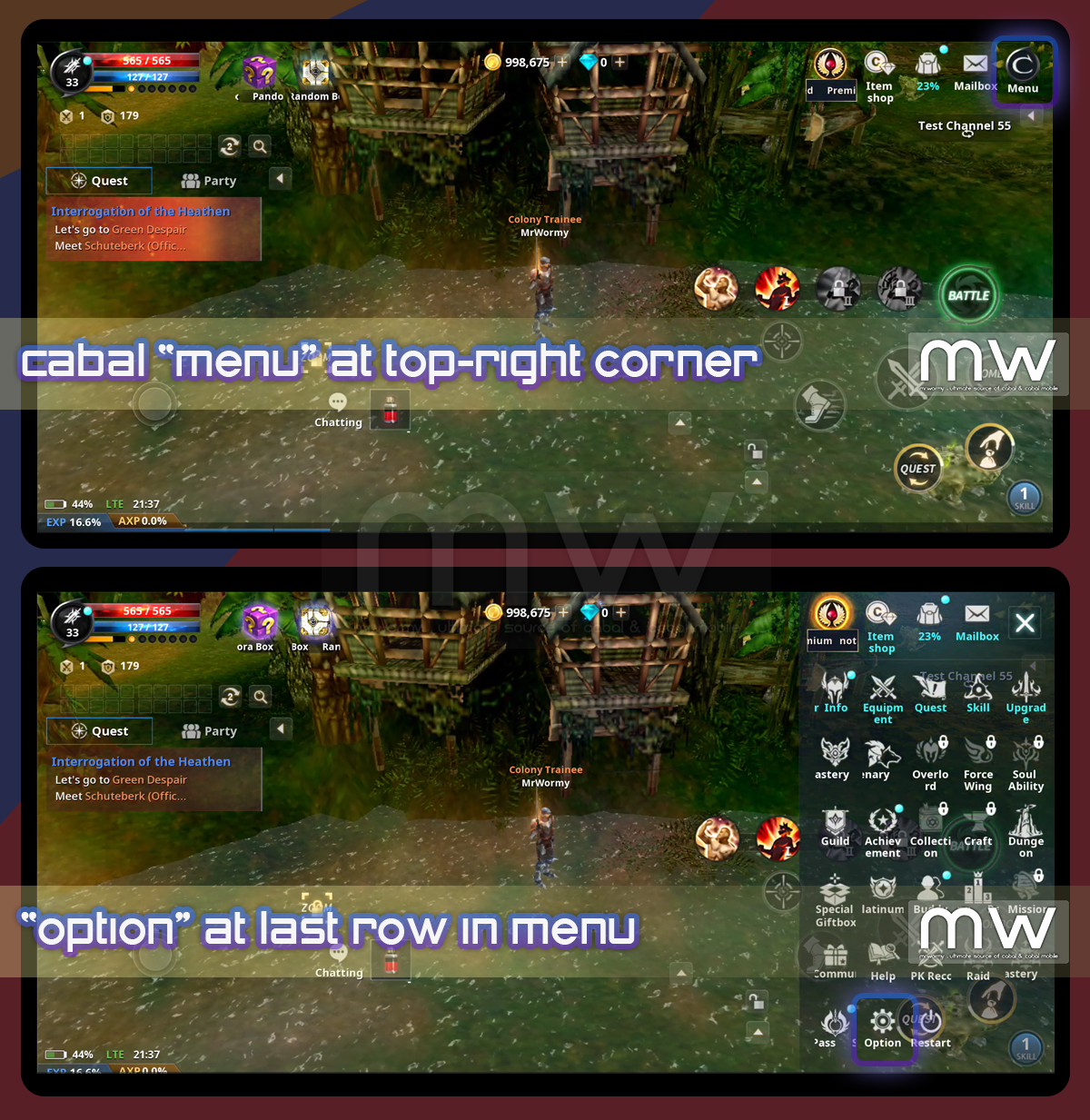
Open the game, access the game “menu” at the top-right corner of the screen. The click on the “Option” button at the last row of the menu.
Step #3:
At the “Option” UI, click on the “Info” tab then click on the “Redeem Coupon” button on the right side.

Step #4:
Paste your coupon code here in the screen then click on “Register” button.

Step #5:
If you enter the valid code, then just open the “Mailbox” then either in “Cash Inventory” or “Event Inventory” for the gift items, you can receive individually or in bulk. For the case of pre-registration, gifts will be in Cash Inventory.

Side Notes:
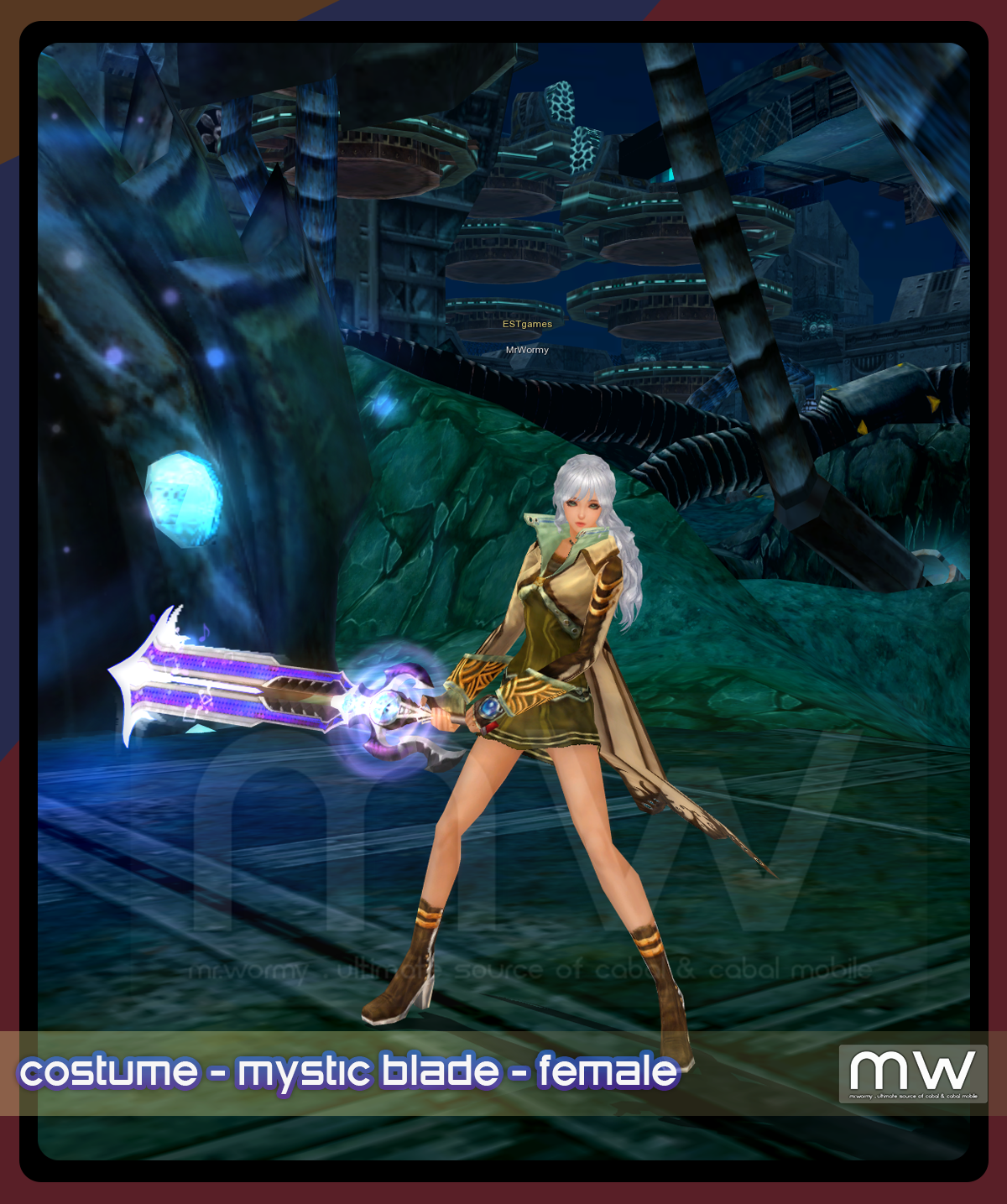
As many players keep asking for the preview of “Mystic Blade” costume, take a look here ;-D

Discover more from Mr. Wormy
Subscribe to get the latest posts sent to your email.
 Mr. Wormy
Buat is
LikeLike