

 Posted by
 Currently we are having a collaboration program that covers both Cabal Online (PC) EU/NA/BR and Cabal: Return of Action (aka Cabal Mobile NA/BR), the program gives lot of incentives for players, one of those is COUPON for redeeming into great consumables / durational items. This post is dedicated for guiding players the way to claim and redeem coupon step-by-step with visual guidelines.
List of Coupon Codes:
| Game | Coupon Code | Description | Duration | Item |
| Cabal Online EU/NA/BR | GoldCoupon | Gold Coupon for Rating Campaign, exclusively for Cabal PC | 29-Jul-2024 – 31-Jul-2024 | Blessing Bead – Plus (7D) Blessing Bead – Superior (7D) Enchant Safeguard (High) x30 Enchant Safeguard (Divine) x20 Perfect Core (High) x1 Epic Booster (High) x1 Extreme Core (Lv. 10) x1 Astral Bike Card – Type RW3 (30D) x1 Chaos Safeguard – Earring x6 |
| Cabal Online EU/NA/BR | Claim by purchasing Bundle in N-Shop | Elite Coupon for Rating Campaign, exclusively for Cabal PC | 06-Aug-2024 – 11-Aug-2024 | Blessing Bead – Plus (14D) Blessing Bead – Superior (14D) Enchant Safeguard (Highest) x25 Enchant Safeguard (Divine) x30 Perfect Core (Highest) x1 Epic Booster (Highest) x1 Extreme Core Lv. 11 Astral Bike Card – PW5 (30D) x1 Chaos Safeguard – Amulet x5 |
| ? | ? | Platinum Coupon | ? | ? |
| Cabal | RATINGSGOLD | Gold Coupon for Rating Campaign, exclusively for Cabal Mobile | ? | Blessing Bead – Plus (7D) Blessing Bead – Superior (7D) Enchant Safeguard (High) x30 Enchant Safeguard (Divine) x20 Perfect Core (High) x1 Epic Booster (High) x1 Extreme Core (Lv. 10) x1 Astral Bike Card – Type RW3 (30D) x1 Chaos Safeguard – Earring x6 |
| ? | ? | Elite Coupon | ? | ? |
| ? | ? | Platinum Coupon | ? | ? |
Cabal Online EU/NA/BR
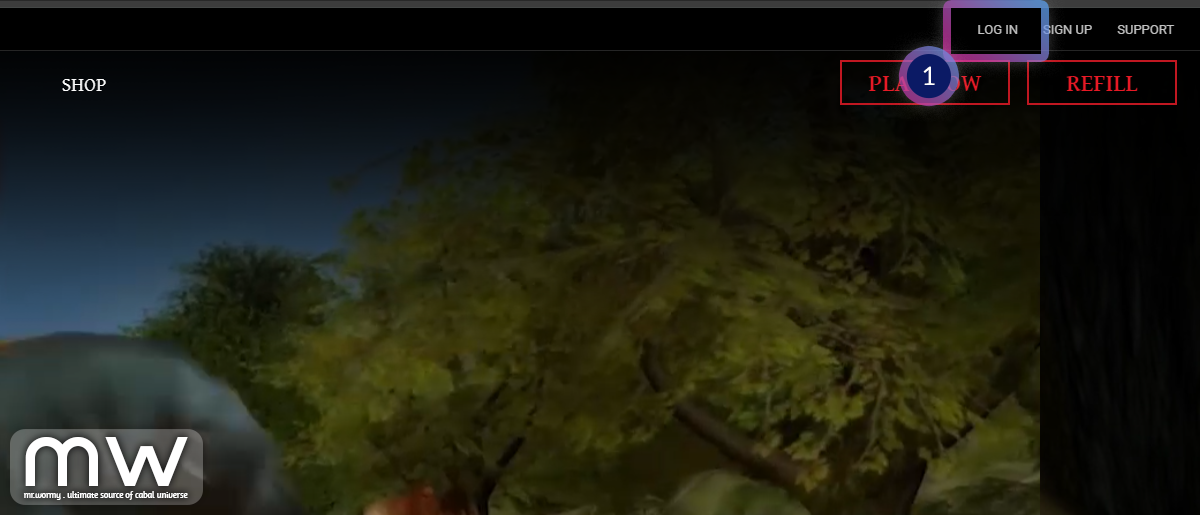
Open your homepage of the your game services region and Login [1], just for references, the homepages are listed below:
- Cabal NA: https://cabal.playthisgame.com/en
- Cabal BR: https://cabal.br.playthisgame.com/pt
- Cabal EU: https://cabaleu.playthisgame.com/en/
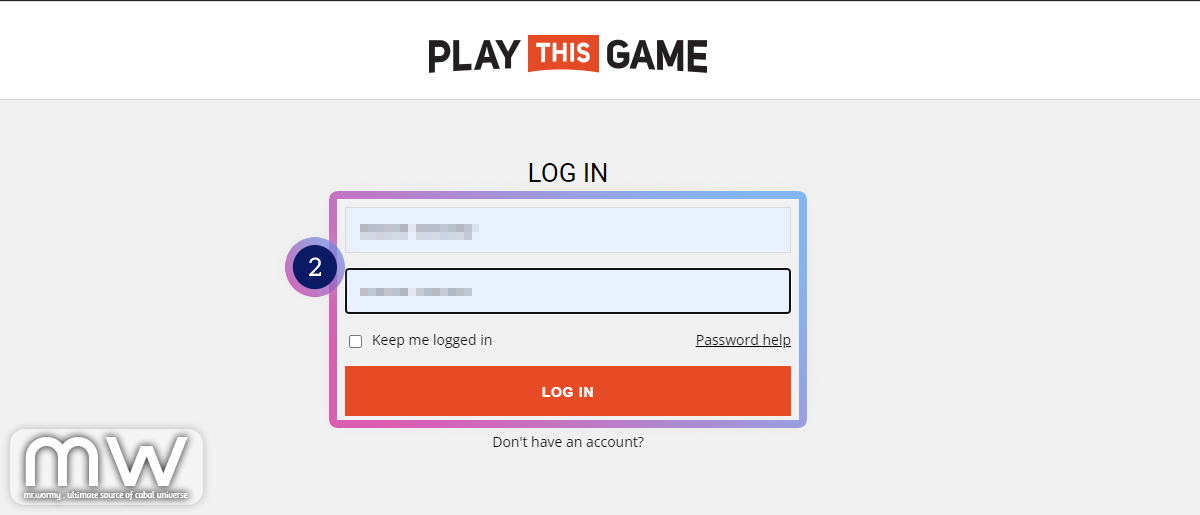
In the Login screen [2], provide the ID and Password and click on Login.
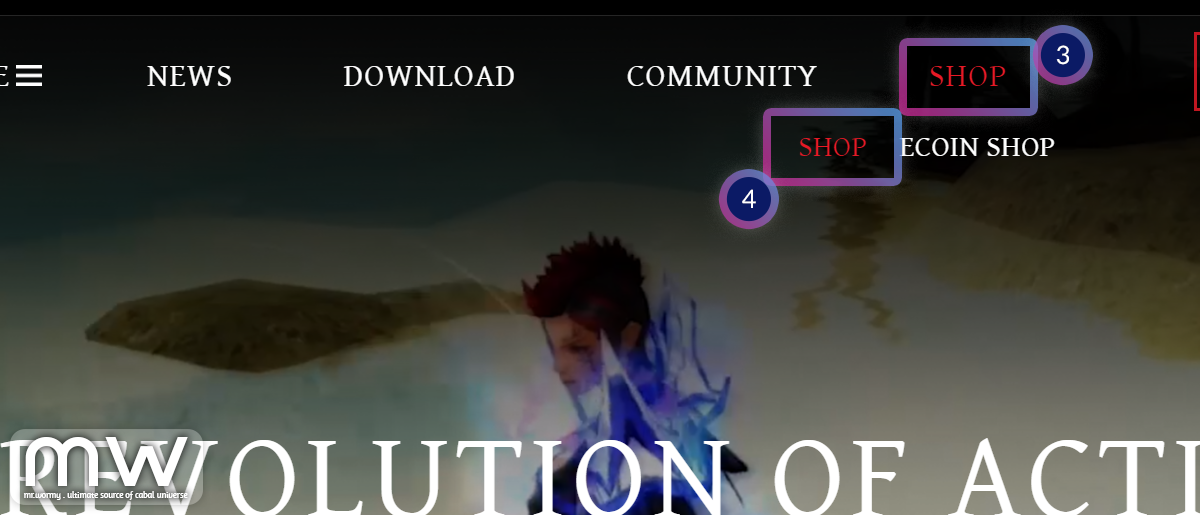
After logged in successfully, move the mouse on “Shop” [3] and then again on “Shop” [4] that shows in the next line below.
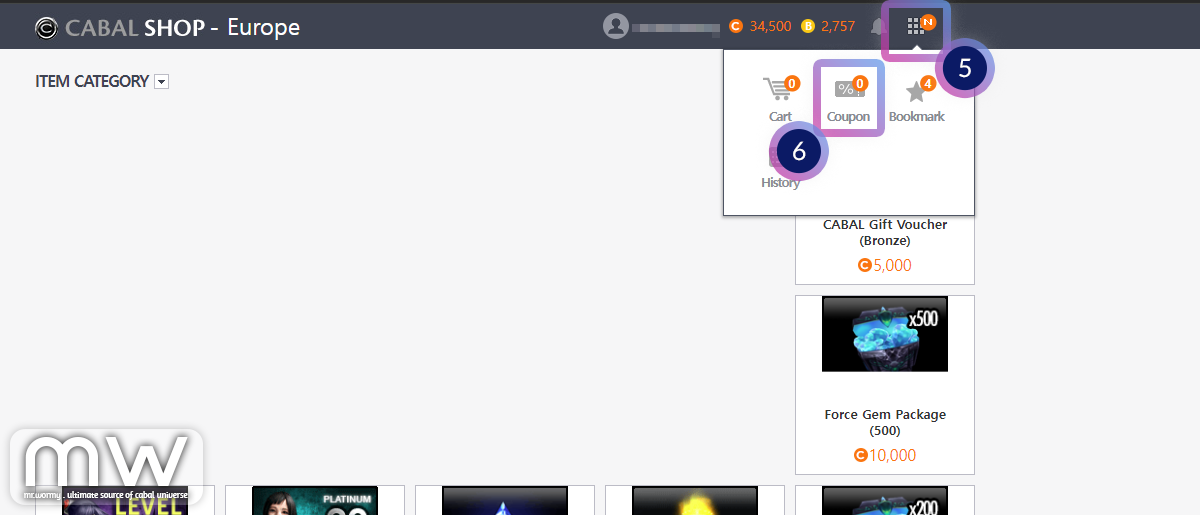
The “CABAL SHOP” of your service will be opened in a new window, click on the dot-dot-dot icon at top-right of the screen [5], then click on “Coupon” [6].
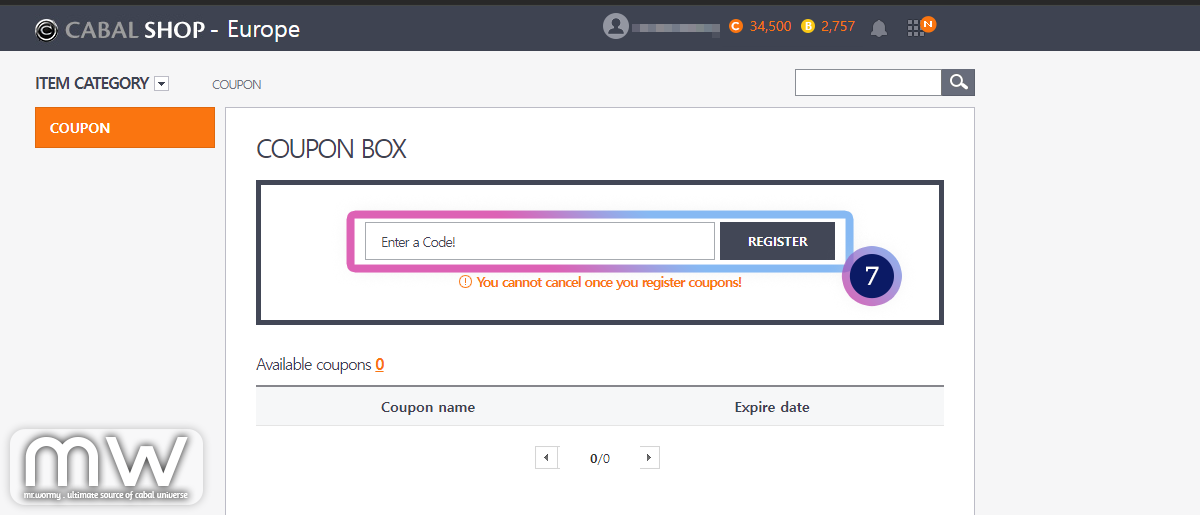
Here in the COUPON BOX [7], you need to provide the Coupon Code into the box and click “Register”.
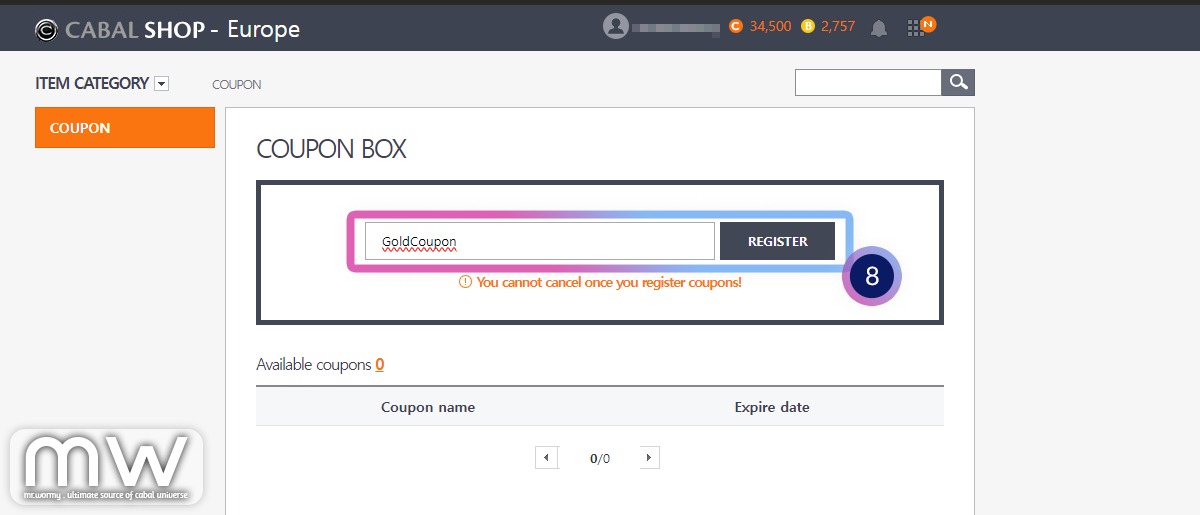
For example, here I put “GoldCoupon” and click “Register” [8].
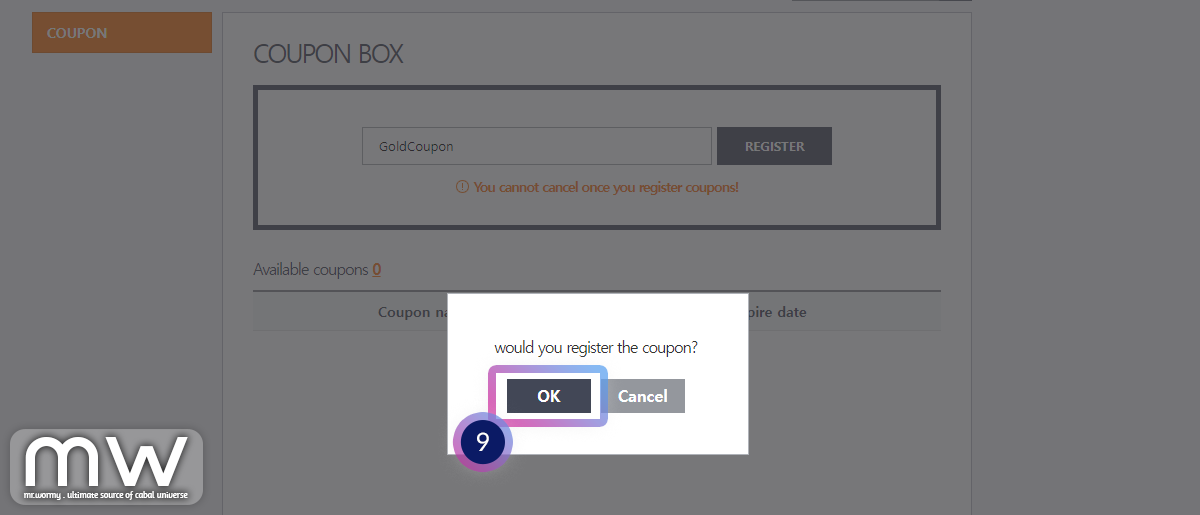
Confirm that you want to register the coupon code by clicking on “OK” [9] button.
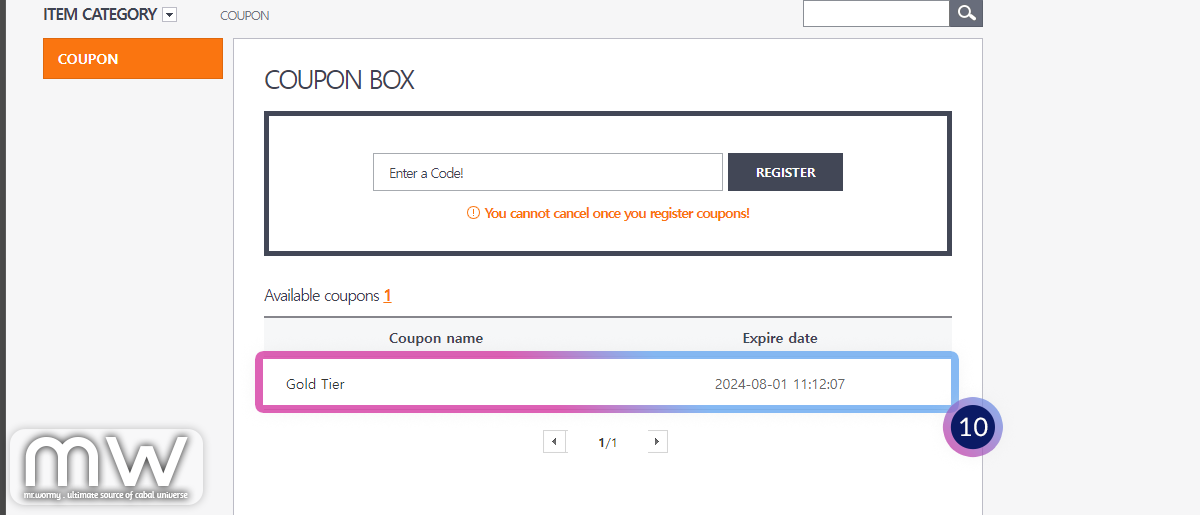
A new line corresponding to the Coupon will be displayed in the “Available Coupons” area [10]. Click on the coupon (that mean, like in this screen you need to click on “Gold Tier”).
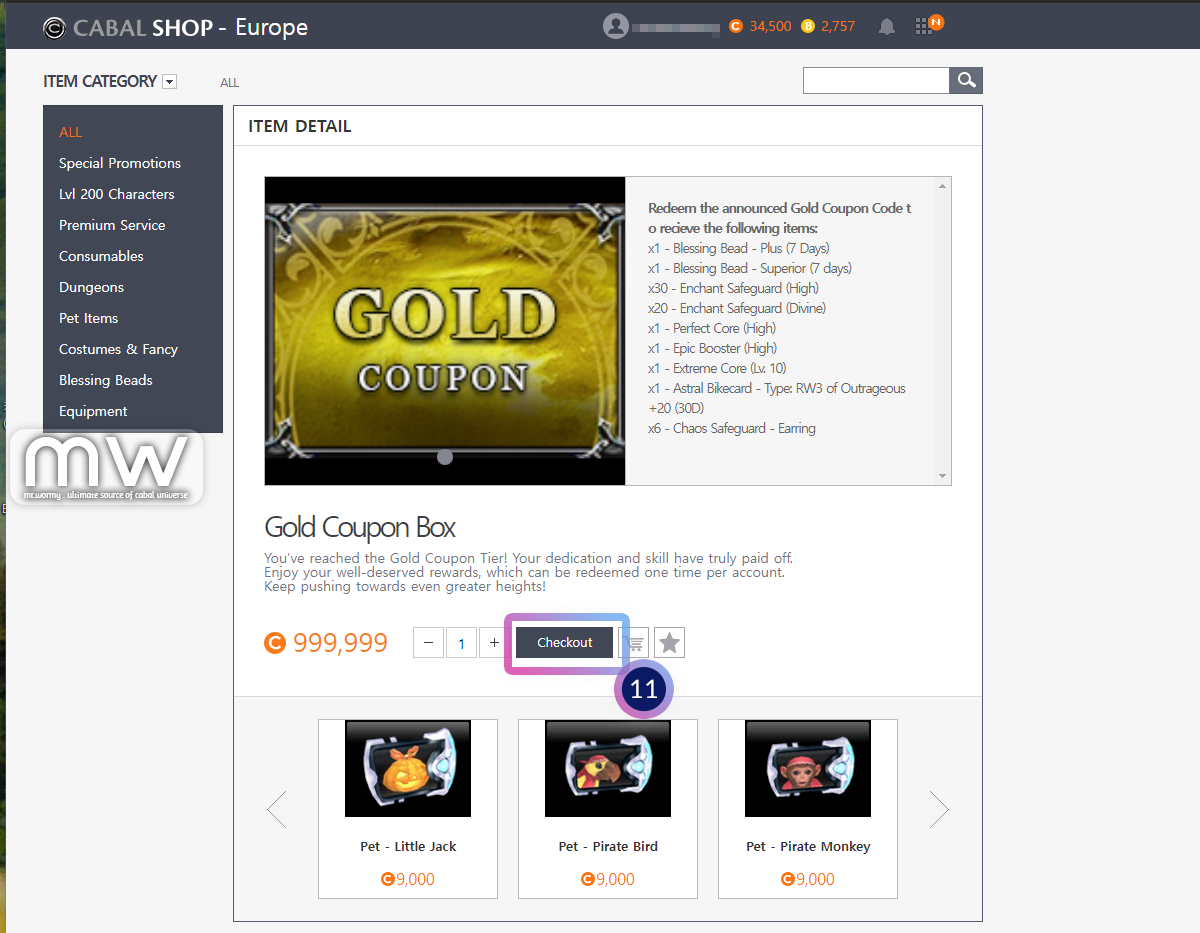
This is the screen of “Gold Coupon” details, click on “Checkout” to proceed. Don’t be panic when you see the price of the item package.
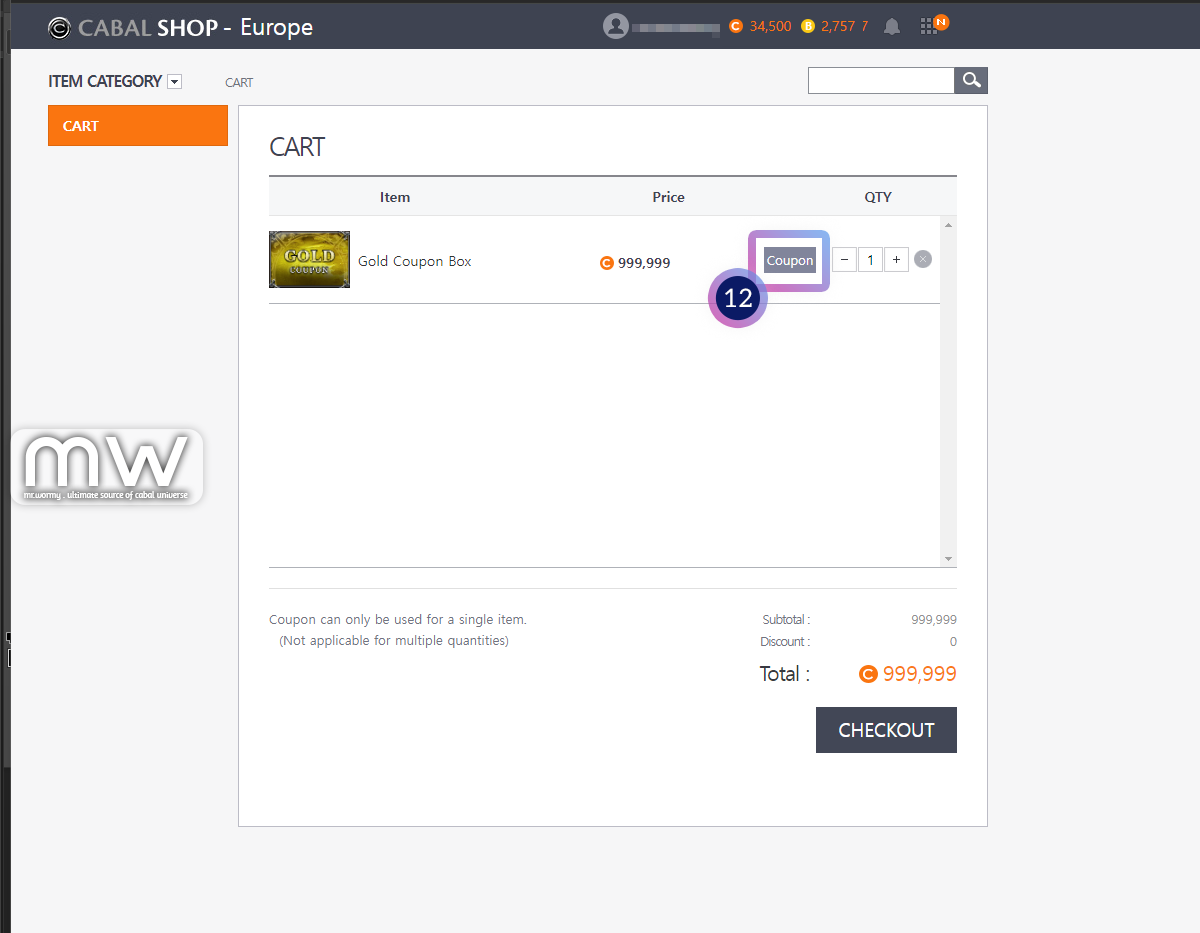
At the Cart screen, click on “Coupon” button [12].
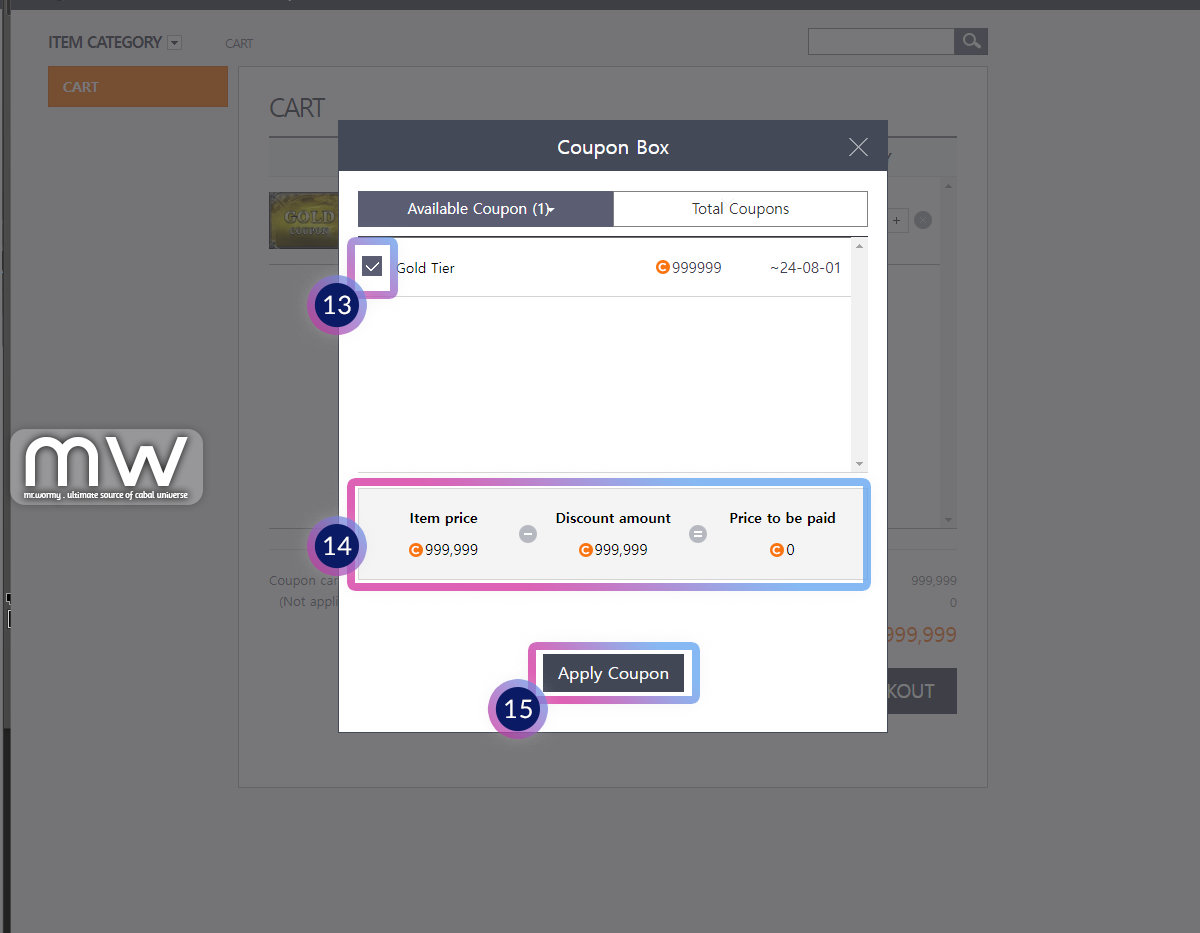
Select the checkbox [13] next to the equivalent coupon matched with the item / package, for example here I select “Gold Tier”. You can see the original price, the discount amount and final price in the pricing area [14]. Click on button “Apply Coupon” [15] to proceed.
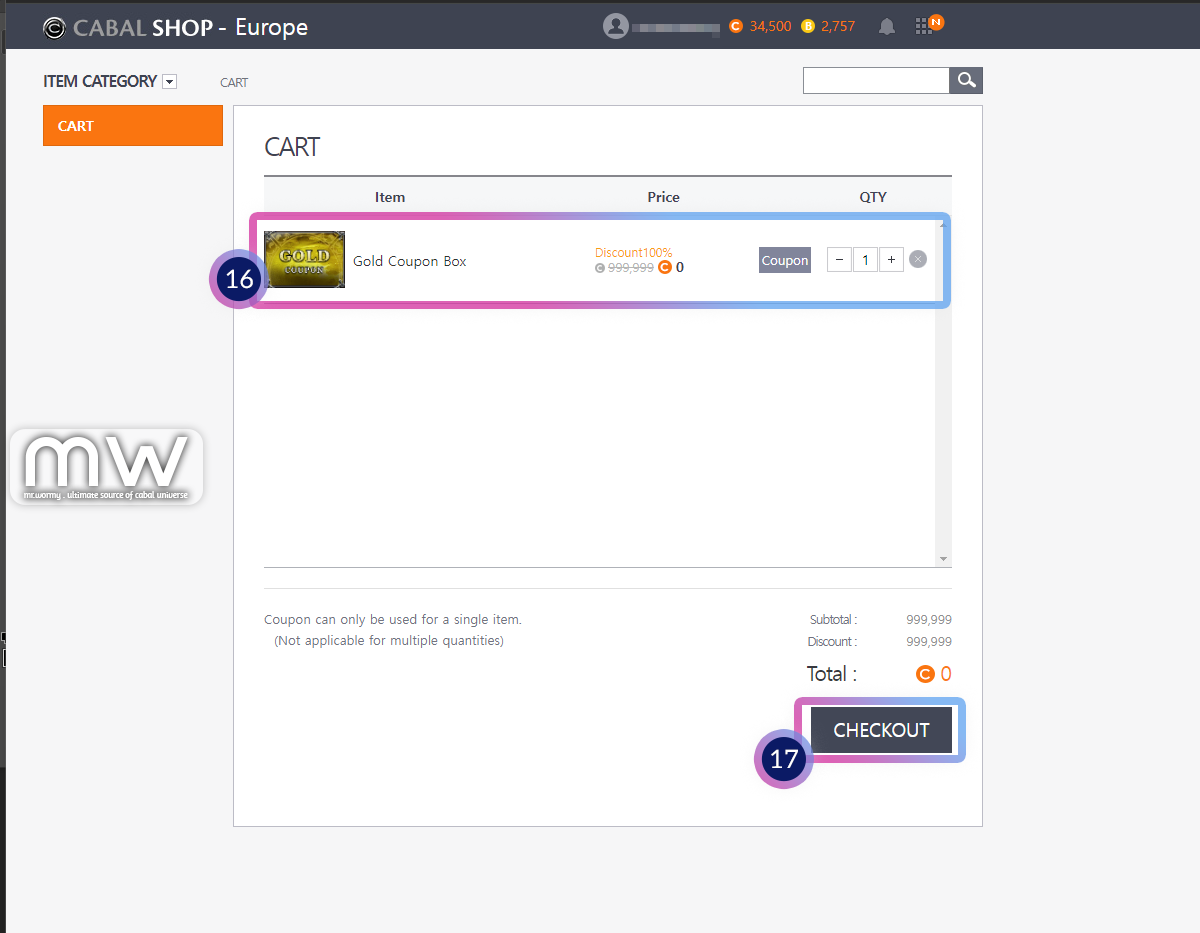
You can see that the cart is updated with discount price [16], click on “CHECKOUT” button [17] to proceed.
Confirm the purchase by clicking on “OK” [18] button.

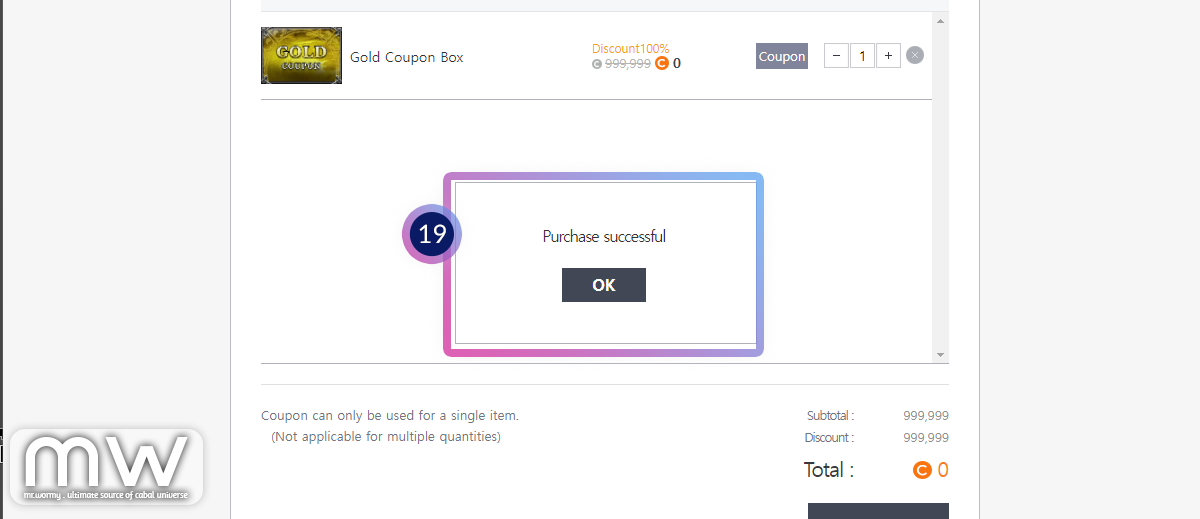
A small popup will show to acknowledge the successful purchase [19].
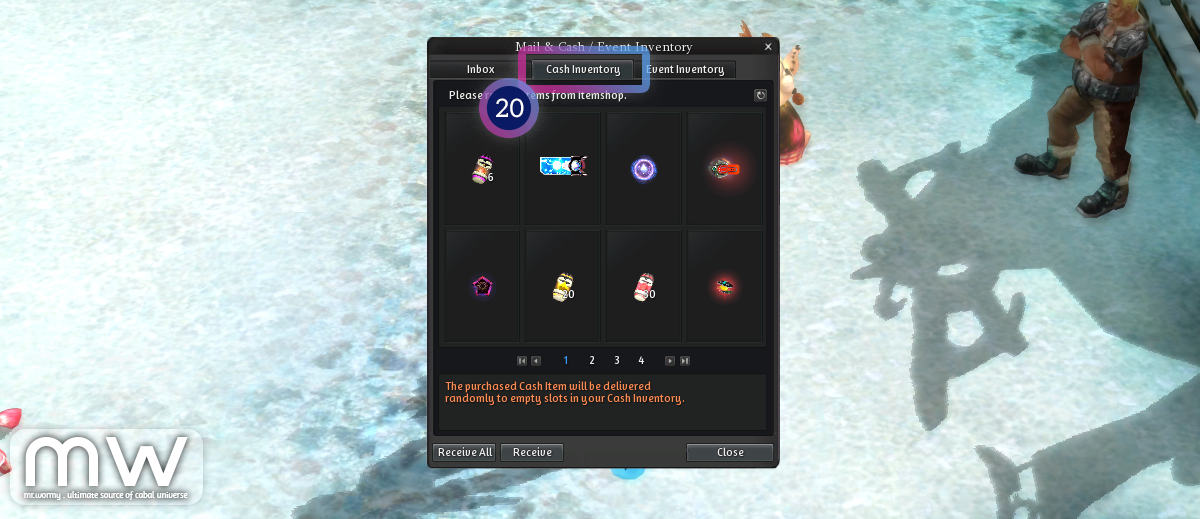
Opening the game, you can see the items in “Cash Inventory” [20].
If you get any issues while trying to claim or redeem the coupon, please knock us on Discord for further support https://discord.gg/cabal.
Wormy~
Cabal: Return of Action (aka Cabal Mobile NA/BR)
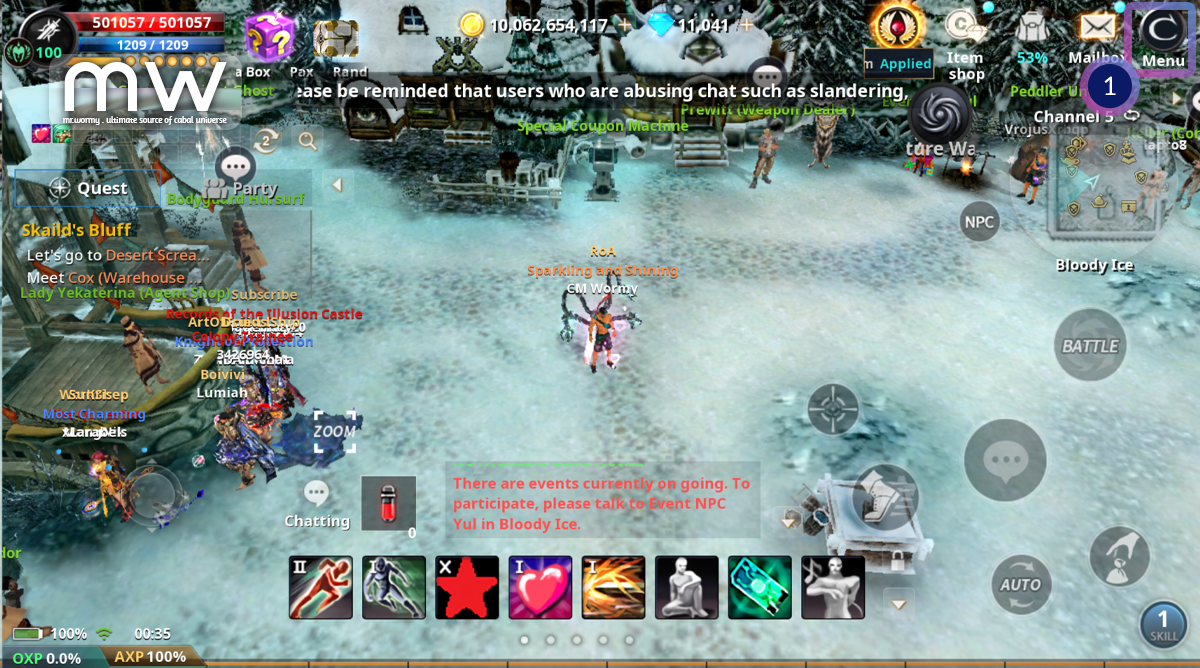
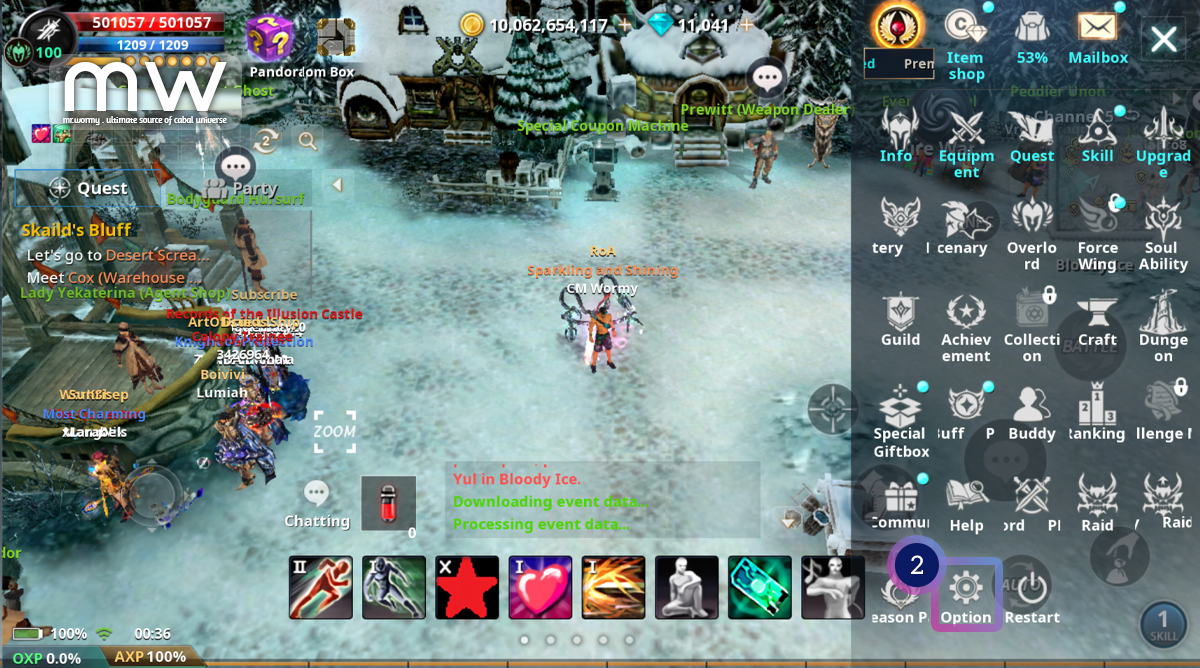
Click on “Cabal” Menu [1].
Click on “Option” [2].
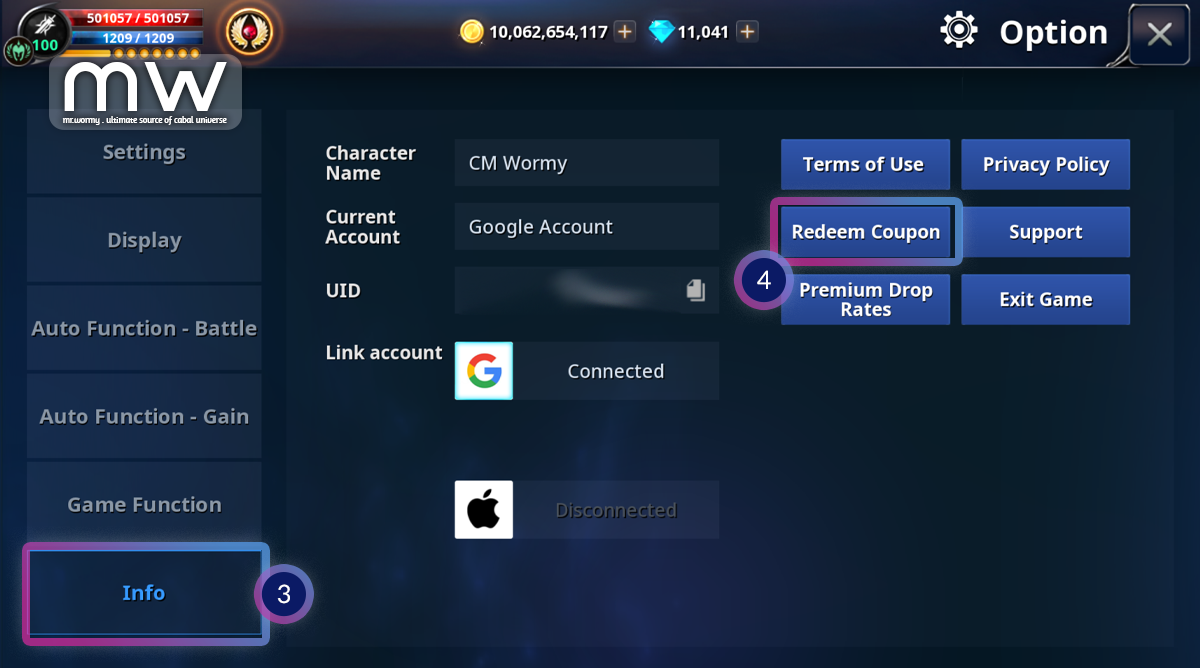
Click on group “Info” [3] then click on button “Redeem Coupon” [4].
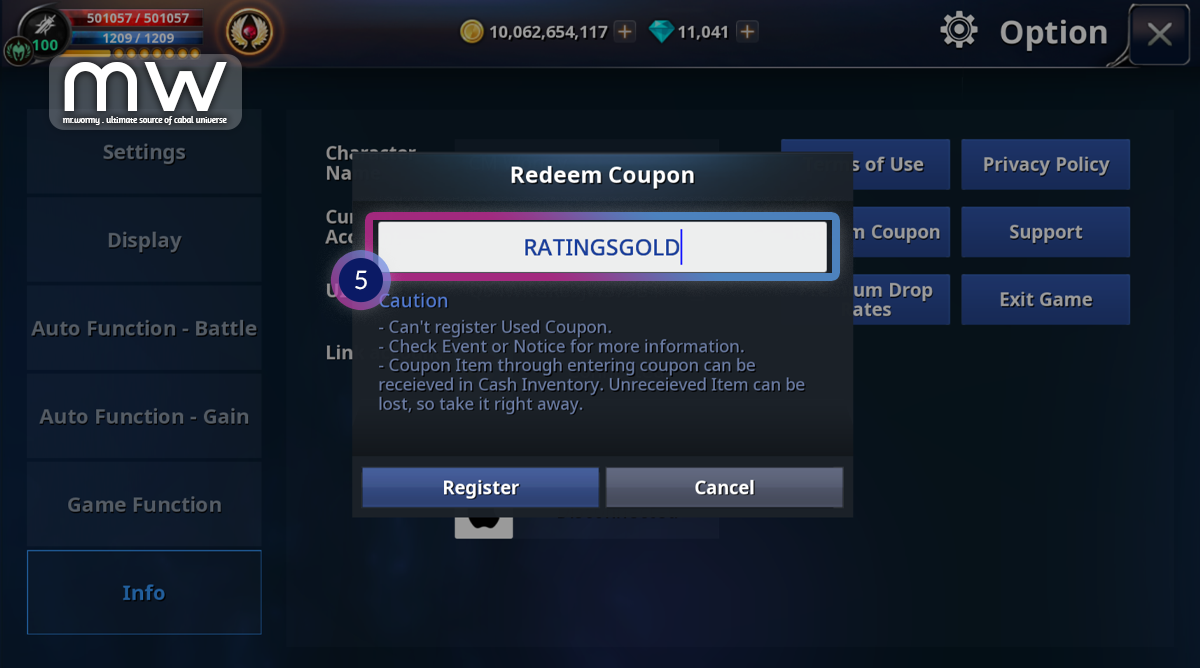
Input the coupon code into the text box [5] then click “OK”.
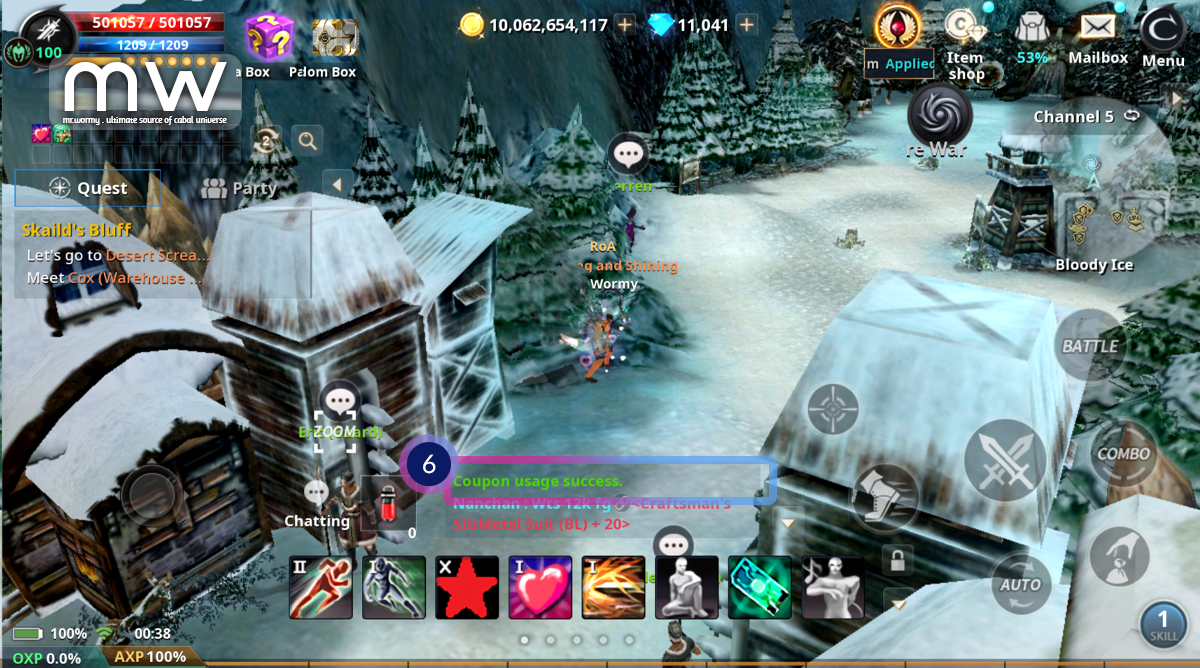
A message “Coupon usage success” will be displayed on the system message area.
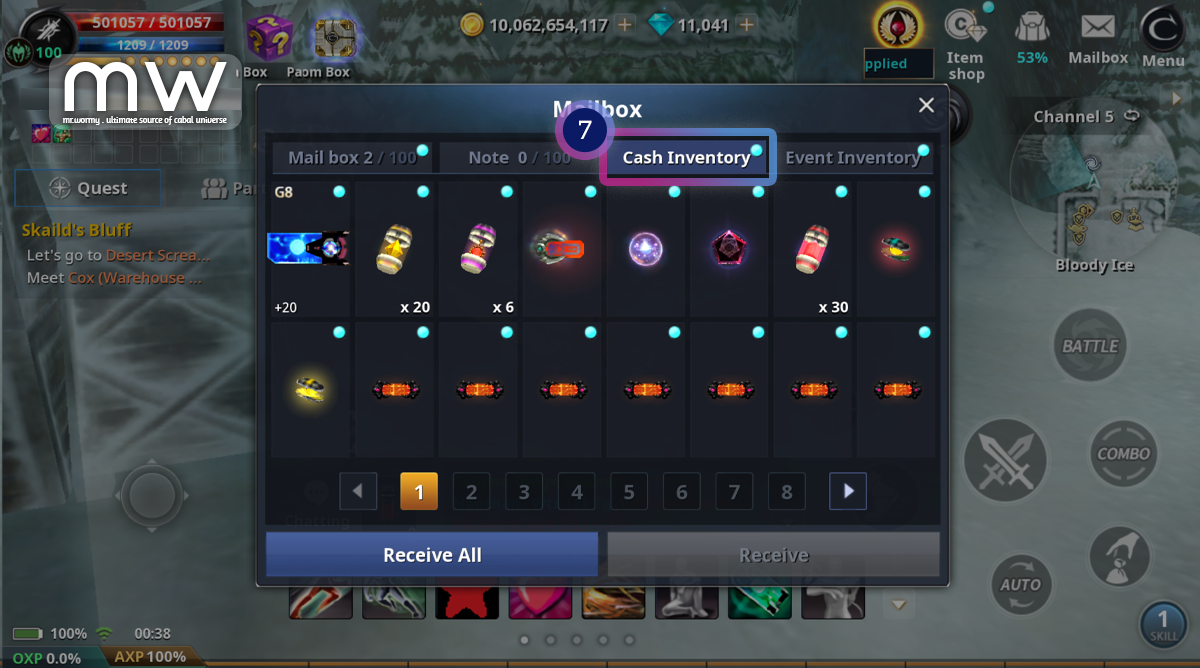
You can see all items linked to the coupon in the Cash Inventory [7].
If you get any issues while trying to claim or redeem the coupon, please knock us on Discord for further support https://discord.gg/cabal.
Wormy~
Discover more from Mr. Wormy
Subscribe to get the latest posts sent to your email.
 Mr. Wormy