

 Posted by
 The second patch of #Episode37 with the introduction of #Artifact ⏱️ – a brand-new equipment piece in your set. Will it be a game-changer or just another random items adding some stats for your set? Let’s explore the patch notes 🔎
- Fixed bug that epic items with abnormal binding status were dropped from the legendary box from Celestia and Purifier in the Woods dungeons.
- Add short-cut for accessing Remote Warehouse:
- Default: Ctrl + B
- Can be customised in Keymap Settings in Options.
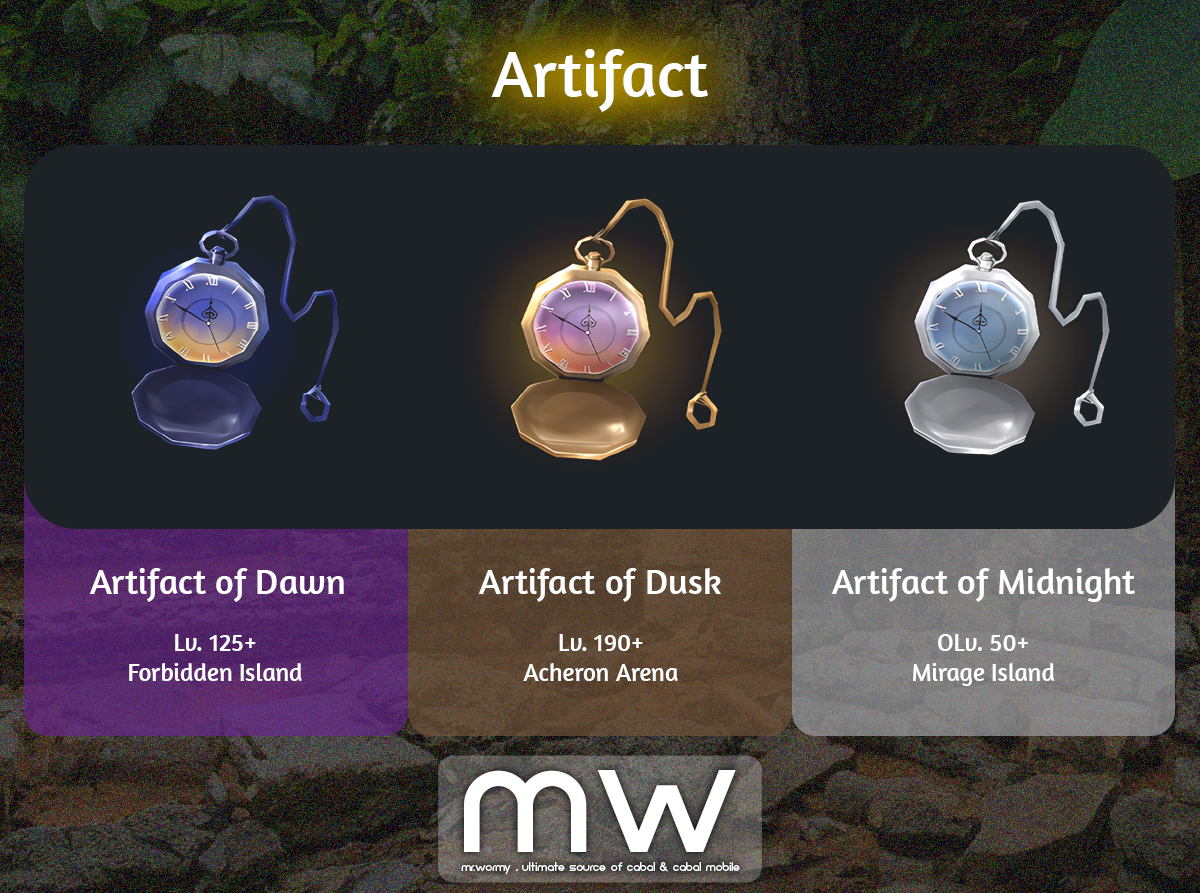
- New equipment type: “Artifact”
- There are 03 grades:
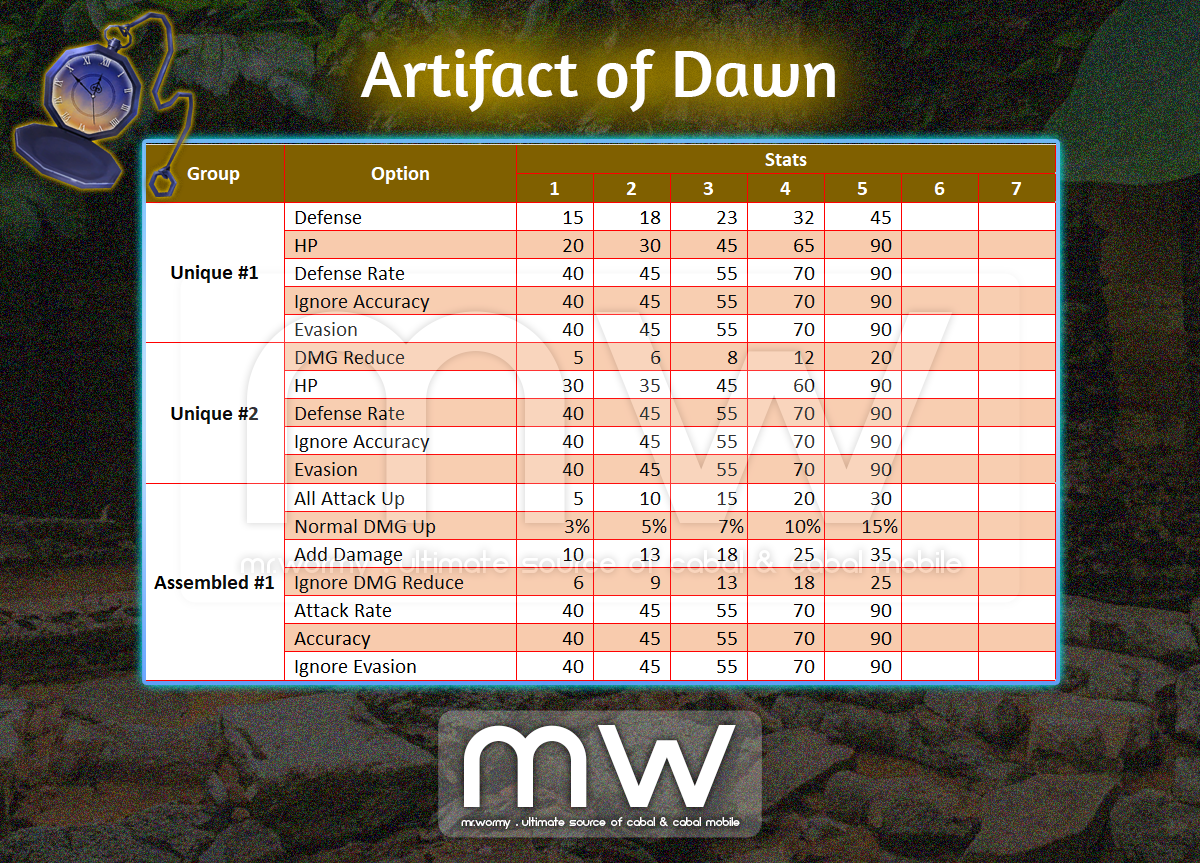
- Artifact of Dawn
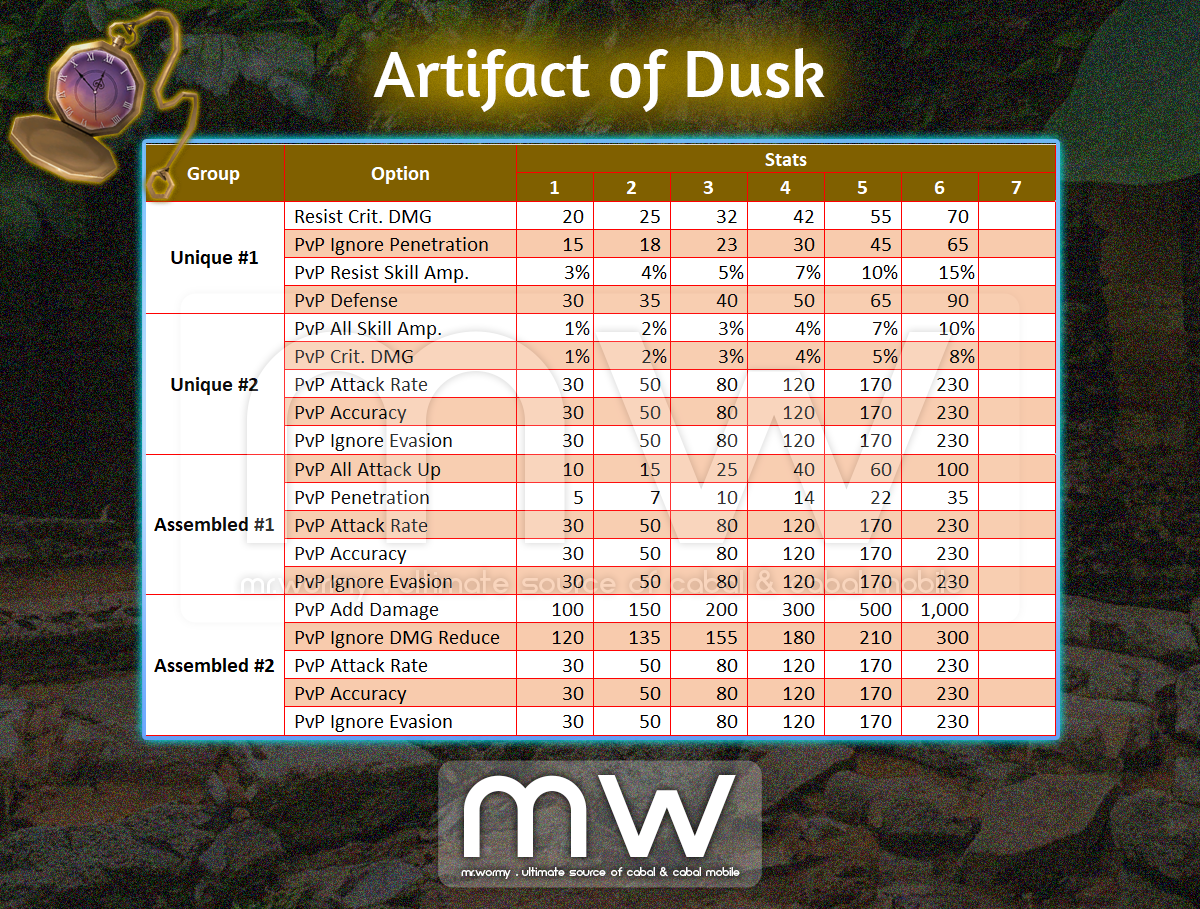
- Artifact of Dusk
- Artifact of Midnight
- “Artifact” has 2 types of stats:
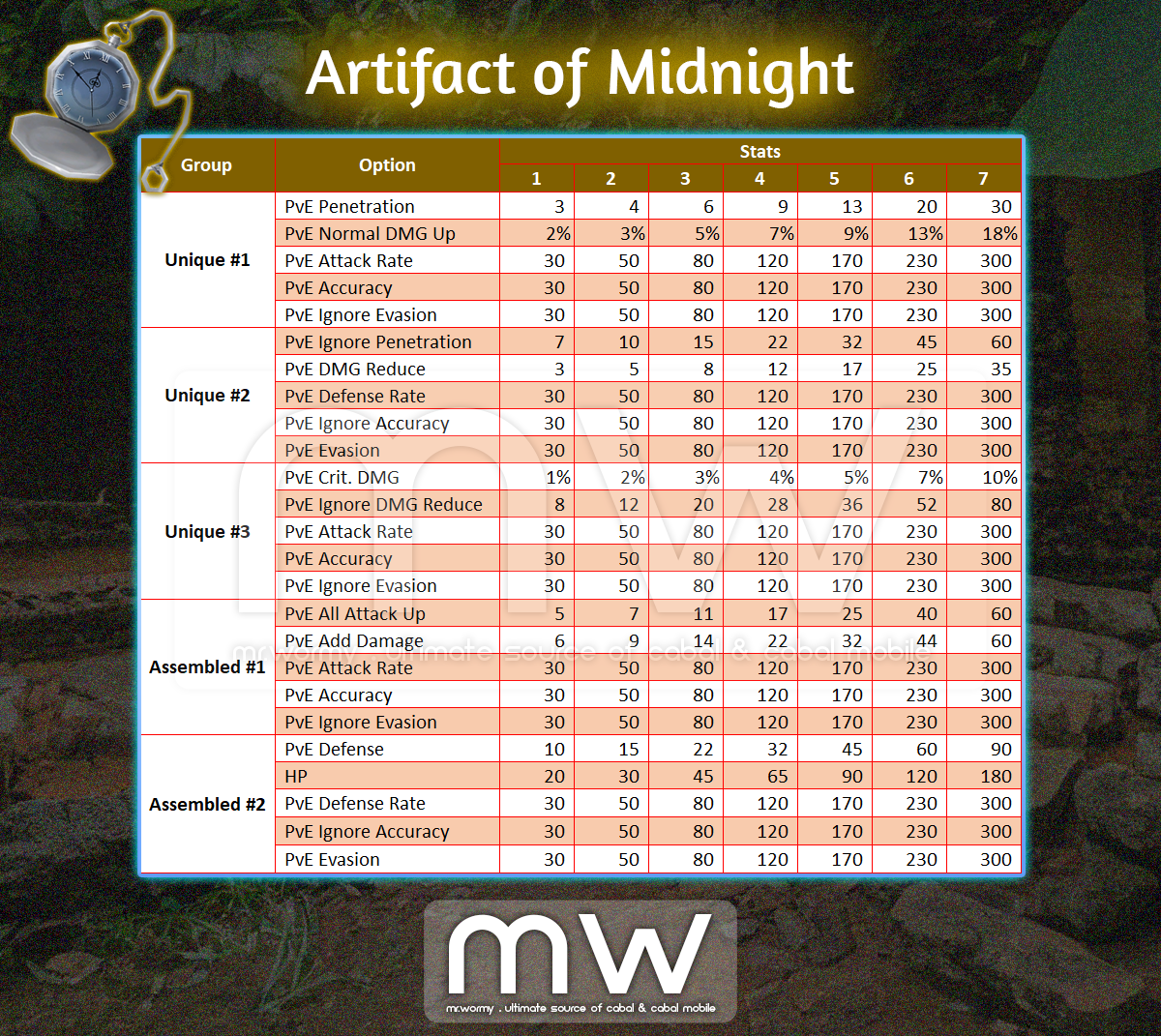
- Unique Stats:
- Randomly granted at the time of obtaining the Artifact.
- Unique stats cannot be changed.
- Can be upgraded using “Upgrade” feature of Magic Tech upgrade.
- Assembled Stats:
- By default is empty, can be granted randomly.
- Can be changed randomly using “Tunning” feature of Magic Tech ugprade.
- Can be upgraded using “Upgrade” feature of Magic Tech upgrade.
- Unique Stats:
- There are 03 grades:
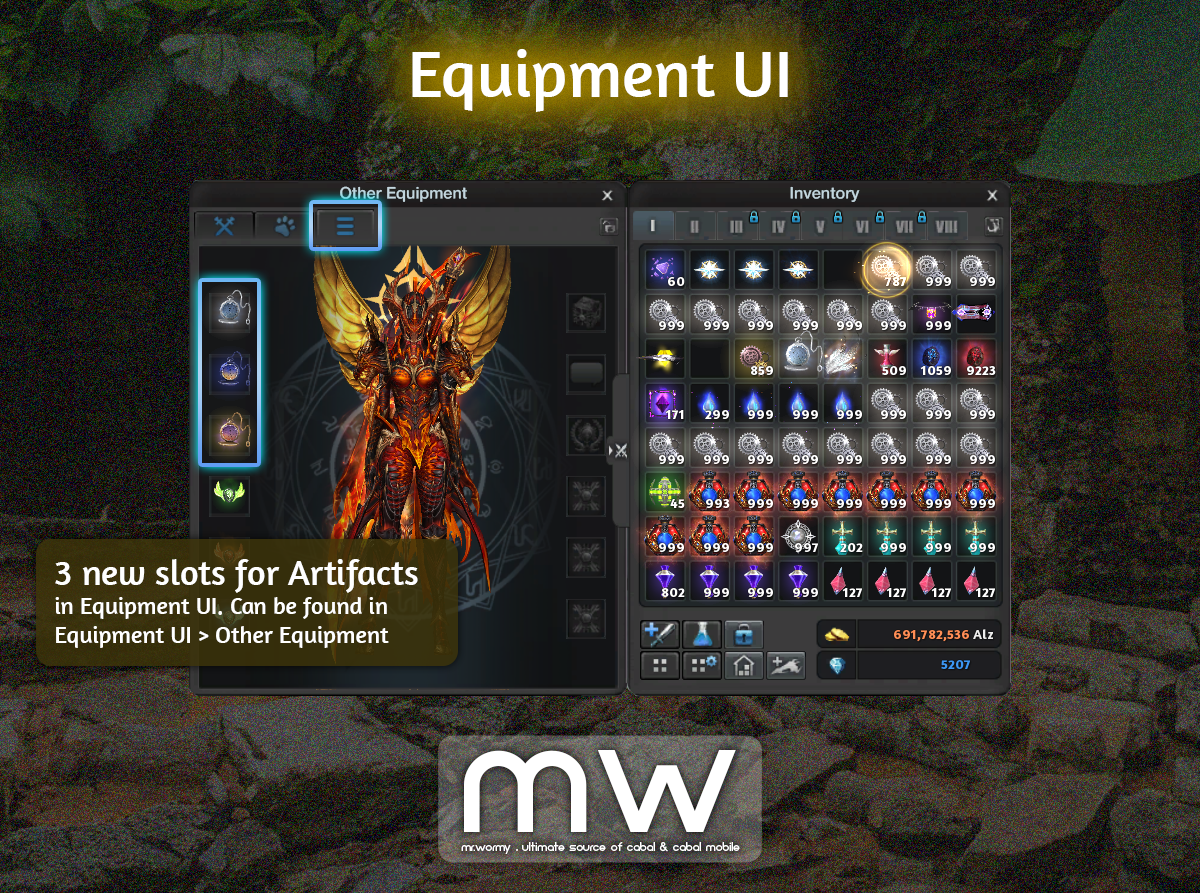
- Equipment UI is updated with 03 new slots for equipping the Artifact.
- Can equip up to 03 Artifacts of different grade at once.
- Artifacts of the same grade cannot be equipped at the same time.
- Artifacts can be tuned and upgraded via new upgrade system “Magic Tech”.
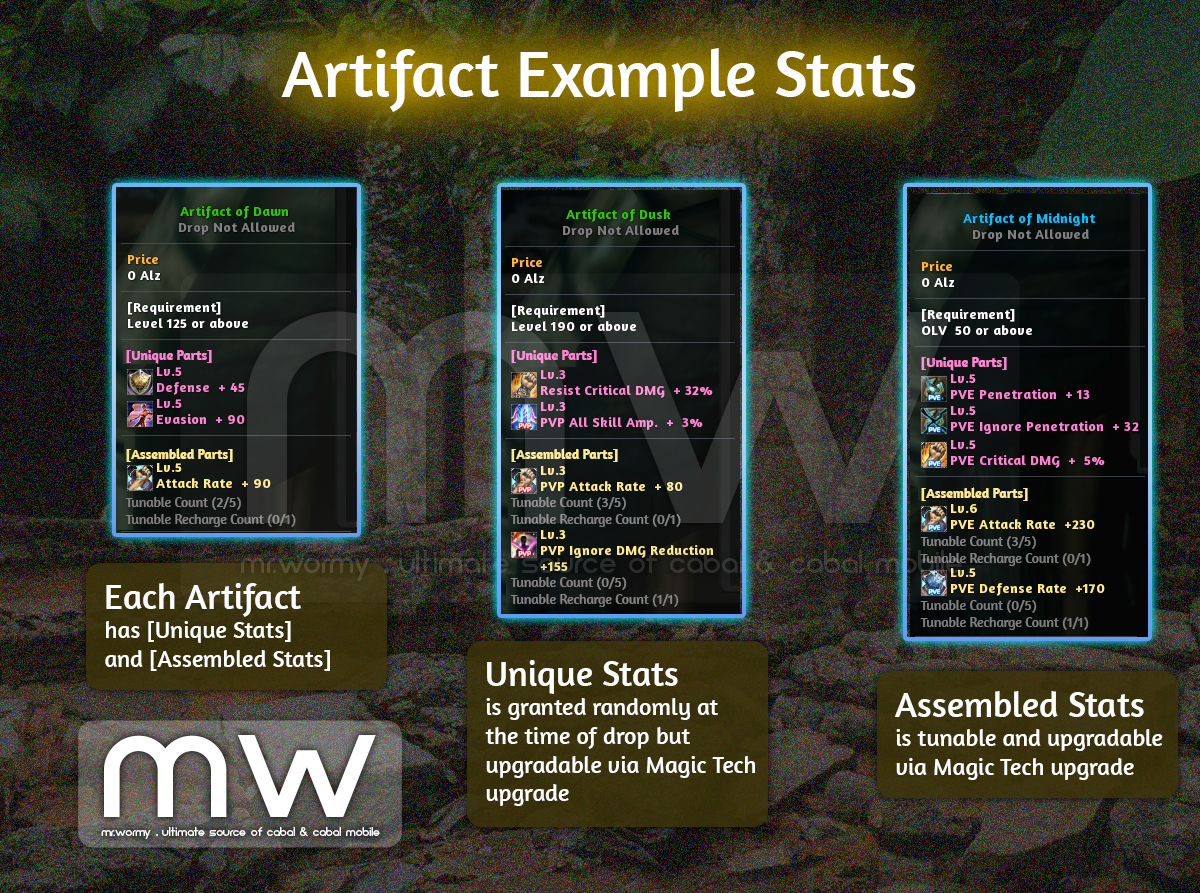
- Stats of Artifacts:
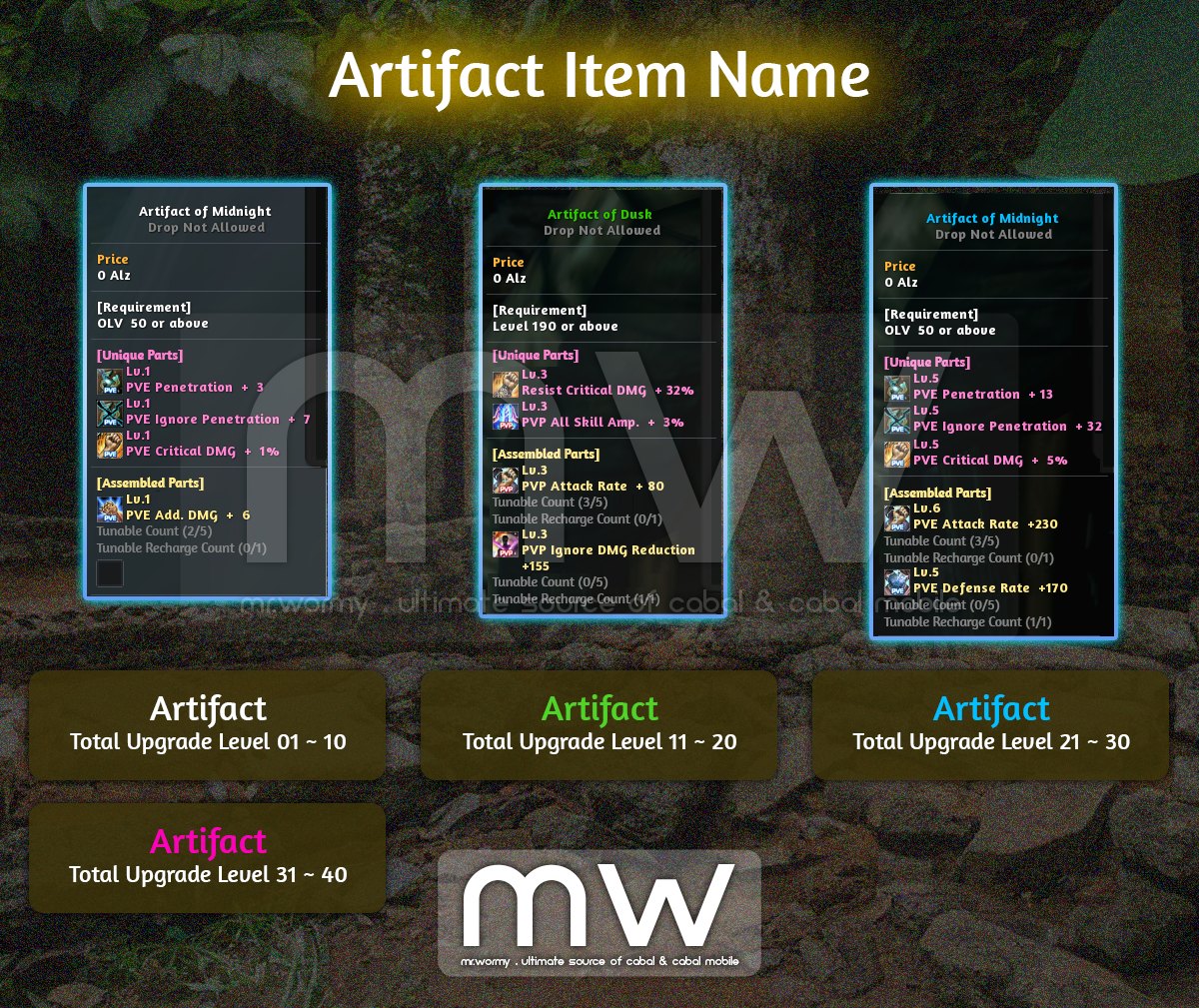
- Colour for Artifact item name is displayed depends on the total upgrade level of the Artifact:
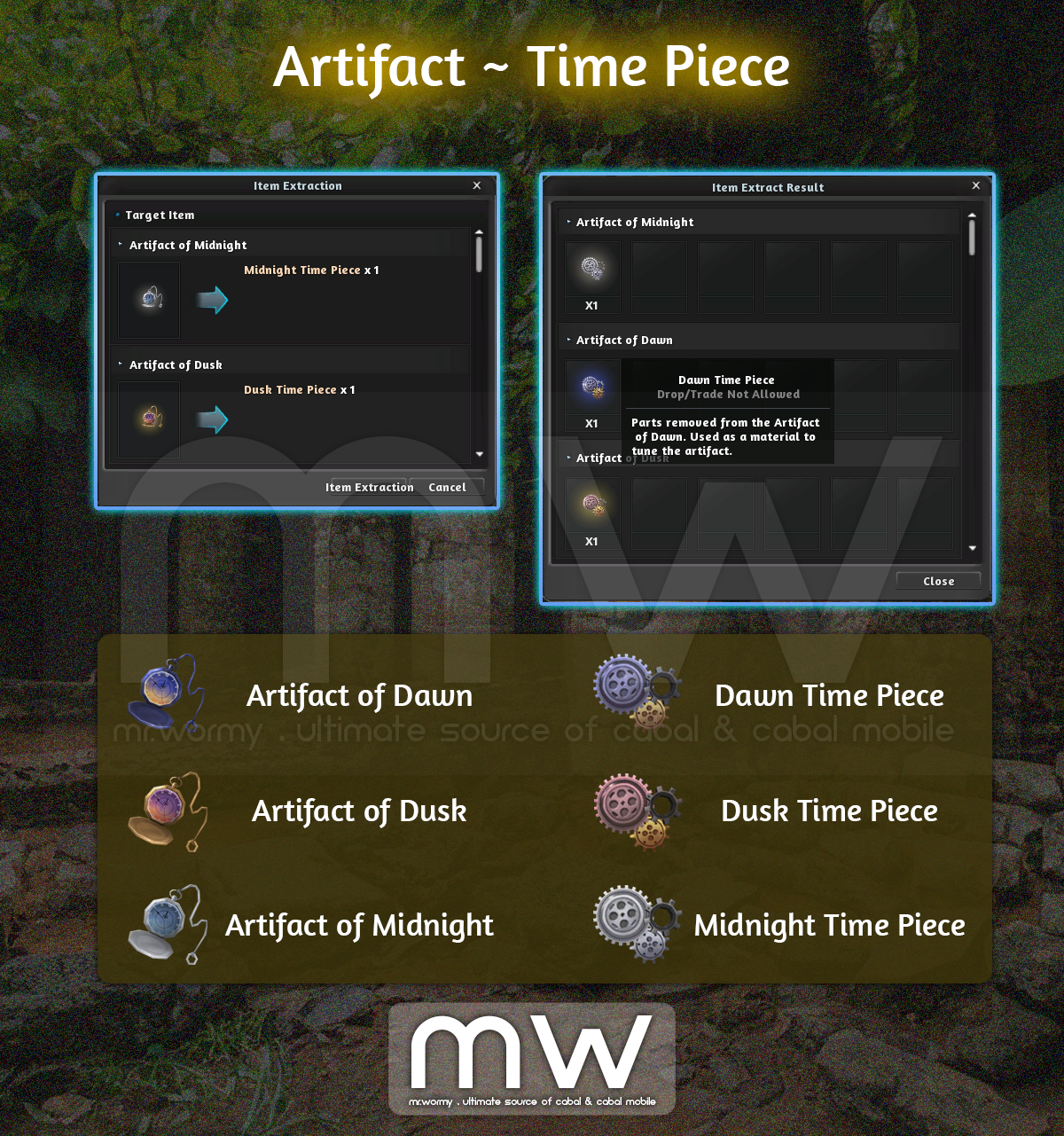
- By destroying Artifact, you can obtain Time Piece:
- Time Piece is a material needed for Tunning feature of Magic Tech upgrade.
- New upgrade system named “Magic Tech” (마법 공학) is added:
- Exclusively for Artifact.
- Can be accessed from Core Alchemist NPC in villages.
- Features:
- Assemble Parts into an Artifact with empty slot.
- Tune Assembled Parts of an Artifact.
- Upgrade Unique Parts of an Artifact.
- Upgrade Assembled Parts of an Artifact.
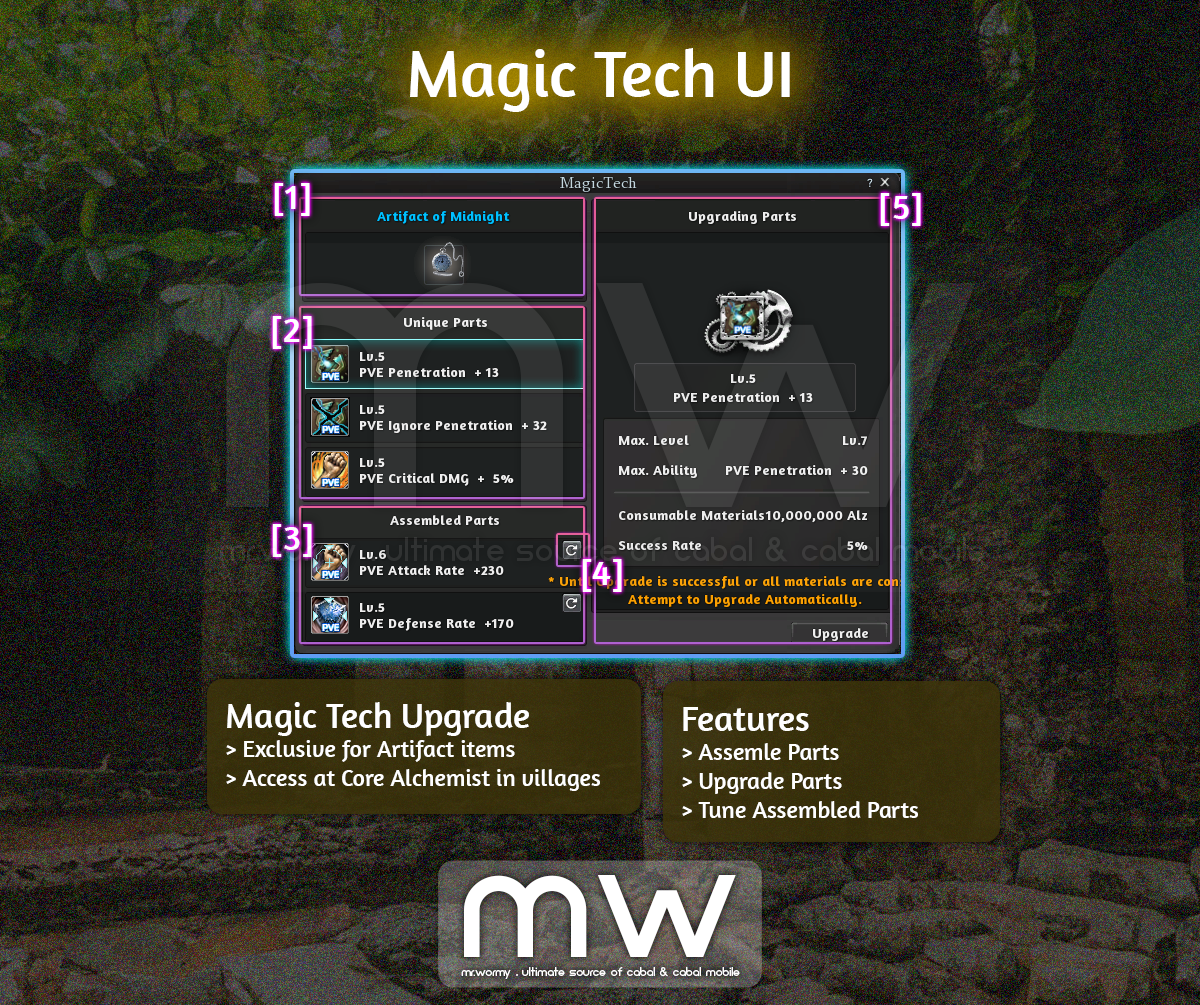
- Magic Tech UI:
- [1] Target Artifact for upgrading.
- [2] Unique Parts of the Artifact.
- [3] Assembled Parts of the Artifact.
- [4] Button for Tunning the specific Assembled Part.
- [5] Select a specific part on the left to see the stats and perform upgrading on the right side of the UI:
- Level of the Part
- Stats Name, Value
- Max Level
- Max Ability
- Consumable Materials
- Success Rate
- Assembly:
- [1] Select an empty slot of Assembled Parts area to start.
- [2] On the right side, you can see some basic information:
- Max Level
- Consumed Material is Alz, based on the Artifact grade
- Artifact of Dawn: 3,000,000 Alz
- Artifact of Dusk: 10,000,000 Alz
- Artifact of Midnight: 30,000,000 Alz
- Success Rate (success rate of “Assembly” is 100%)
- [3] Click on “Assembly” button for granting an option randomly from the available options.
- [4] A random option will be selected.
- [5] A button at the top-right corner is showing for “Tunning” feature.
- [6] Detailed stats of the option is on the right side of the UI.

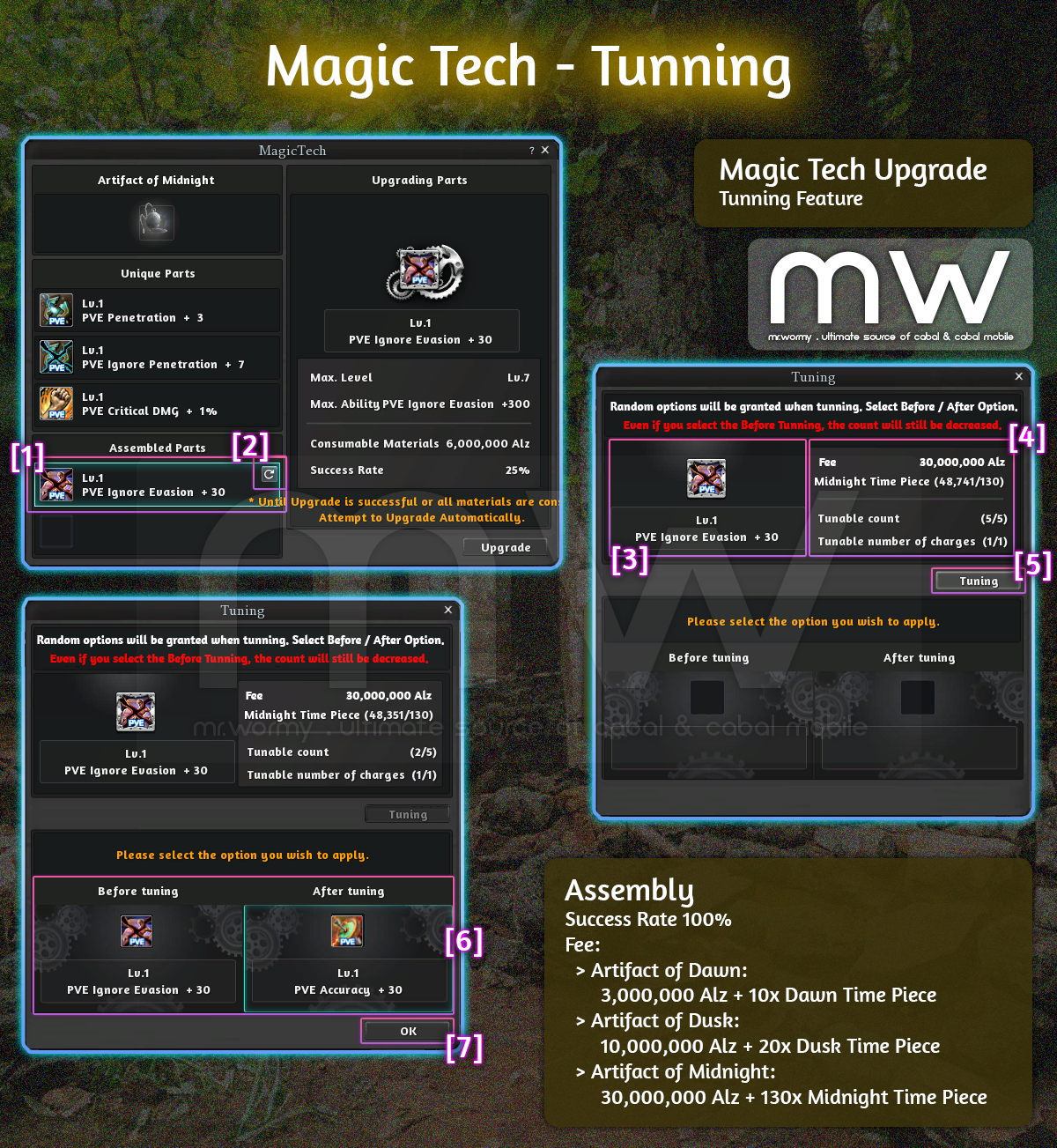
- Tunning:
- [1] Select an option at “Assembled Parts” area
- [2] Click on button at the corner for accessing the “Tunning” UI
- [3] Current option is displayed on the left
- [4] Details of the Tunning process are on the right side:
- Fee, Materials:
- Artifact of Dawn: 3,000,000 Alz + 10x Dawn Time Piece
- Artifact of Dusk: 10,000,000 Alz + 20x Dusk Time Piece
- Artifact of Midnight: 30,000,000 Alz +130x Midnight Time Piece
- Number of times that you tune the selected Assembled Part, max 5 times
- Number of times that you can recharge the Tunable count, max 1 time (using 150 Force Gem)
- Fee, Materials:
- [5] Click on the button to start tunning
- [6] List of 2 options, you must pick one then click on OK [7]
- The old option will be on the left side
- The new option will be on the right side
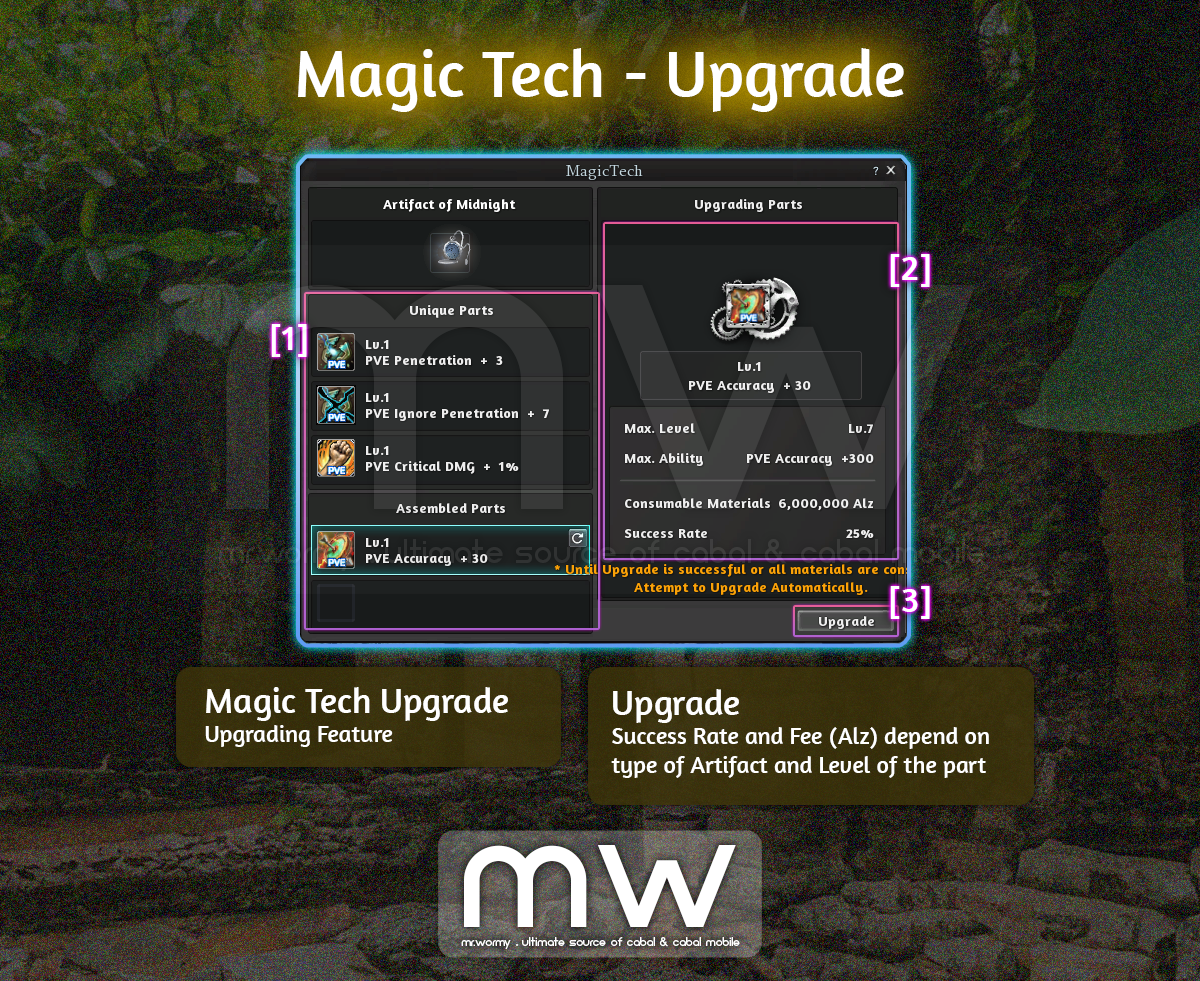
- Upgrade:
- [1] Select an option from either [Unique Parts] or [Assembled Parts]
- [2] Detailed information of the option will be displayed on the right side
- Level
- Stats / Value
- Max Level
- Max Stats
- Fee (Alz)
- Success Rate
- [3] Click the button to upgrade
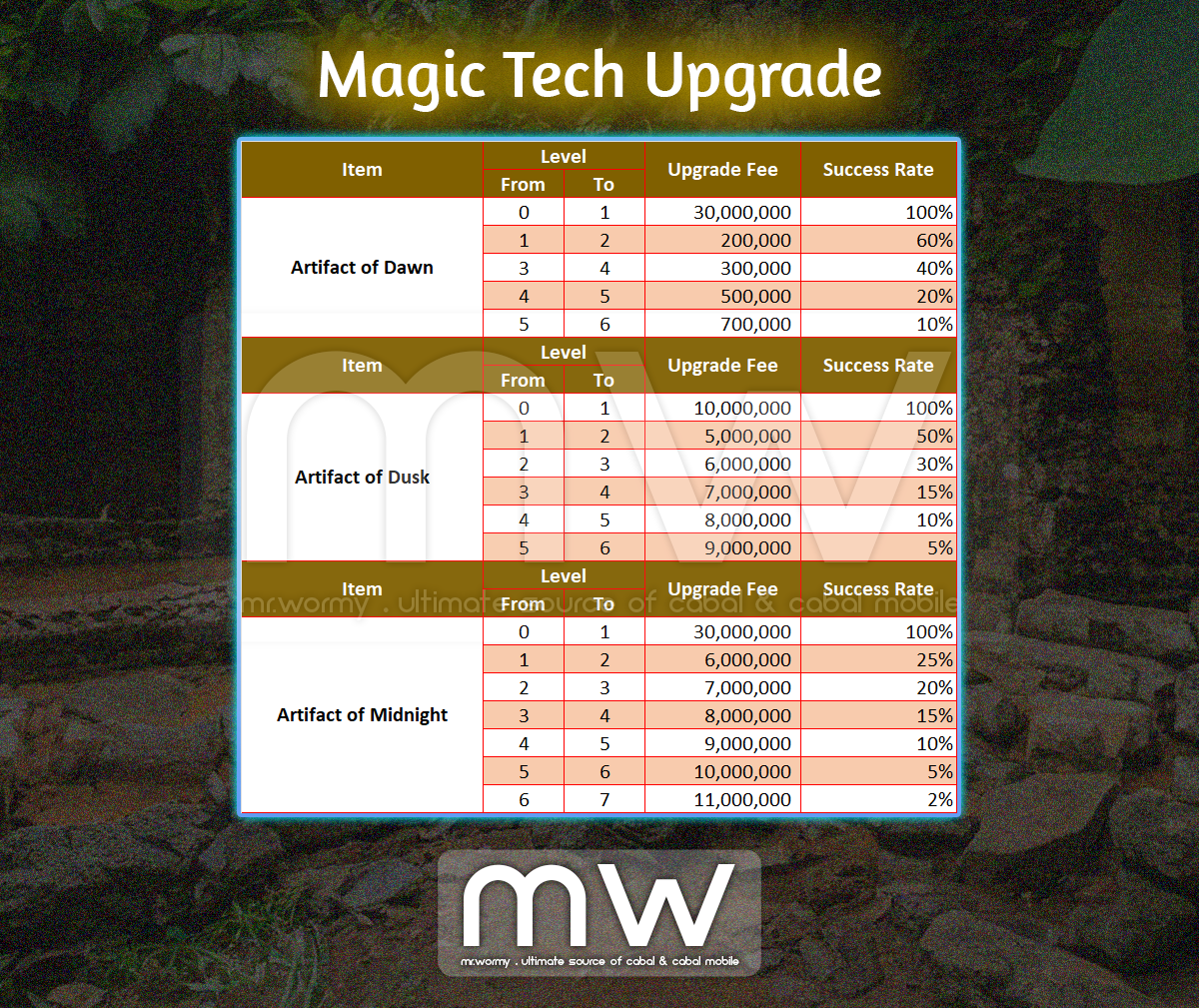
- Upgrade Costs & Success Rate:
Discover more from Mr. Wormy
Subscribe to get the latest posts sent to your email.
 Mr. Wormy