

- Overlord Mastery gave 100 levels on top of the normal levels. But it’s not the final limit. Exclusively for Cabal Mobile, we have another 100 levels on top of the original Overlord Mastery Levels. The new Overlord is called as Overlord Mastery – Expert. Just like normal Overlord, we have some basic concepts:
- Overlord Level: OLV
- Overlord EXP: OXP
- Overlord Mastery Skill Point: OP
- Overlord Mastery
- This page cover all you need to know about Overlord Mastery – Expert, including:
- Introduction of Overlord Mastery UI
- Overlord Mastery – Expert EXP Table & Point
- Mechanism of:
- Unlocking Mastery Slot
- Upgrading Mastery Slot
- Unlocking & Changing Random Slot
- Fixed Slots
- Unlocking Fee
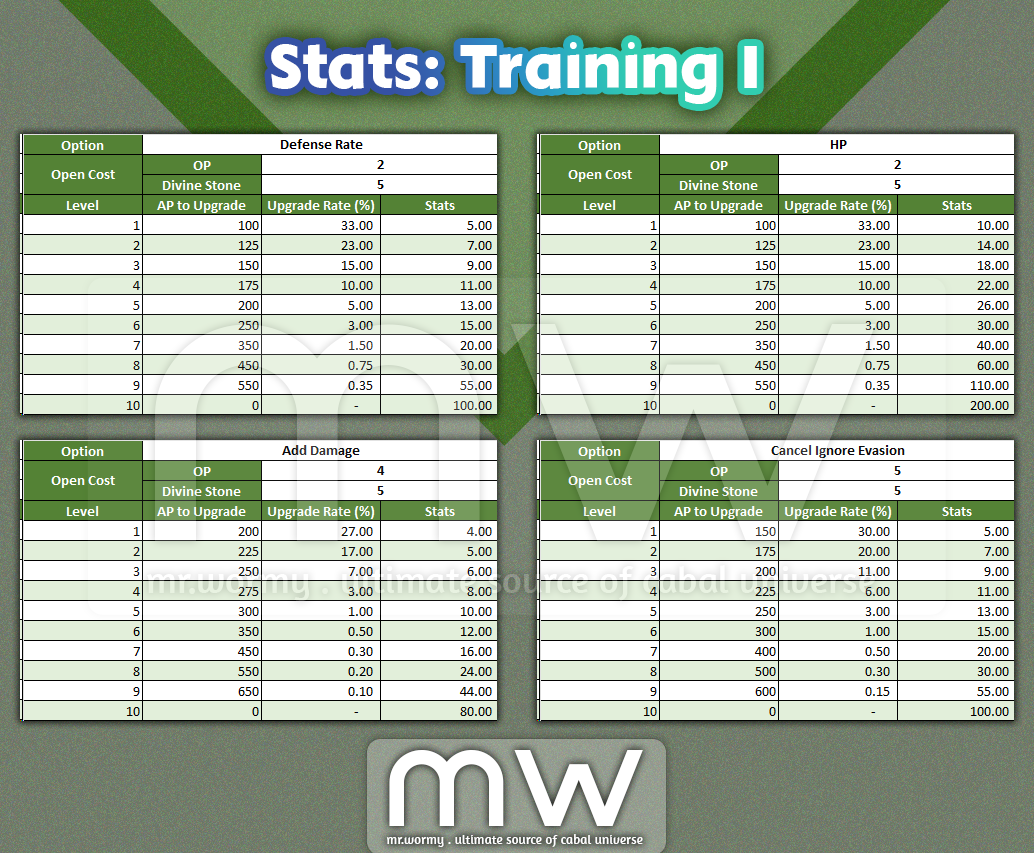
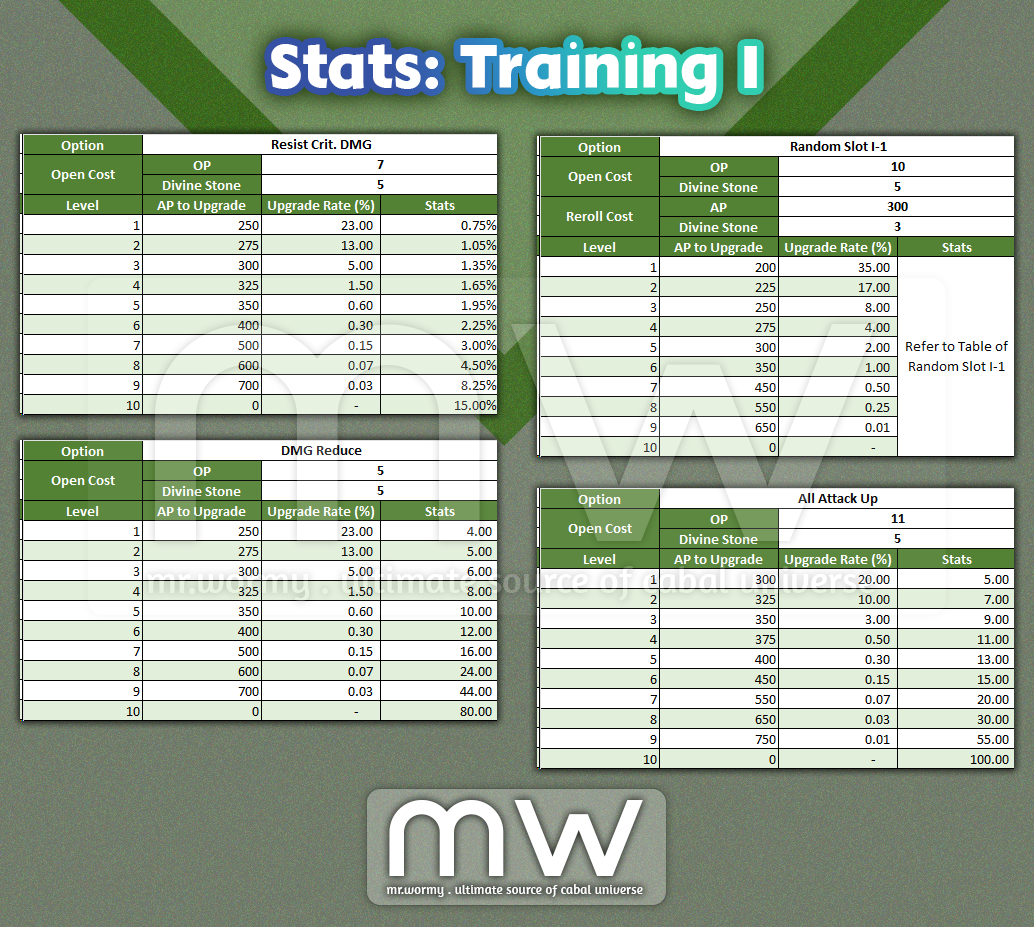
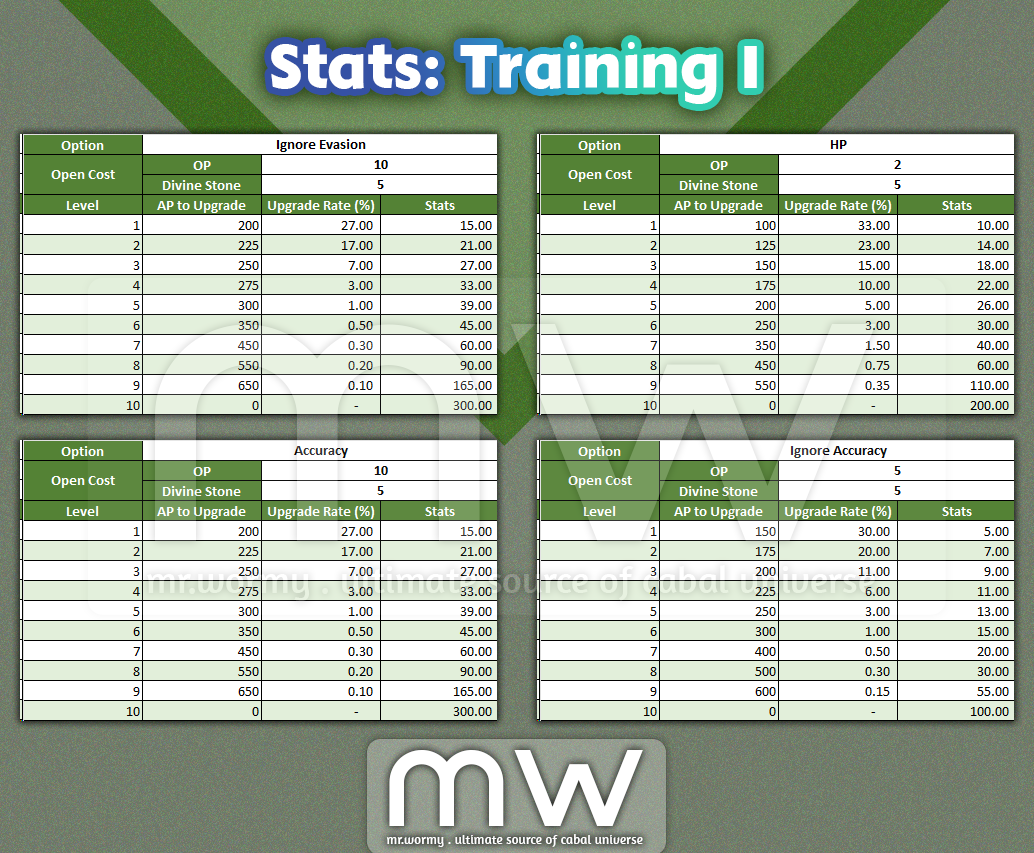
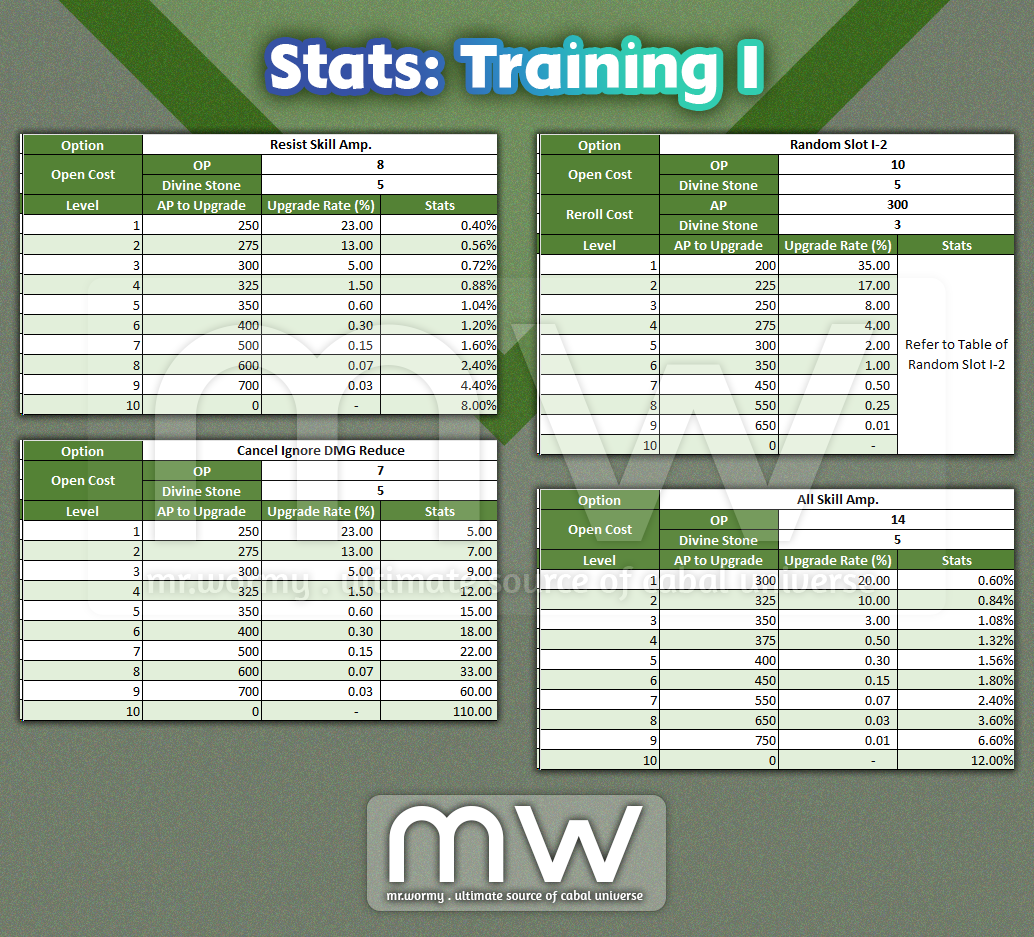
- Stats
- Upgrading Fee & Chance
- Random Slots
- Unlocking Fee
- Re-rolling Fee
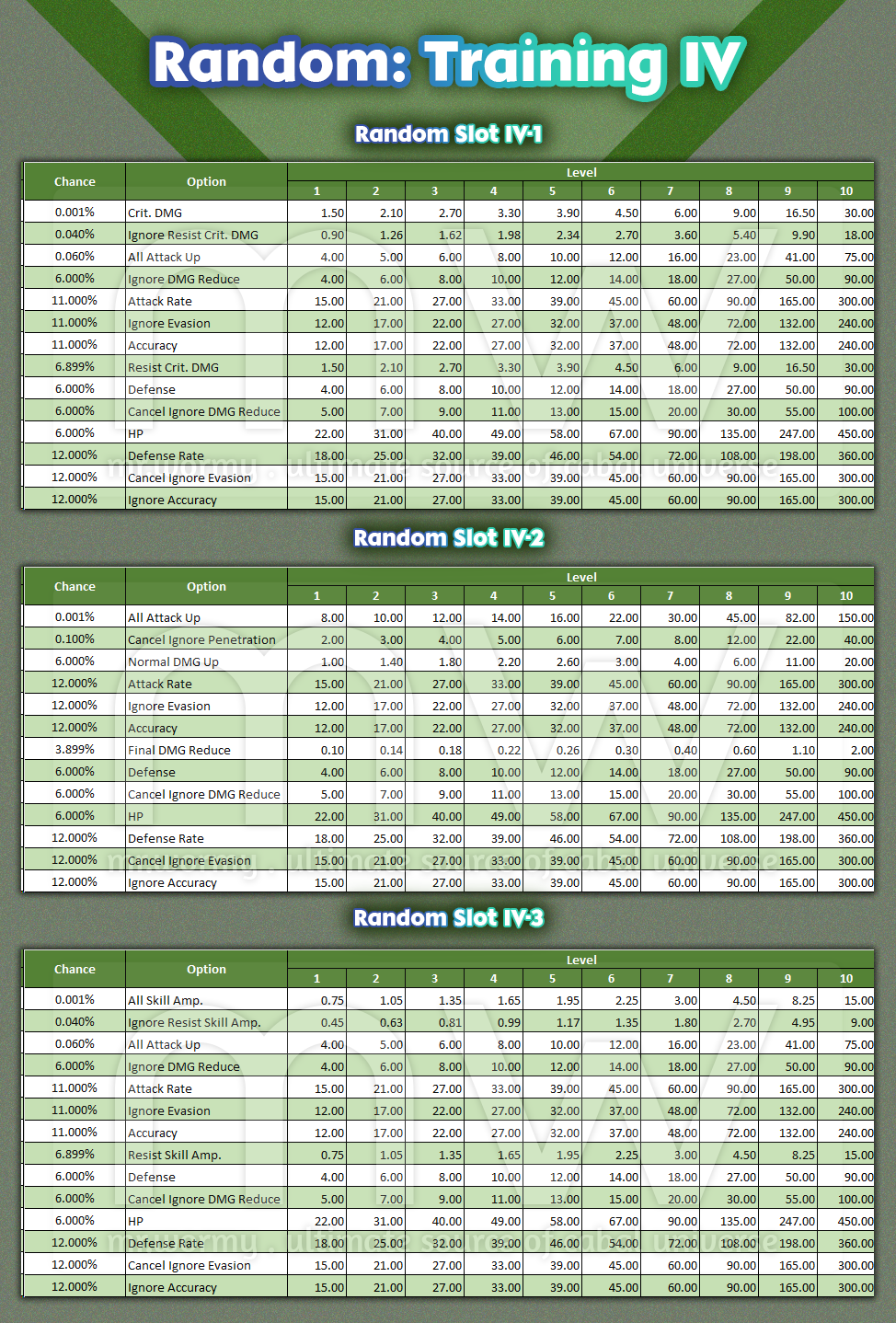
- Stats of Random Options
- Upgrading Fee & Chance
- Right after reaching the limit of Overlord Level 100, the Overlord Level / EXP keep running over the original limit.
- By gaining OXP, you can level up your OLV
- Start from OLV 100
- Max of OLV – Expert is 200
- Cannot gain OXP from Quests
- When OXP is gained, there will be message displayed in the system message area

- EXP bar turned into Yellow to reflect the OXP
- The detailed OXP for each level can be found here:
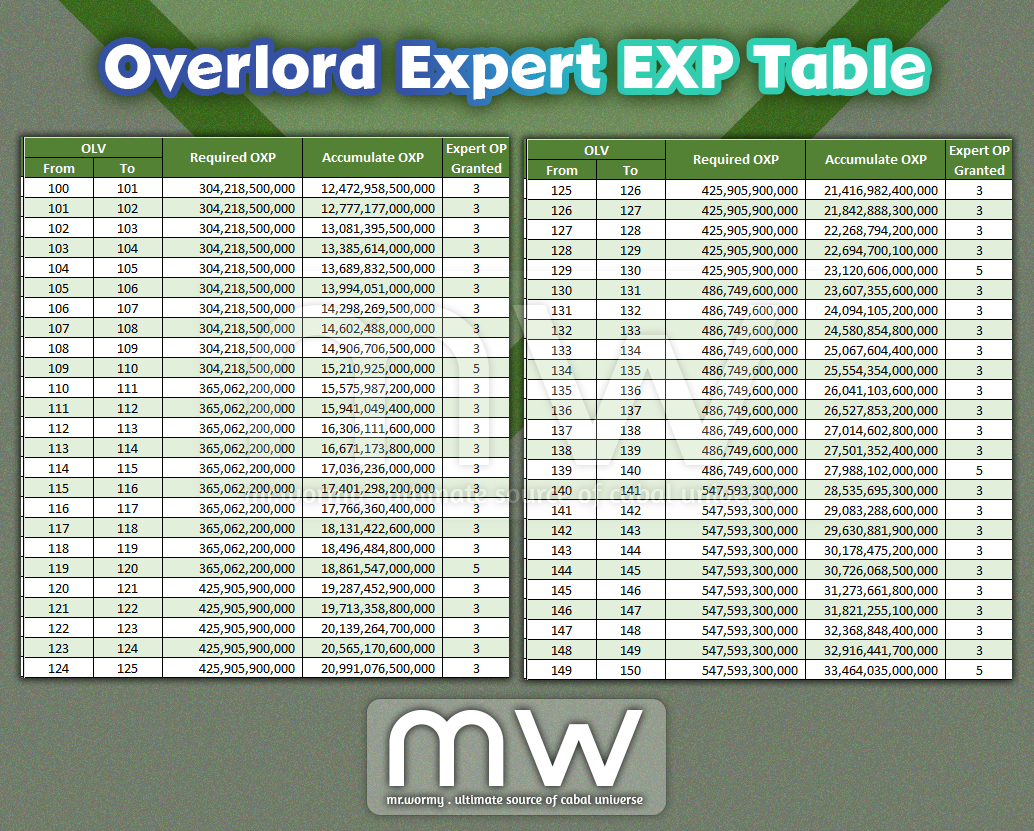
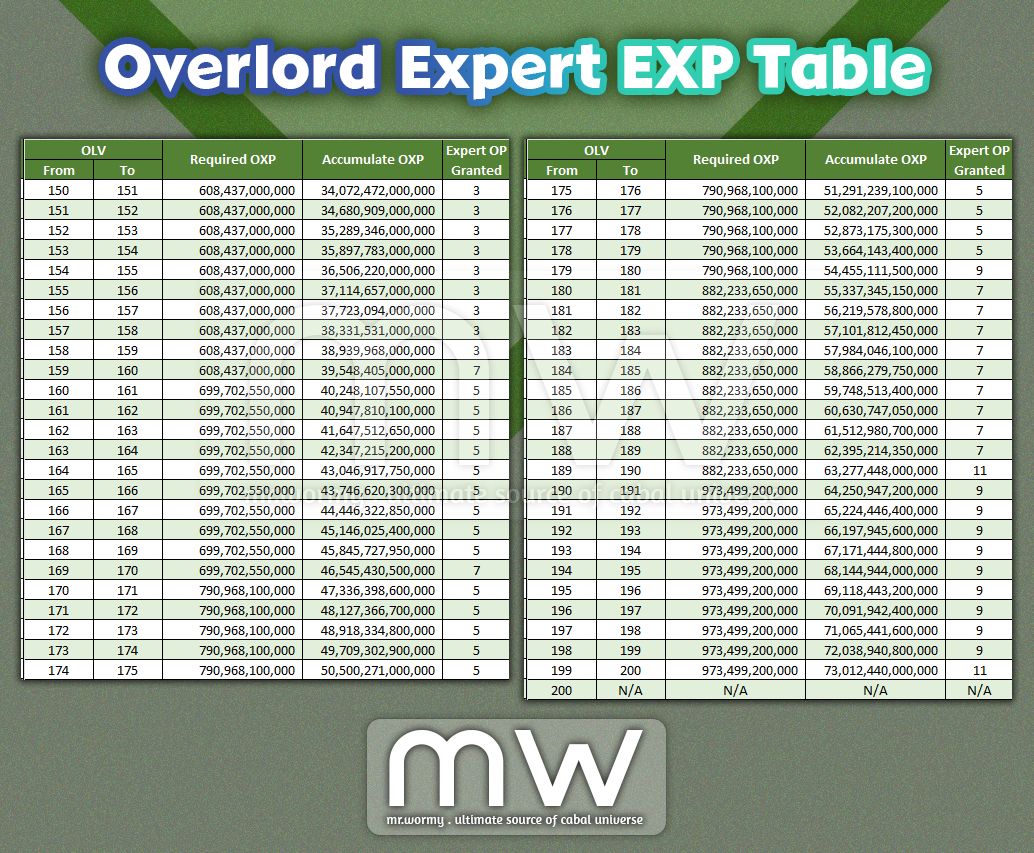
- When OLV is increased, OP will be granted
- Different level range grants different amount of OP
- After OLV 100, the OP gained will be usable only for Overlord Mastery – Expert
- Overlord Mastery – Expert can be learnt using OP gained after OLV 100
- Overlord Mastery UI can be accessed by
- Cabal Menu
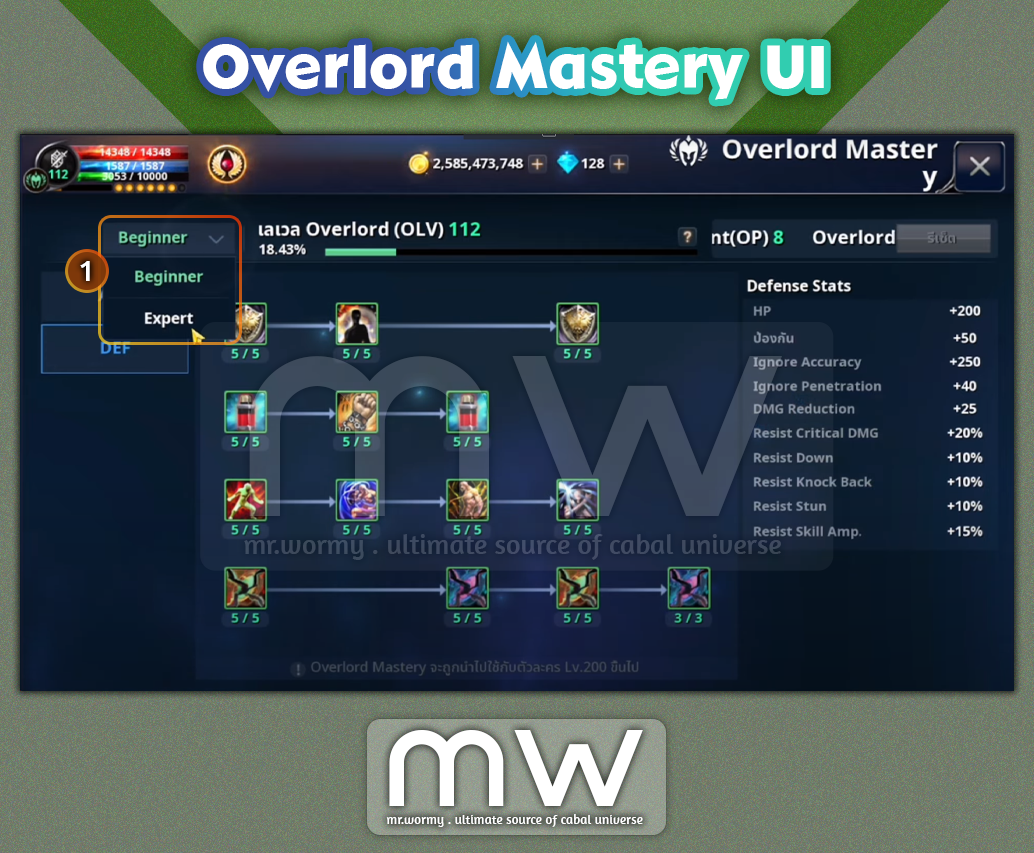
- Changes to original Overlord Mastery UI: Overlord Mastery UI gets a new drop-down box [1] for selecting the grade between:
- Beginner: Overlord Level 1-100
- Expert: Overlord Level 101-200
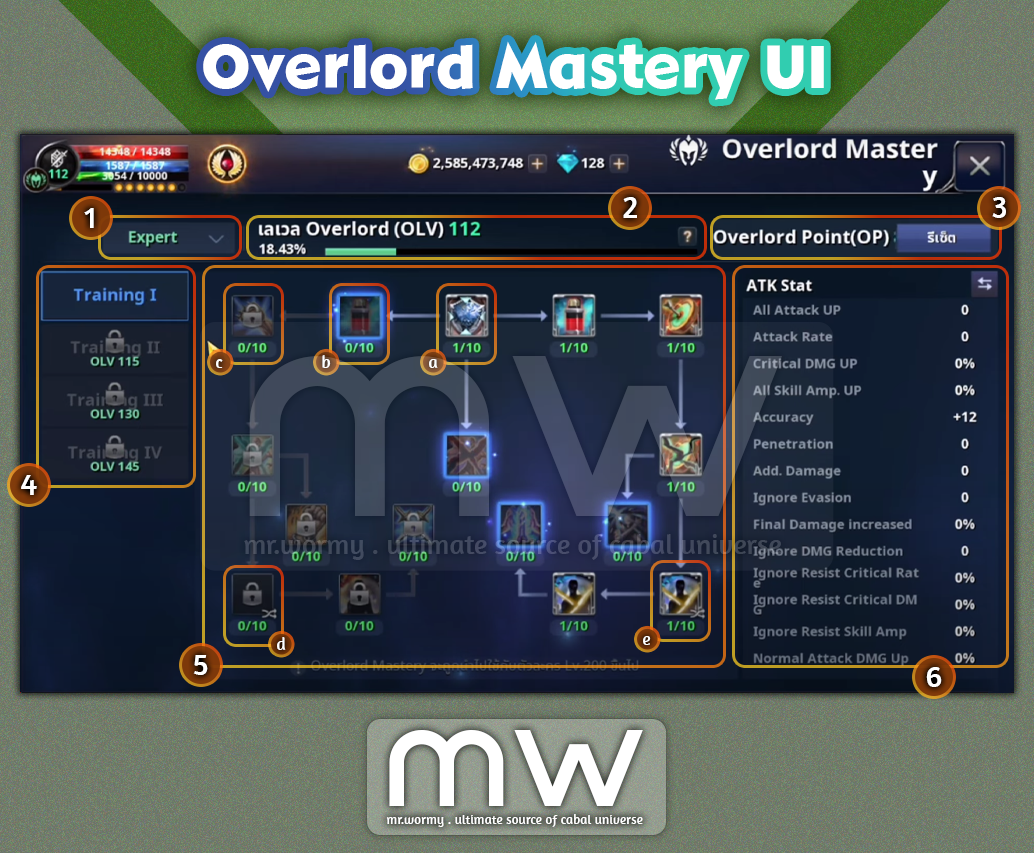
- Overlord Mastery – Expert UI: This UI will be shown only if player selects “Expert” from the drop-down box [1].
- [2] Current Overlord Level, Current %
- [3] Current available Overlord Point (OP), Reset button
- Remember than the Overlord Point here is usable only for Expert grade of Overlord Mastery.
- [4] 04 sub-categories of Overlord Mastery – Expert trainings
- Training I: First time unlock requires Divine Stone x5
- Training I: First time unlock requires Divine Stone x10
- Training I: First time unlock requires Divine Stone x15
- Training I: First time unlock requires Divine Stone x20
- Select a sub-category in [4] to see available masteries in [5], each category has different sets of masteries.
- [a] Unlocked Fixed Slot: Touch to see the slot stats and available upgrade in area [6]
- [b] Ready to Unlock Fixed Slot: Touch to unlock
- [c] Locked Slot: Need to unlock linked slots in order to unlock this slot
- [d] Locked Random Slot
- [e] Unlocked Random Slot: Touch to see the slot stats, available upgrade and feature to change the option in area [6]
- [6] In this area:
- If no slot is selected, the summary stats will be shown, can be switched between ATK and DEF stats using the button.
- If a slot is selected, the related information of the slot will be shown.
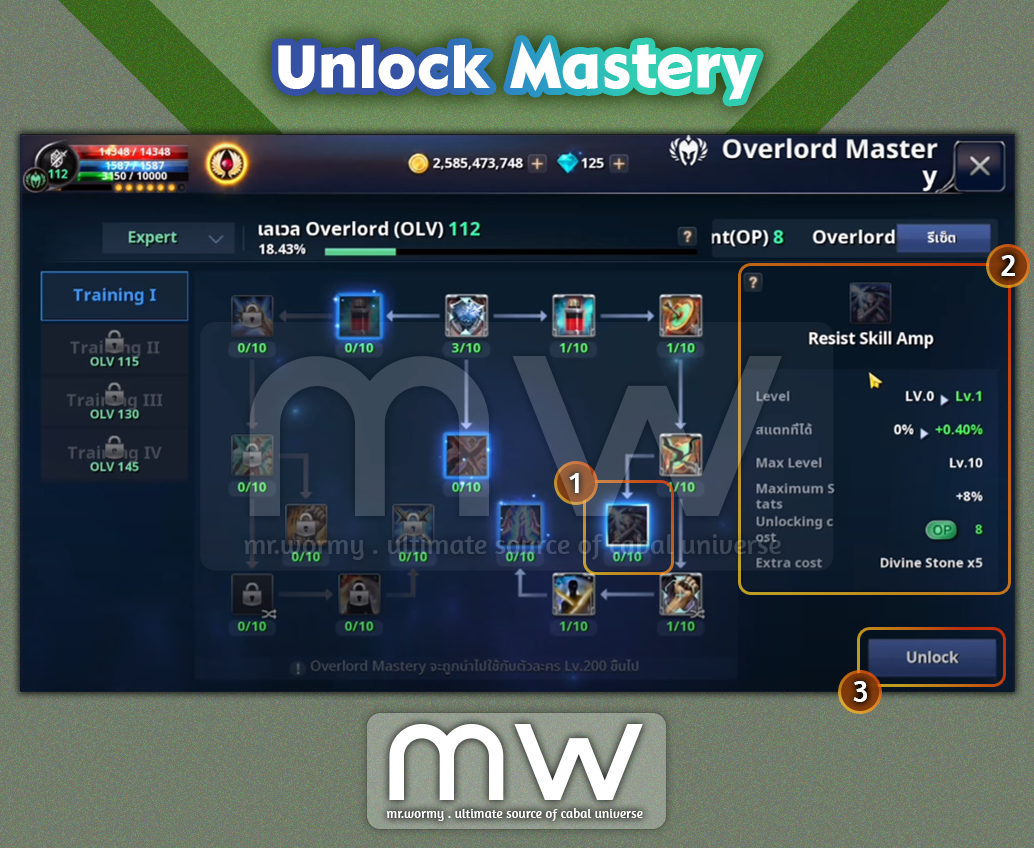
- Unlock a Mastery:
- Unlockable slots are marked with different border and glowing effect [1] but as it is not yet unlocked, the icon shade is darkened.
- Touch on the Unlockable Mastery to see the details in the area on the right [2].
- Option Icon
- Option Name
- Current Level, Next Level
- Current Level Stats, Next Level Stats
- Max Level
- Max Level Stats
- Unlocking Cost (Overlord Point)
- Unlocking Material (Divine Stone)
- Button to Unlock [3]
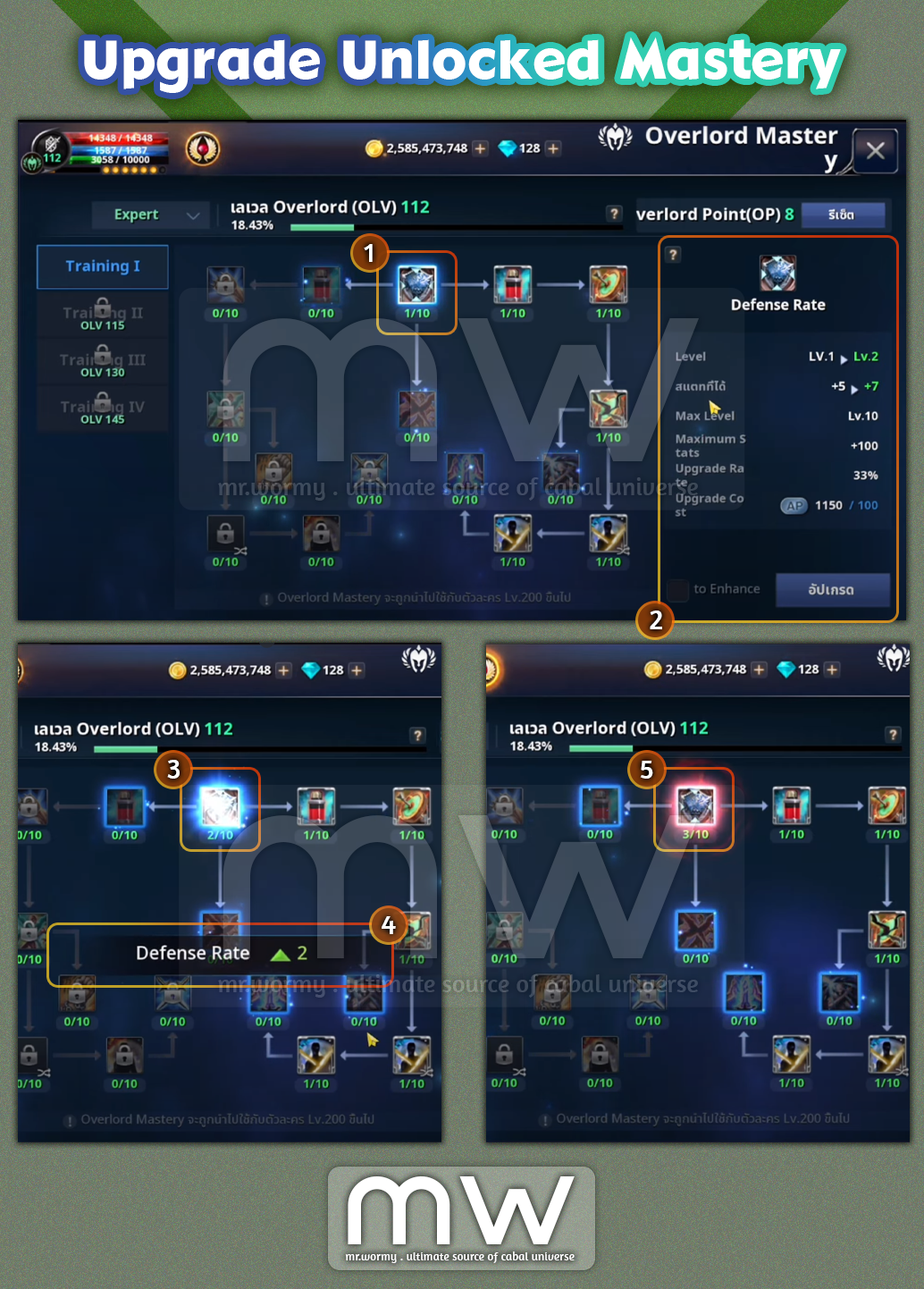
- Upgrade an Unlocked Mastery:
- Unlocked Mastery has the normal Icon shade [1].
- Touch on the Mastery to see the details on the right side area [2].
- Option Icon
- Option Name
- Current Level, Next Level
- Current Level Stats, Next Level Stats
- Max Level
- Max Level Stats
- Upgrade Rate (%, chance to get successful upgrade)
- Upgrade Cost (AP)
- Button to perform Upgrade
- If the upgrade is successful, Mastery slot will get a blue glow effect [3] and stats growth information will be displayed [4].
- If the upgrade is failed, Mastery slot will get a red glow effect [5].
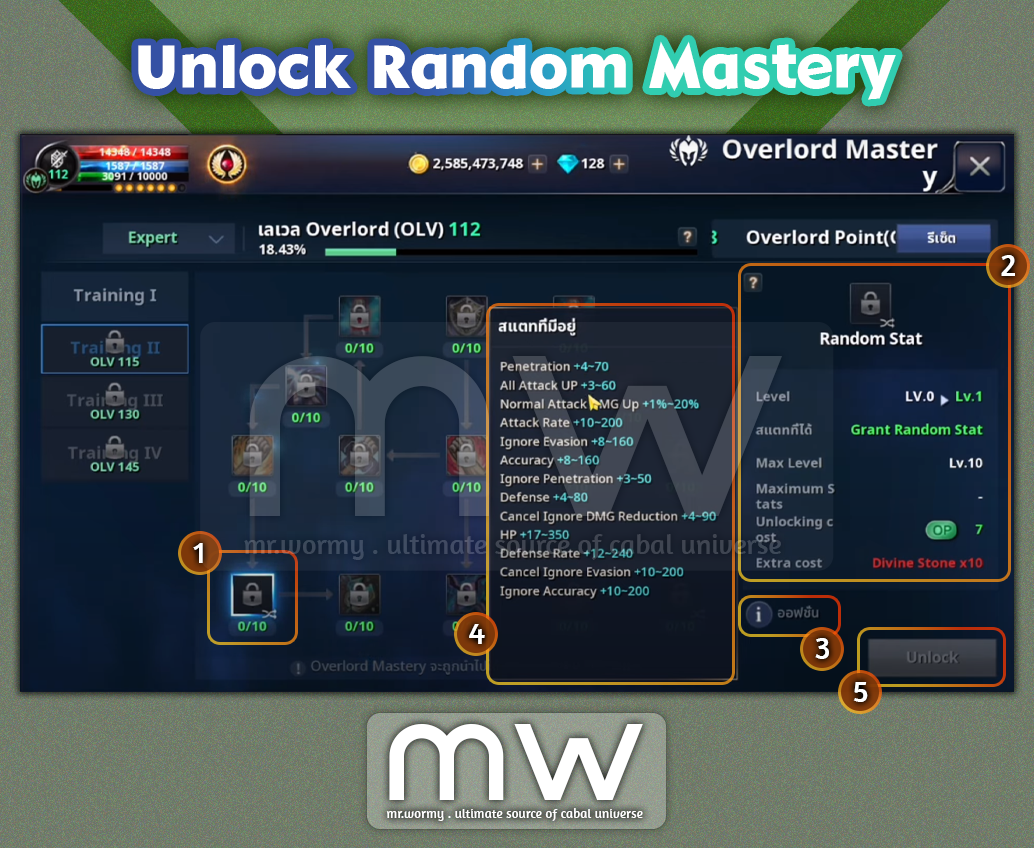
- Not like the normal Mastery slot, the Random Mastery slot has no initial option.
- Touch a Random Mastery slot [1] (which has special icon at the bottom-right corner) to see the Unlock Cost in the right side area [2]:
- Unlocking Cost (Overlord Point)
- Unlocking Material (Divine Stone)
- There is an “i” icon [3], touch to see the list of available options for the Random Mastery [4]
- If the Unlocking Cost & Material are available, the button “Unlock” will be available to use.
- Touch a Random Mastery slot [1] (which has special icon at the bottom-right corner) to see the Unlock Cost in the right side area [2]:
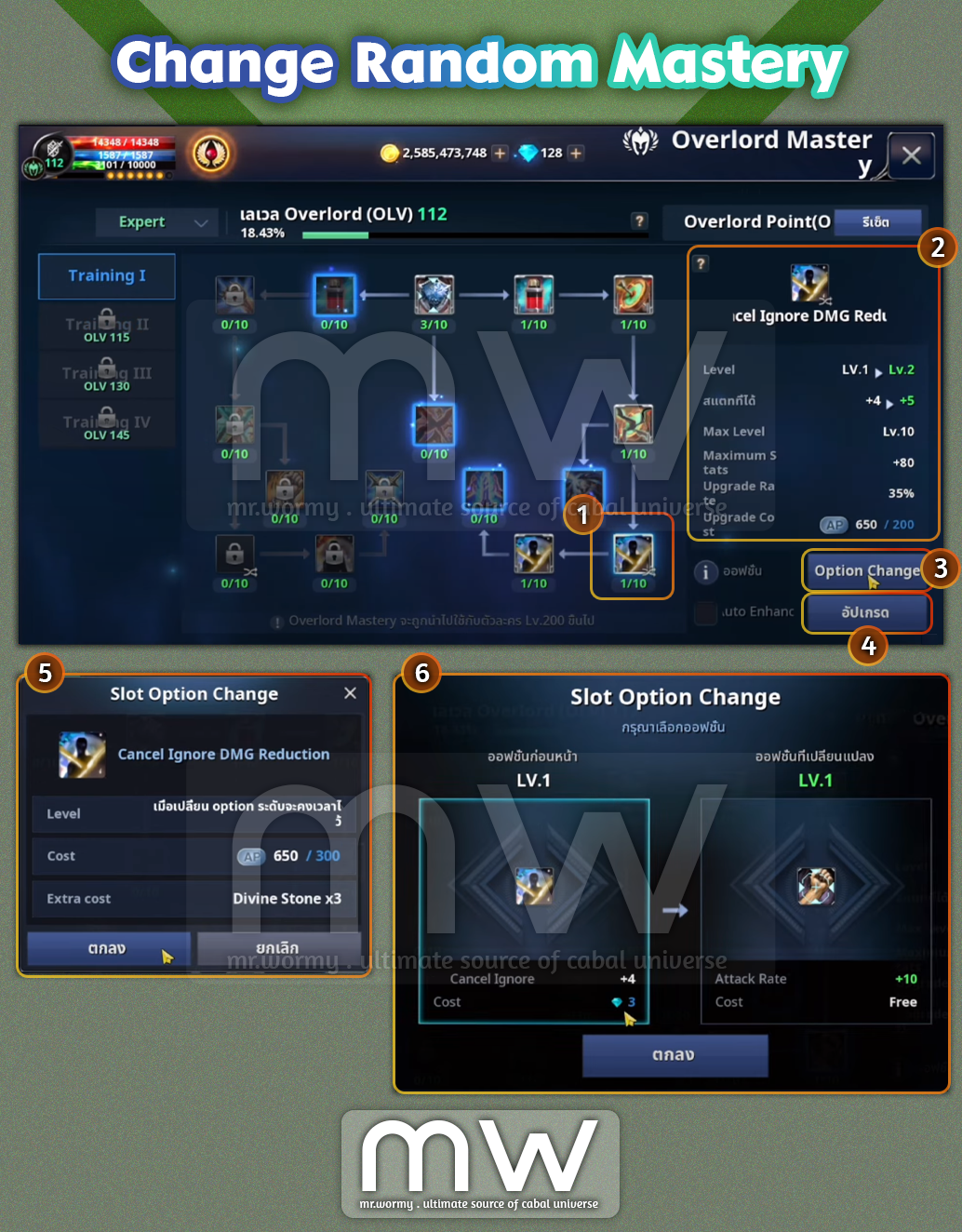
- After a Random Mastery slot is unlocked, a random Mastery option will be granted for the slot, based on the provided list; both Option and Option Value are randomly selected.
- An Unlocked Random Mastery slot can be re-rolled.
- Touch on an Unlocked Random Mastery slot [1] (which has special icon at the bottom-right corner) to see the details in the right side area [2]:
- Option Icon
- Option Name
- Current Level, Next Level
- Current Level Stats, Next Level Stats
- Max Level
- Max Level Stats
- Upgrade Rate (%, chance to get successful upgrade)
- Upgrade Cost (AP)
- Because the slot is a Random Mastery slot, we have a special button for performing “Option Change” [3]
- Touch the “Option Change” button to see the current slot information and change cost in popup screen [5]:
- Change Cost (AP)
- Change Material (Divine Stone)
- Touch the confirm button to perform re-rolling of the Random Mastery slot.
- Result screen will be displayed [6] with:
- Original Option on the left:
- Select this to keep the original option before the re-rolling.
- Force Gem will be consumed for keeping the old option.
- Newly re-rolled option on the right:
- Select this to accept the newly re-rolled option.
- No additional cost will be added.
- Original Option on the left:
- Touch the “Option Change” button to see the current slot information and change cost in popup screen [5]:
- Just like a normal Unlocked Mastery slot, we also have “Upgrade” button [4]
- Touch on an Unlocked Random Mastery slot [1] (which has special icon at the bottom-right corner) to see the details in the right side area [2]:

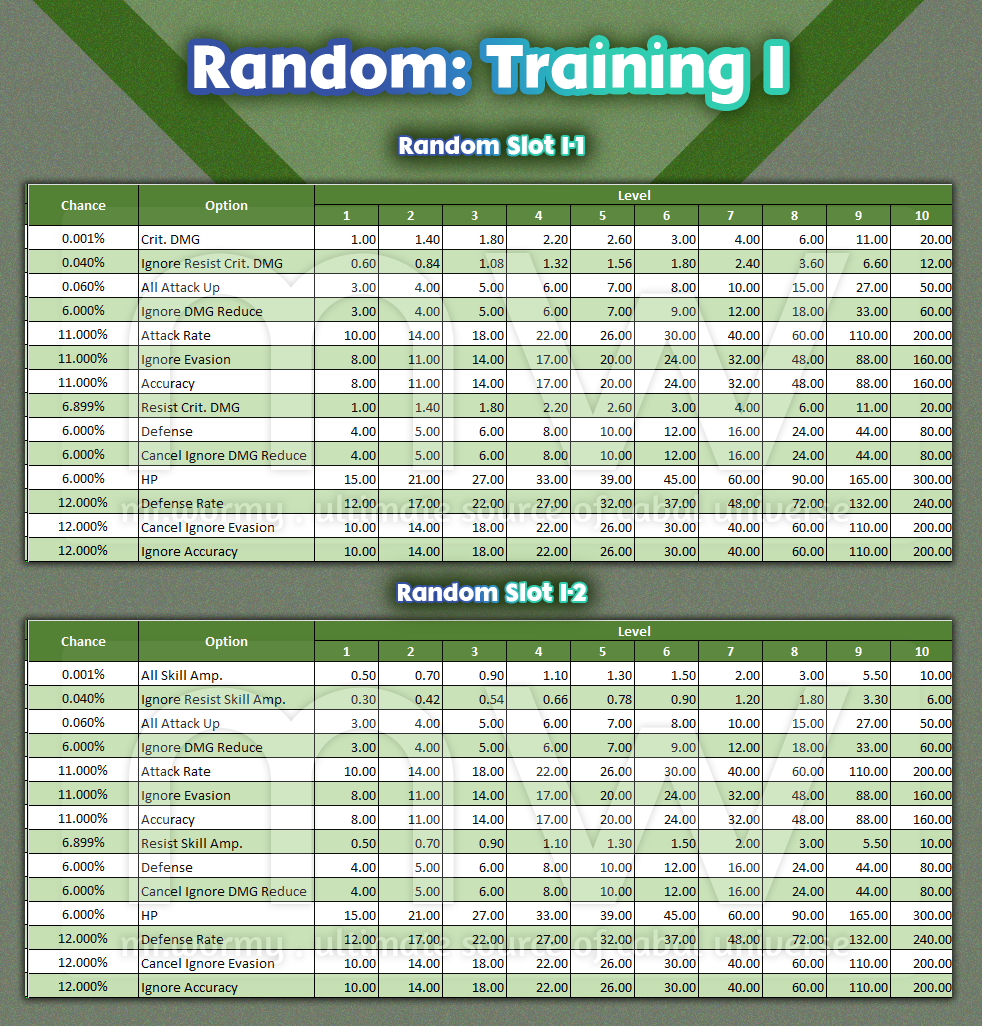
- Training I
- Unlock Condition: OLV 100
- Unlock Cost: Divine Stone x5


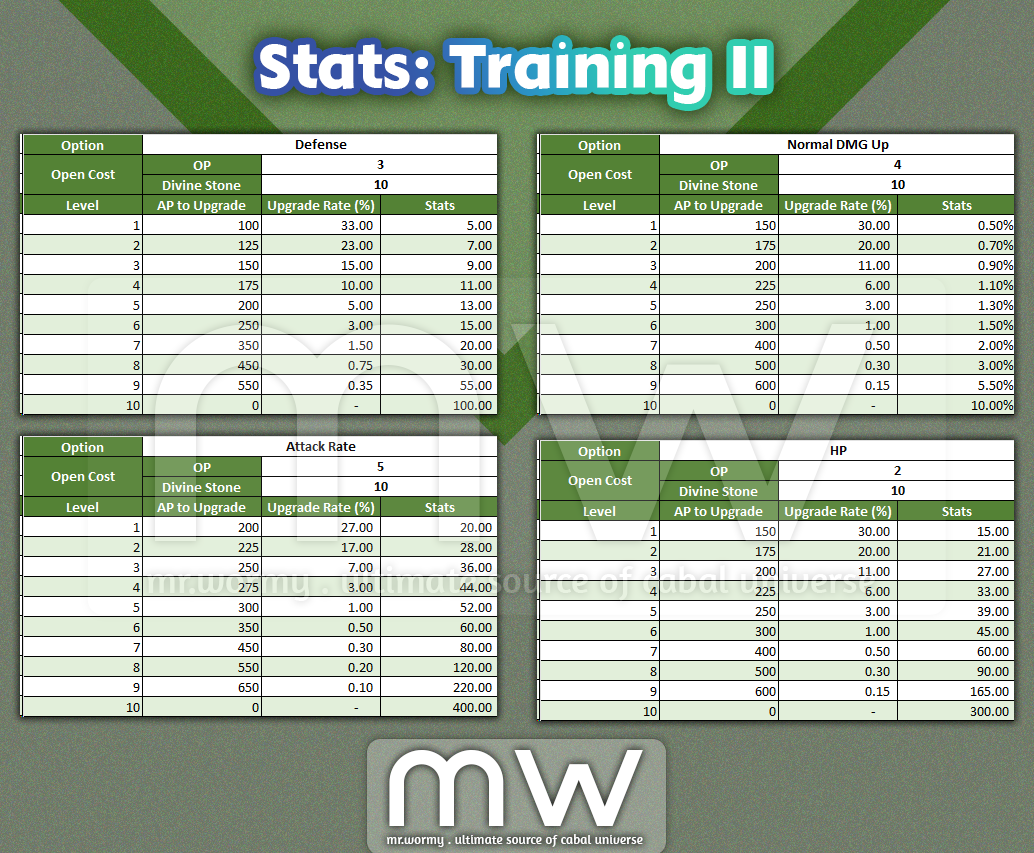
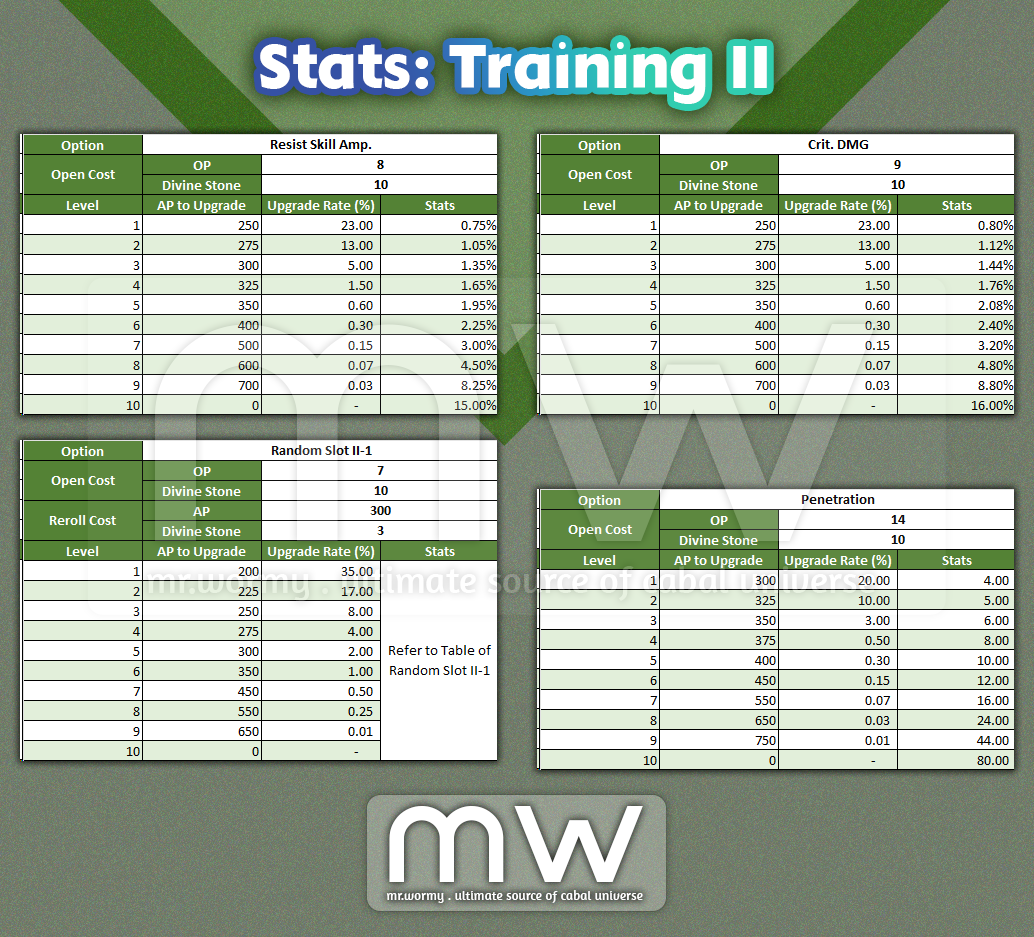
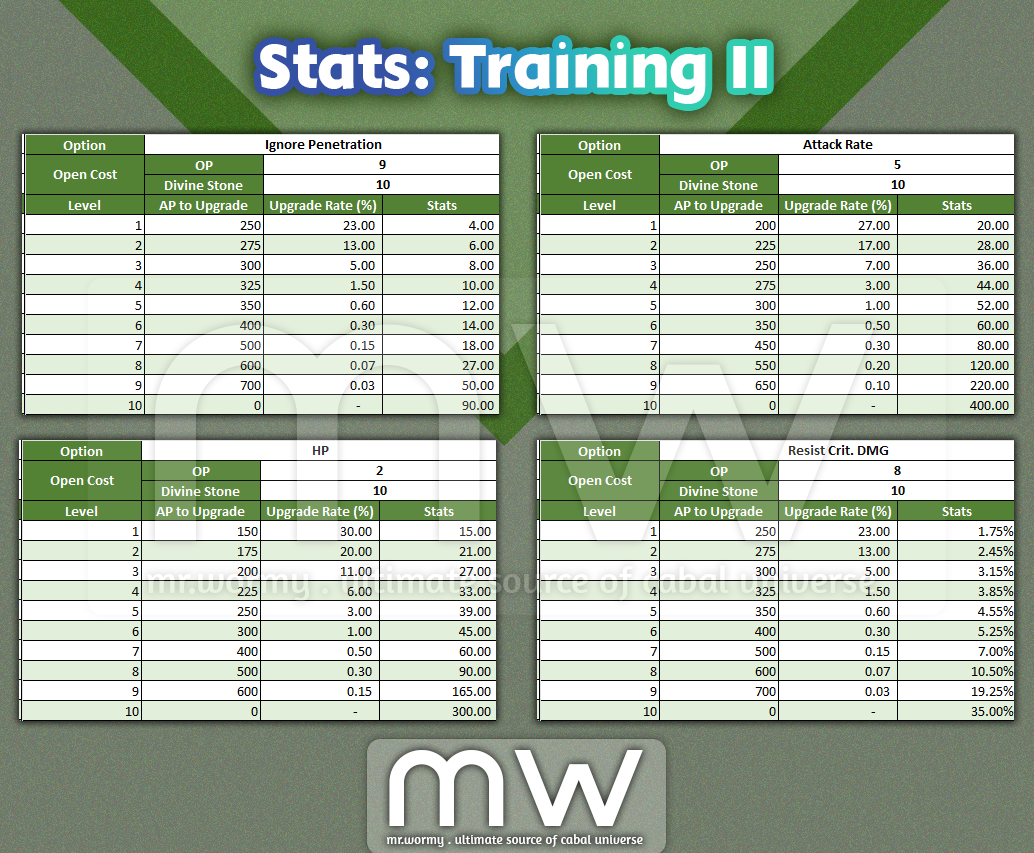
- Training II:
- Unlock Condition: OLV 115
- Unlock Cost: Divine Stone x10
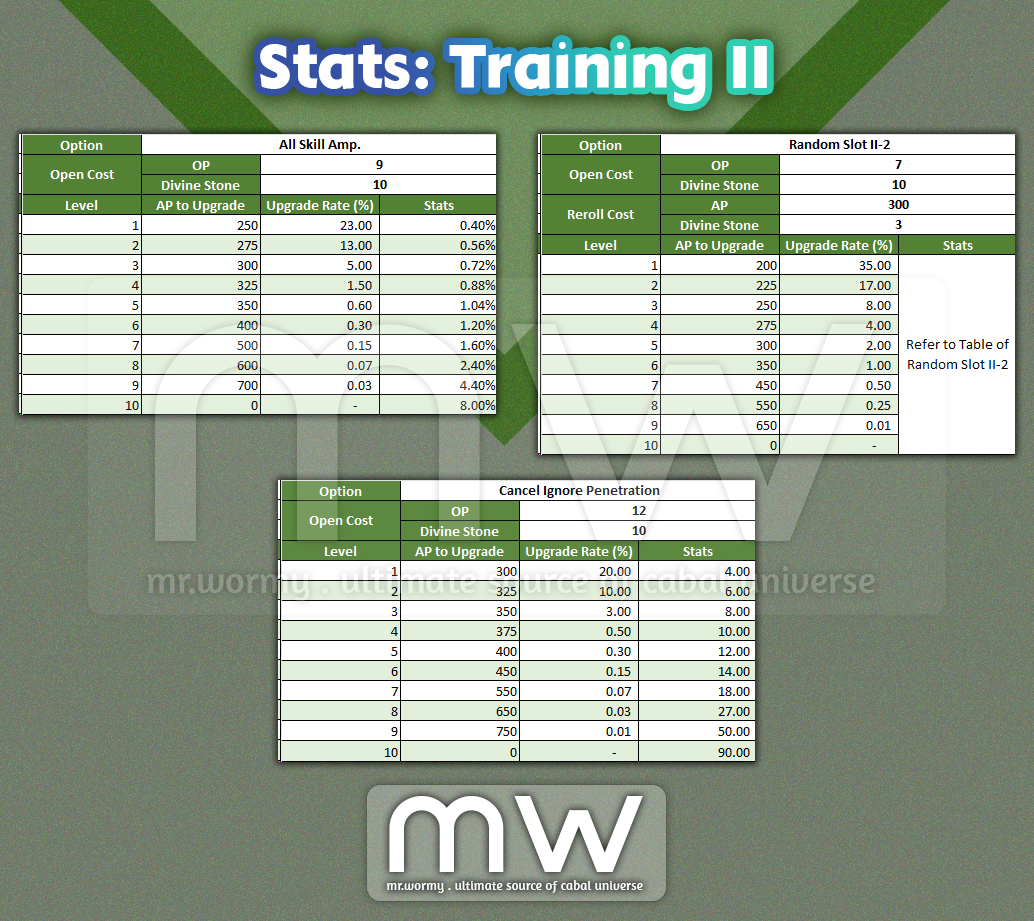

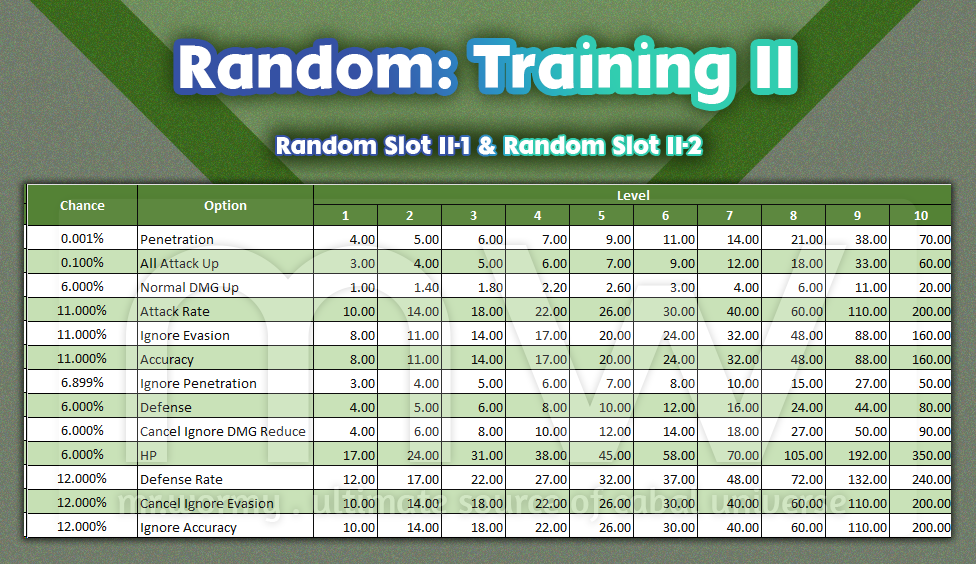

- Training III:
- Condition: OLV 130
- Unlock Cost: Divine Stone x15
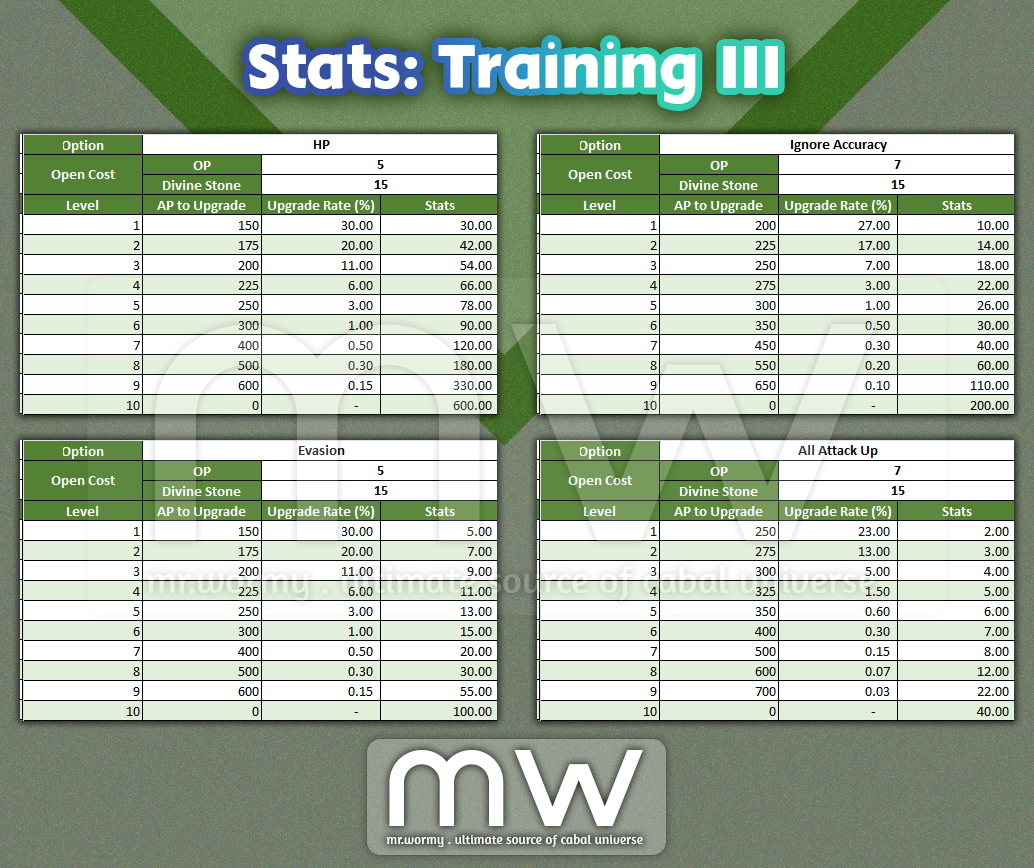
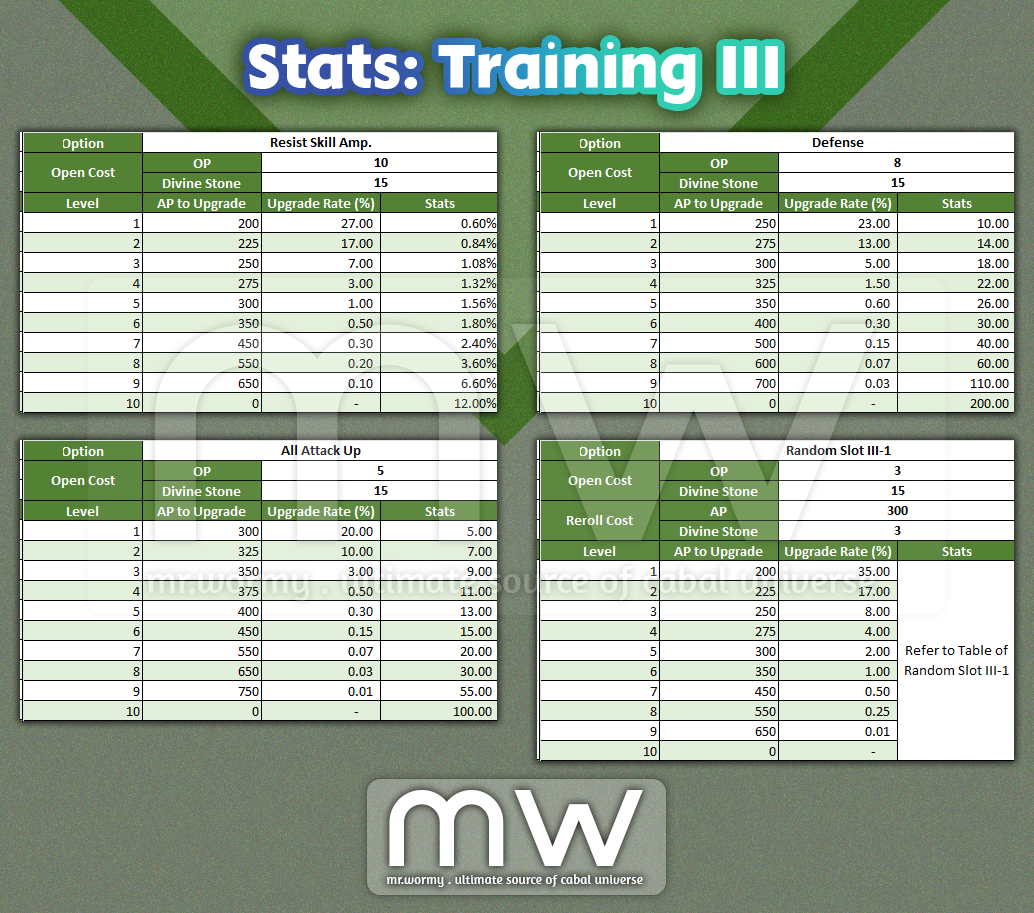
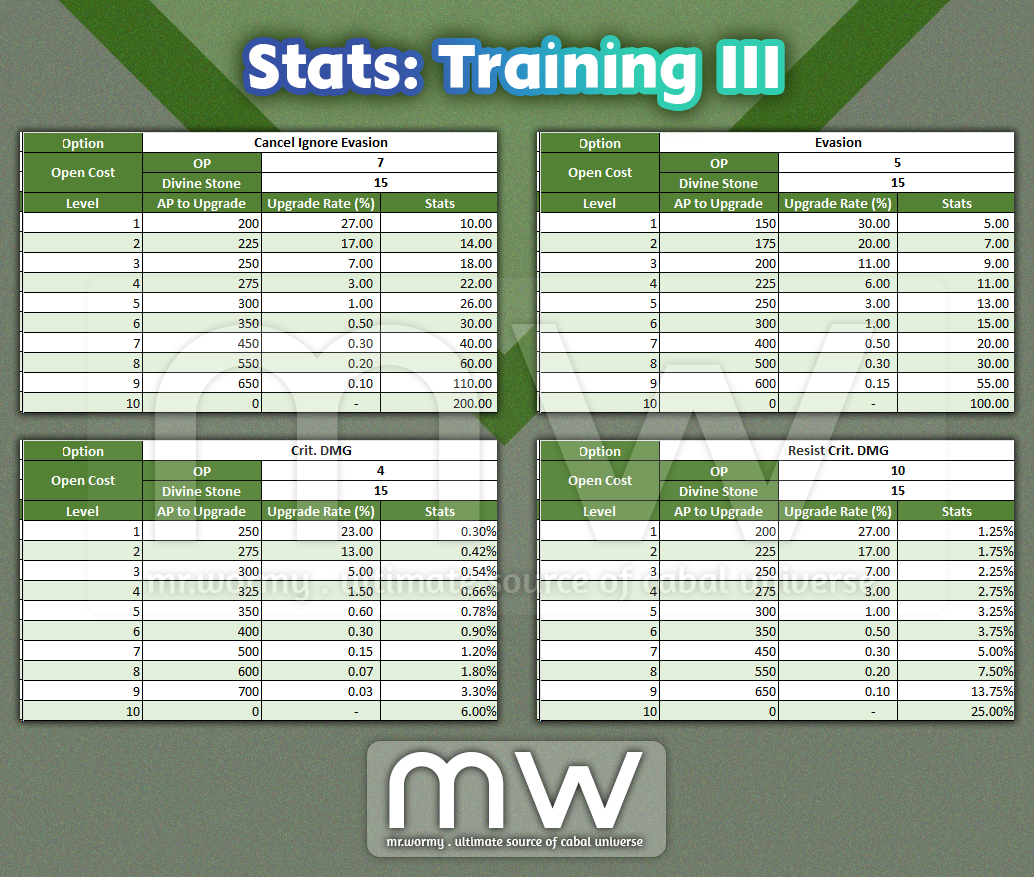
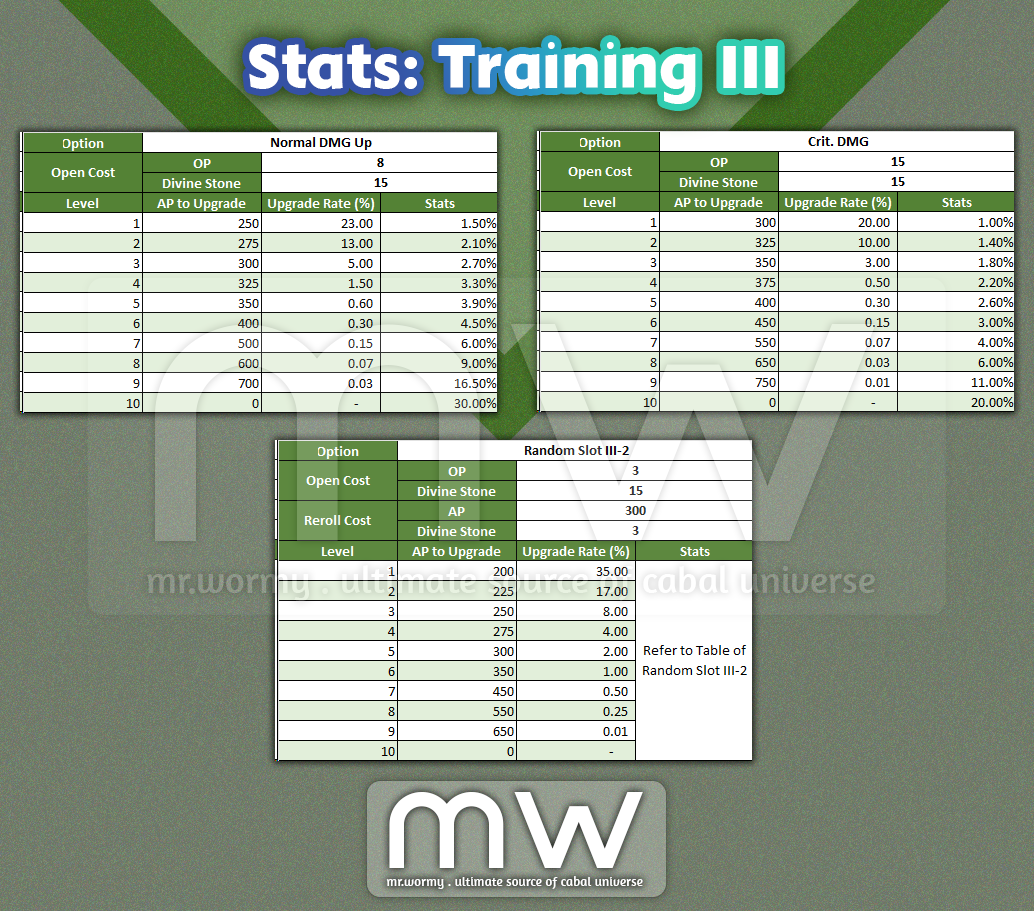

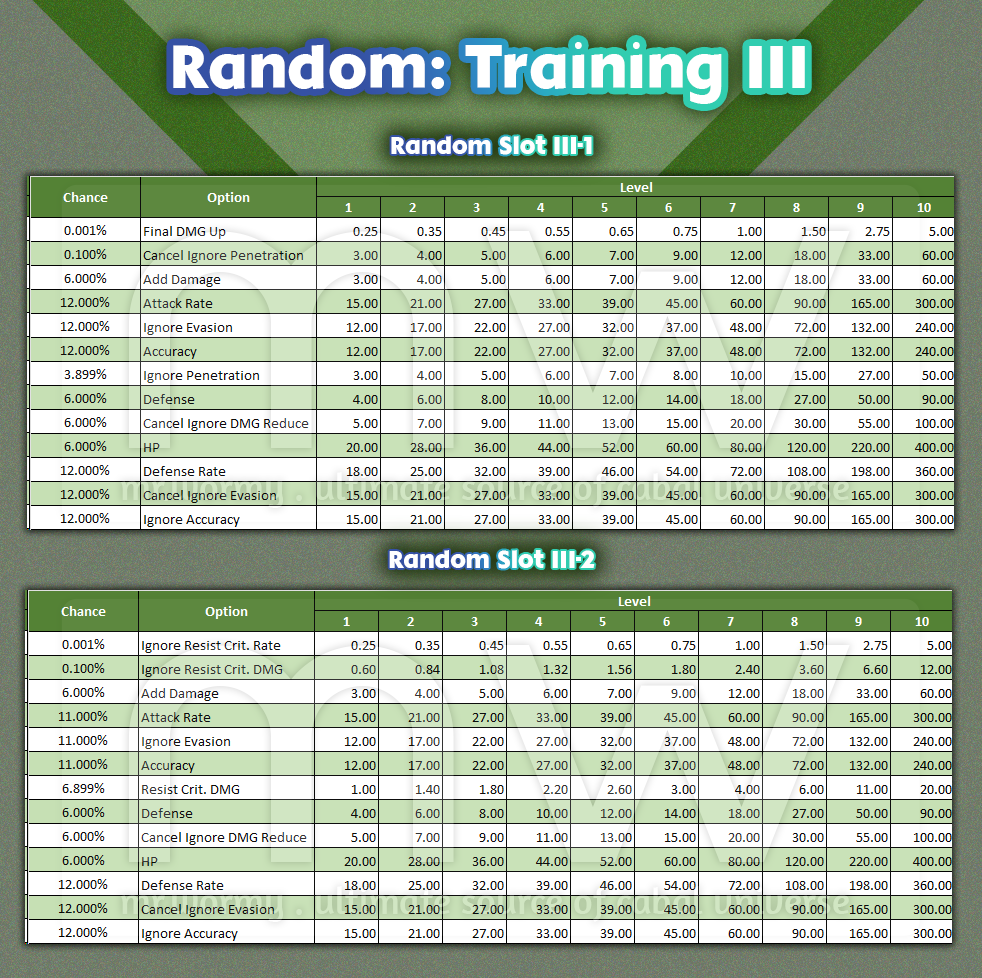

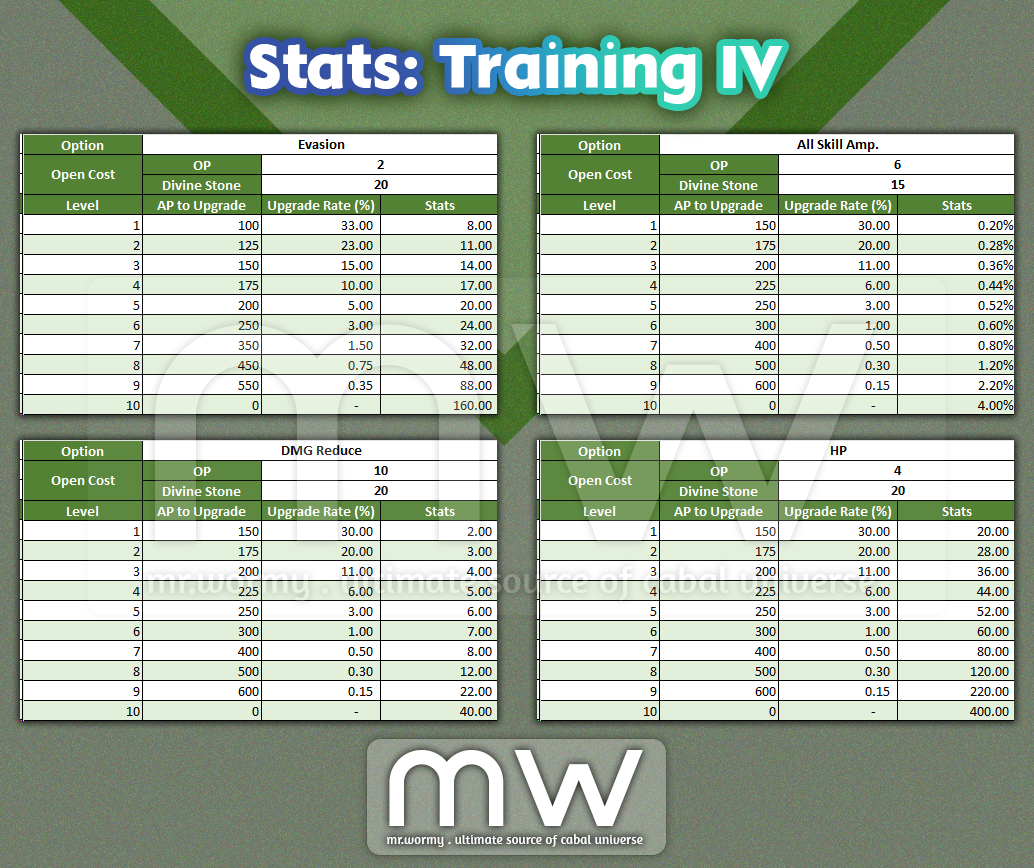
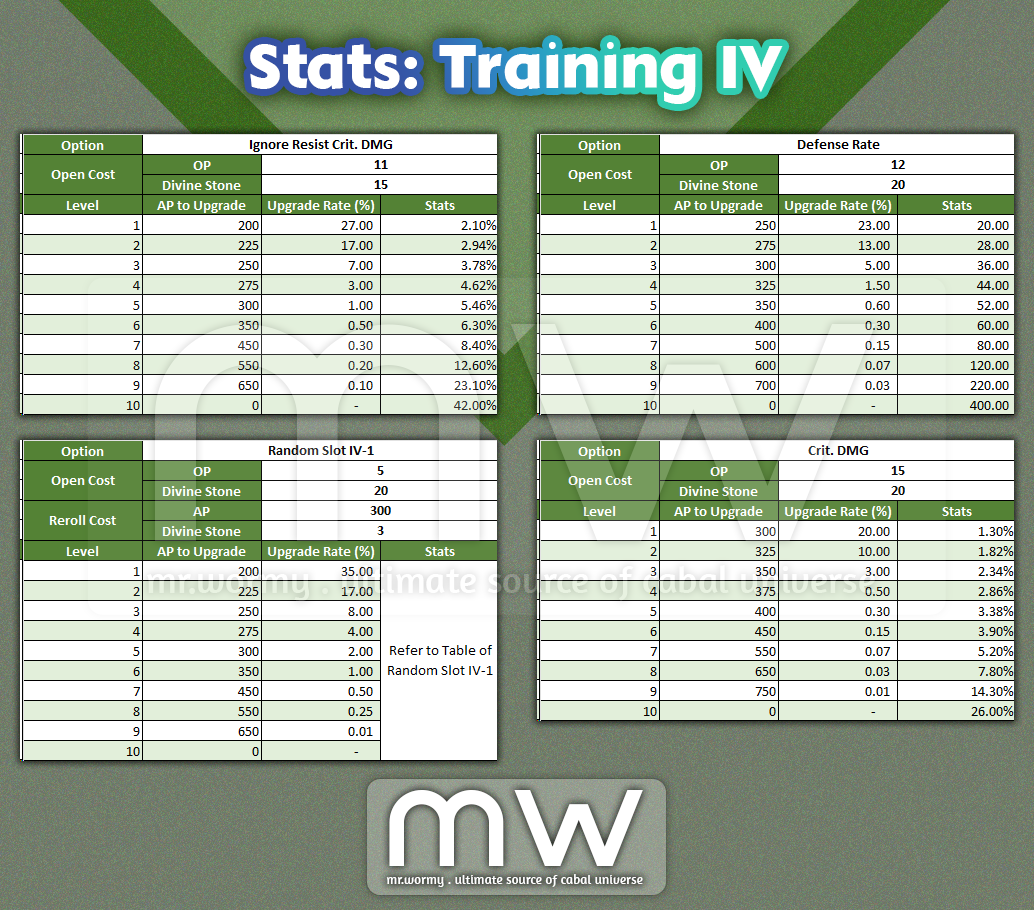
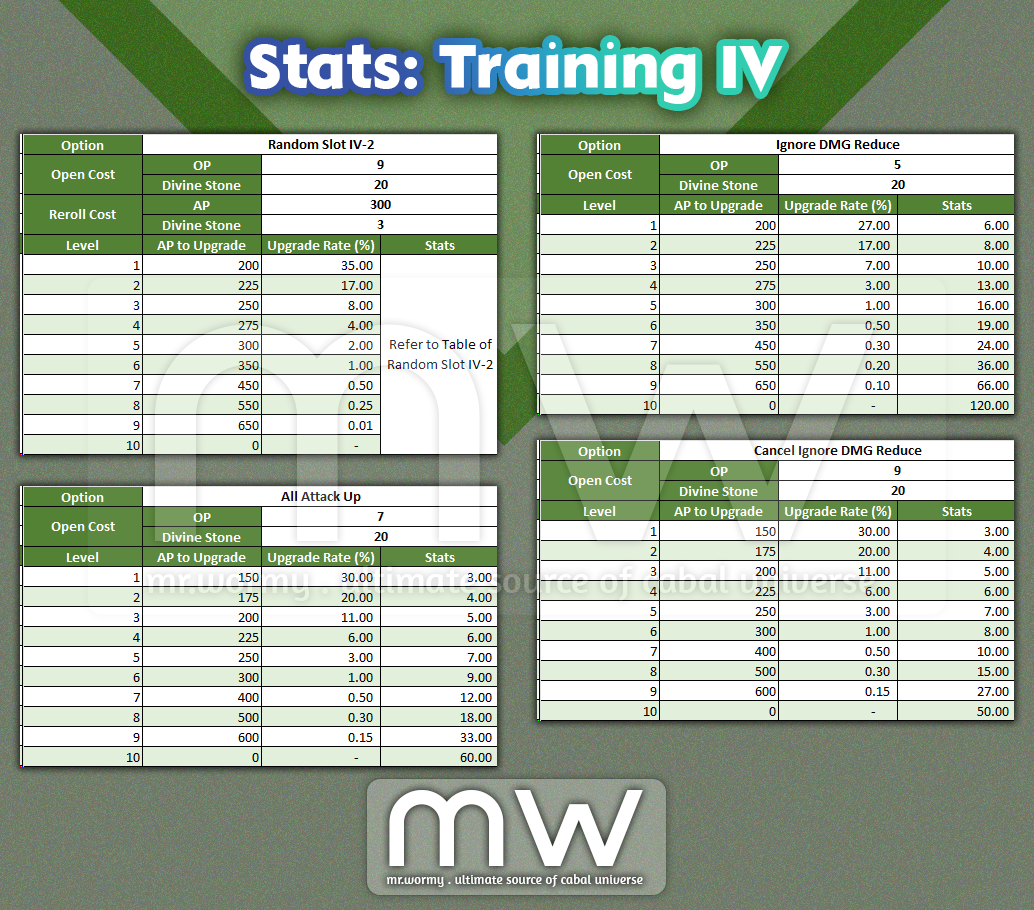
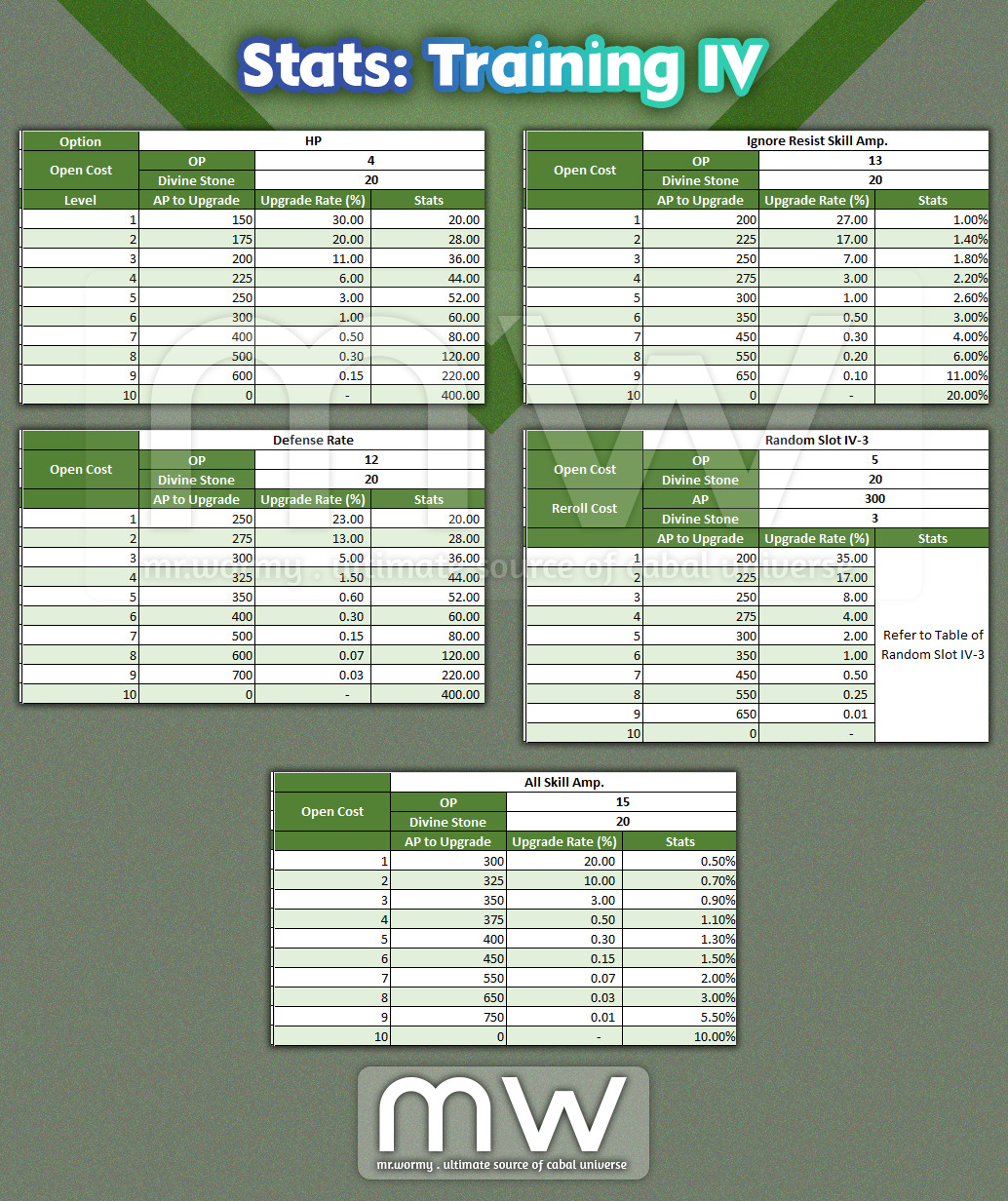
- Training IV:
- Condition: OLV 145
- Unlock Cost: Divine Stone x20

 Mr. Wormy