

- A system that gives rewards based on the score accumulated from daily and weekly missions.
- Progress:
- Character with level 1 or higher.
- Progress is account-based.
- A season is with 8 weeks.
- When a new season starts, all of history and progress of the previous season will be cleared.
- When a new season start, player will get the “Normal Pass” activated by default. The “Premium Pass” status from the previous person won’t be maintained from old season to new season.
- Access the Event Pass UI:
- Via the Event Pass icon at the menu bar at the bottom left corner of the screen.
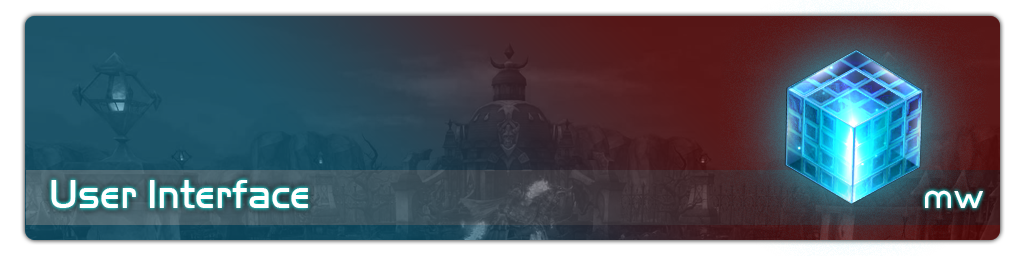
- Event Pass UI can be accessed via special icon at the bottom bar.
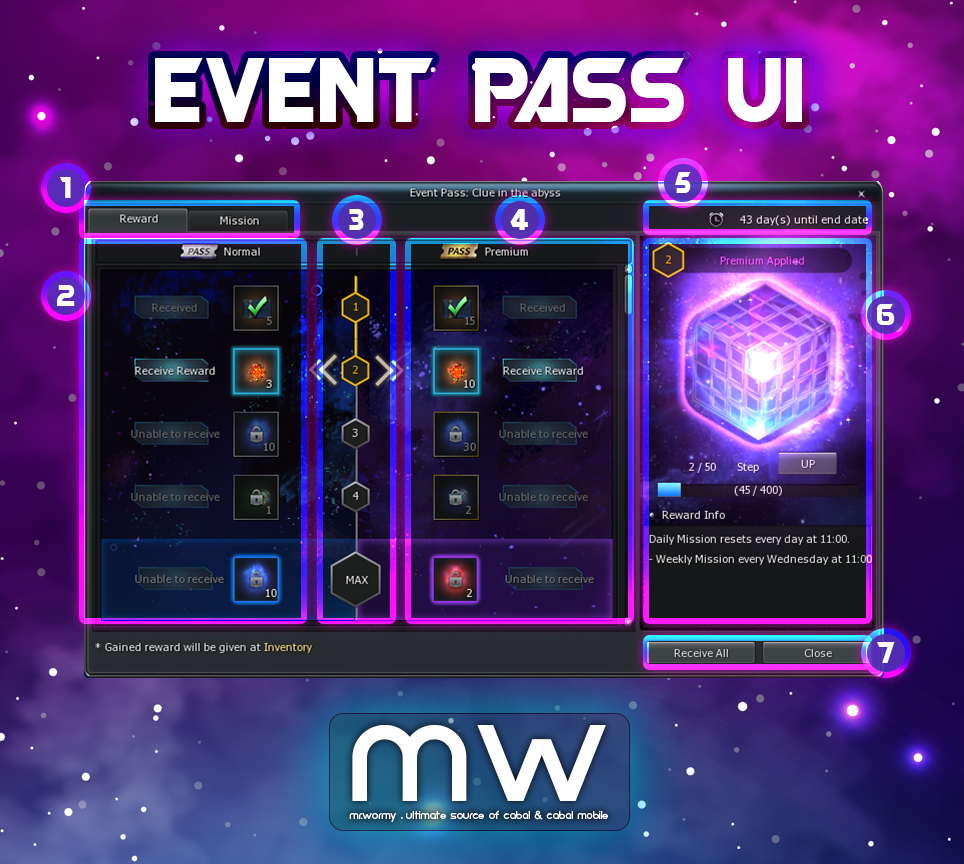
- Event Pass: Clue in the Abyss UI > Reward tab
- [1] Two main tabs:
- “Reward” with list of all rewards per level.
- “Mission” with list of all mission of the current season.
- [2] Rewards of “Normal” Event Pass.
- [3] List of steps.
- [4] Rewards of “Premium” Event Pass.
- [5] Duration until the end of the current season.
- [6] Status of current Season.
- [7] Main UI buttons.
- [1] Two main tabs:
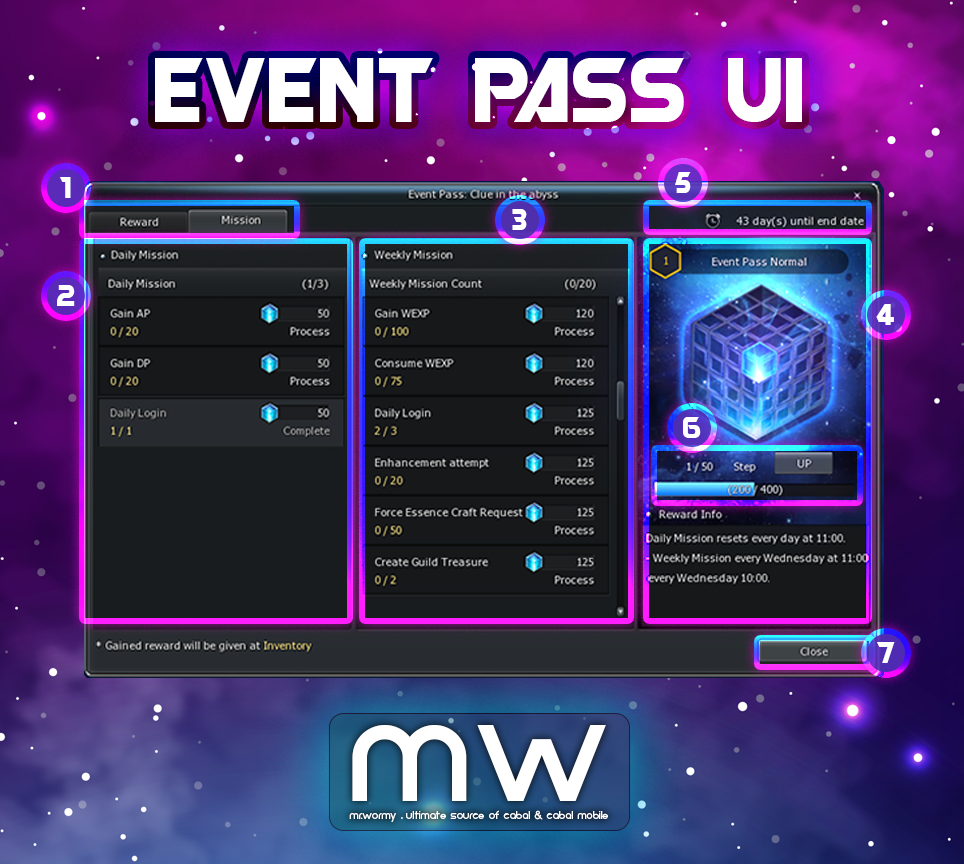
- Event Pass: Clue in the Abyss UI > Mission tab
- [1] Two main tabs:
- “Reward” with list of all rewards per level.
- “Mission” with list of all mission of the current season.
- [2] List of Daily Missions.
- [3] List of Weekly Missions.
- [4] Rewards of “Premium” Event Pass.
- [4] Status of current Season.
- [5] Duration until the end of the current season.
- [6] Point progress and pay-to-upgrade button.
- [7] Main UI buttons.
- [1] Two main tabs:
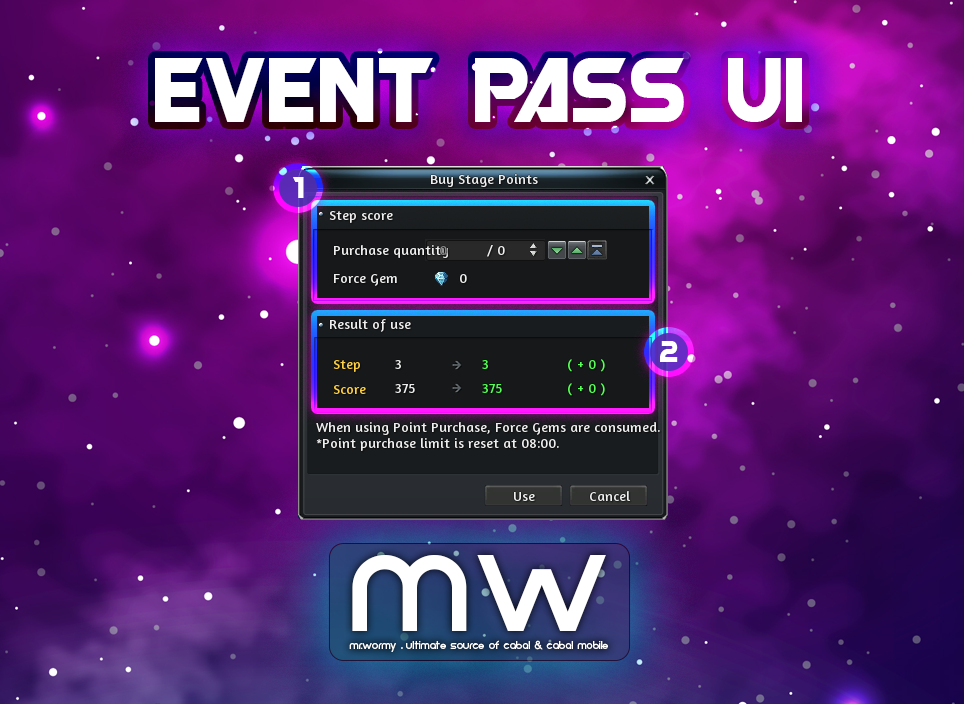
- When player clicks on the button at pay-to-upgrade area [6], a small UI will be displayed, here you can pay Force Gem to level up the Event Pass progress.
- Purchase Stage Point:
- When the “UP” button in the Event Pass UI is clicked, the Purchase Window will be shown.
- Can input the amount of points for purchasing or also using buttons for adjustment.
- 10 Force Gems will be used for exchanging 5 points.
- Purchase Restrictions:
- For Week 1-7, player can purchase 500 points
- For Week 8, player can purchase 20,000 points
- Purchase Restriction is reset daily.
- When the “UP” button in the Event Pass UI is clicked, the Purchase Window will be shown.
- Divided into Daily Mission and Weekly Mission:
- Daily Mission: A fixed mission for daily, can be done within the day. Progress will be reset daily*.
- Weekly Mission: Missions with different rewards, can be done within the week. Progress will be reset weekly*.
- * Both daily and weekly time for reset are depended on the publisher configuration.
- When a mission is completed, Score will be granted.
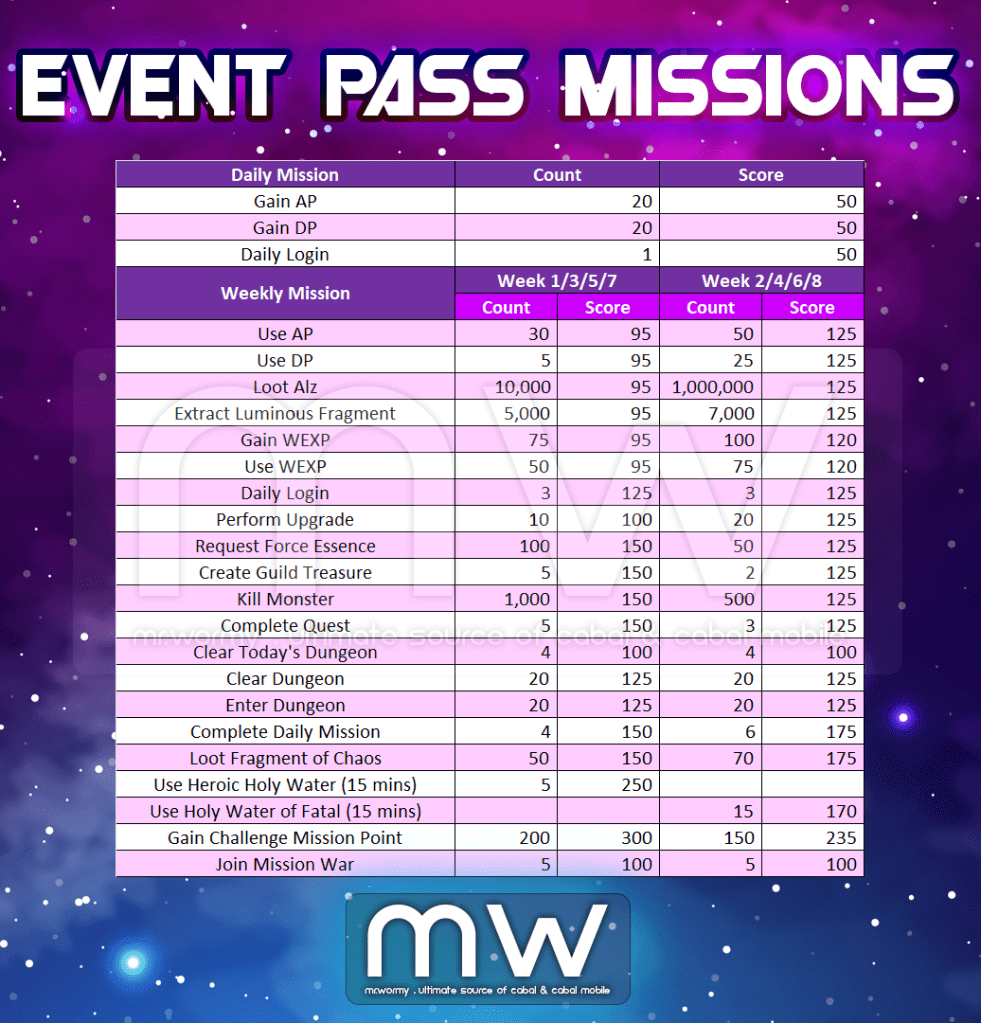
- When a mission is completed and point is obtained, the Stage Score will be granted and the gauge in the Event Pass UI will be increased.
- Stage Score is accumulated and if the gauge is full then the Level will be raised.
- Able to receive the rewards for each level.
- Event Pass Grades:
- General
- Standard Grade of the Event Pass
- Depends on the Stage, General Rewards will be available for claim.
- Premium
- Can convert to the “Premium” grade by using Force Gem.
- Fee: 500 Force Gem
- Depends on the Stage, additional Premium Rewards will be available for claim.
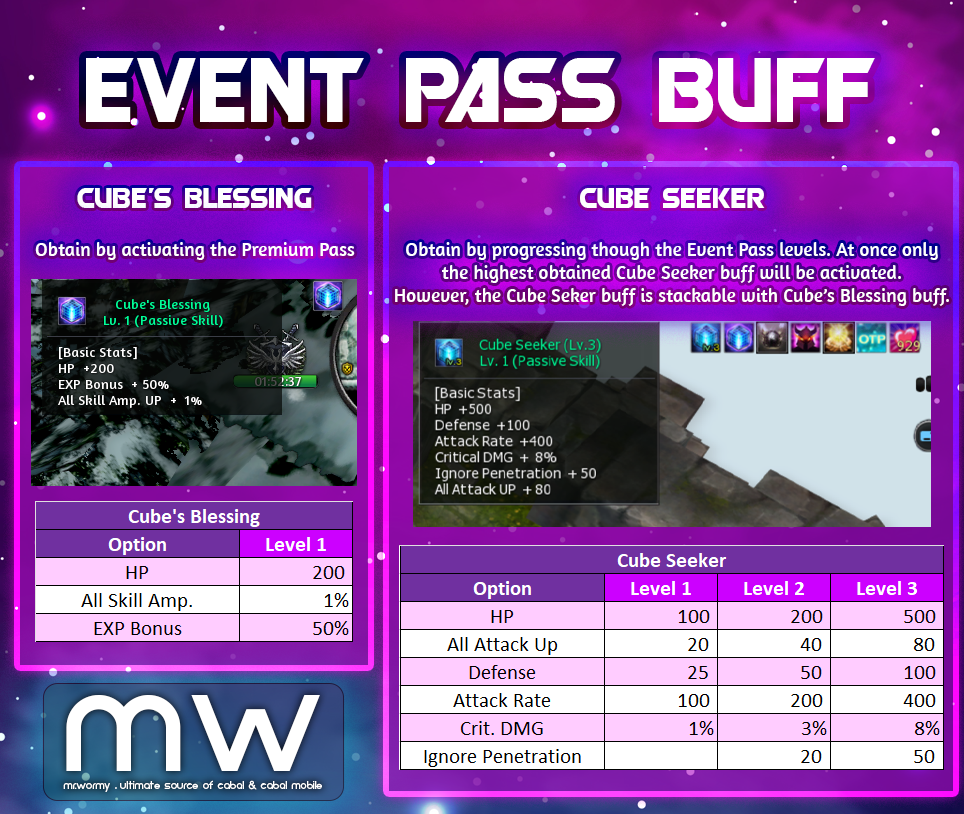
- Once the Event Pass is converted to Premium, a specific buff will be granted.
- Cube’s Blessing Lv. 1 (HP +200, EXP +50%, All Skill Amp. +1%)
- Can convert to the “Premium” grade by using Force Gem.
- General
- Rewards:
- Unlock the rewards based on the Level progress.
- By default the General Rewards will be given.
- In case of Premium Event Pass is activated, the Premium Rewards will also be given.
- Reward Types:
- General Items.
- “Cube Seeker” Buff:
- Buff will be given based on certain conditions of the Event Pass progress. Lowest is Level 1, highest is Level 3.
- Buff duration will cover only the Event Pass period.
- If multiple buffs are available, only the buff with the strongest stats will be applied. Like if you have Cube Seeker Lv. 1 and Cube Seeker Lv. 2, only Cube Seeker Lv. 2 will be active.
- However, buffs from the rewards can be stack along with the “Cube’s Blessing” from Premium Event Pass.
- Reward Receiving:
- Can be received manually reward-by-reward.
- Or with the “Receive All” feature.
- Rewards will be moved directly to the inventory.
- In case of inventory is full, the receiving process will be terminated.
- Unlock the rewards based on the Level progress.
 Mr. Wormy