

 Posted by
 Episode 42 focused on a new Monolith Enigma system and some quality of life improvements such as:
- 🧩️ Monolith Enigma System
- ✉️ Mail Box UI Revamp
- 🎖️ Merit Medal UI Revamp
- Evaluation
- Report
- Order (Convert / Cancel)
- 📜 Season Missions
- ✨ Remastered
- Starting Map Remastered
- Starting Map Monster Remastered
- Starting Map NPCs Remastered
- Quest NPCs Remastered
- Mercenaries Remastered
- 🔍 Pet Exploration
- New Auto Potion Slot for Pet Buff
- New Grade / Research for Research Lab
- New Exchange Item in Exchange Shop
- 📖 and more~
Last Update: 12-Sep-2025 (with contents up to 10-Sep-2025).

1. Overview
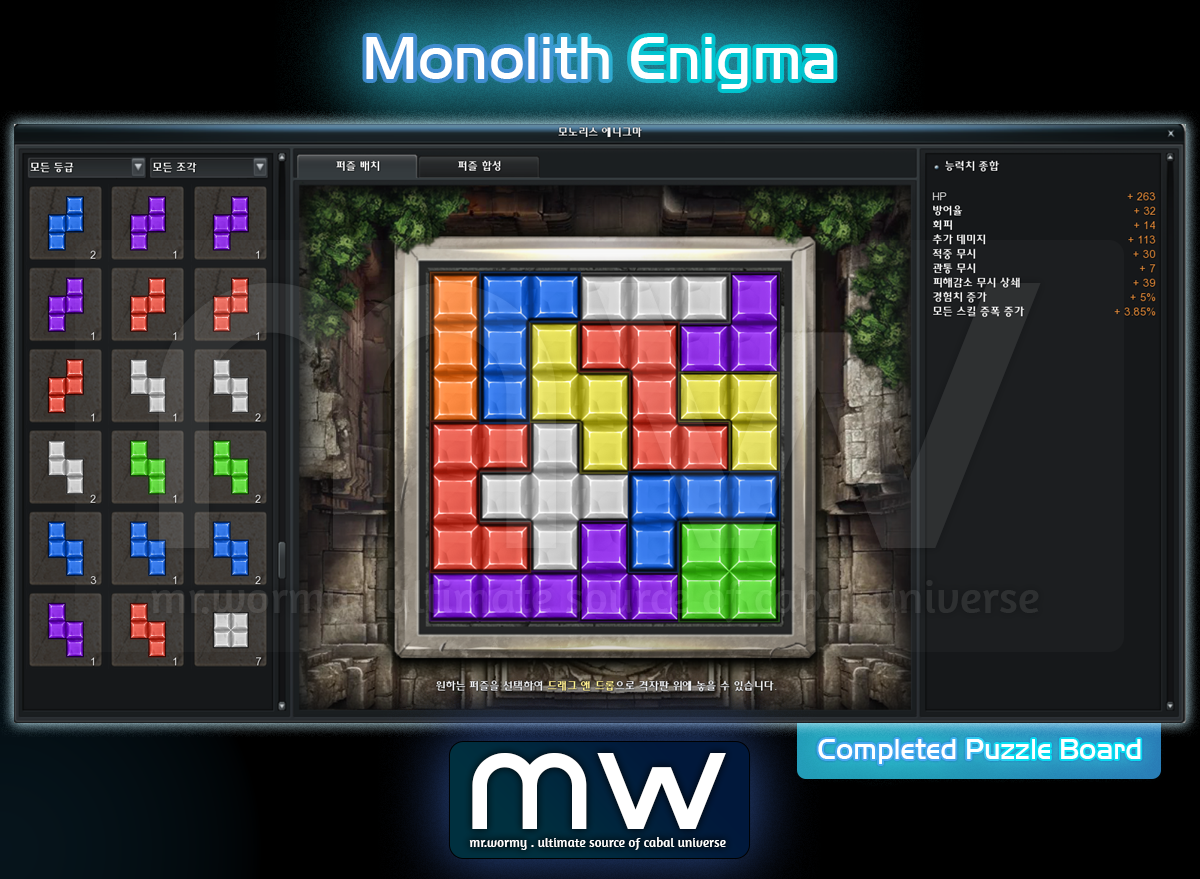
- Monolith Enigma is a growth content that gives character’s stats by arranging puzzle pieces of various shapes and grades on the puzzle board.
- Access:
- Cabal Menu > Character Information > Monolith Enigma
- Default Shortcut: Alt + M (can be changed in Options > Key Bindings)
2. Puzzle Board
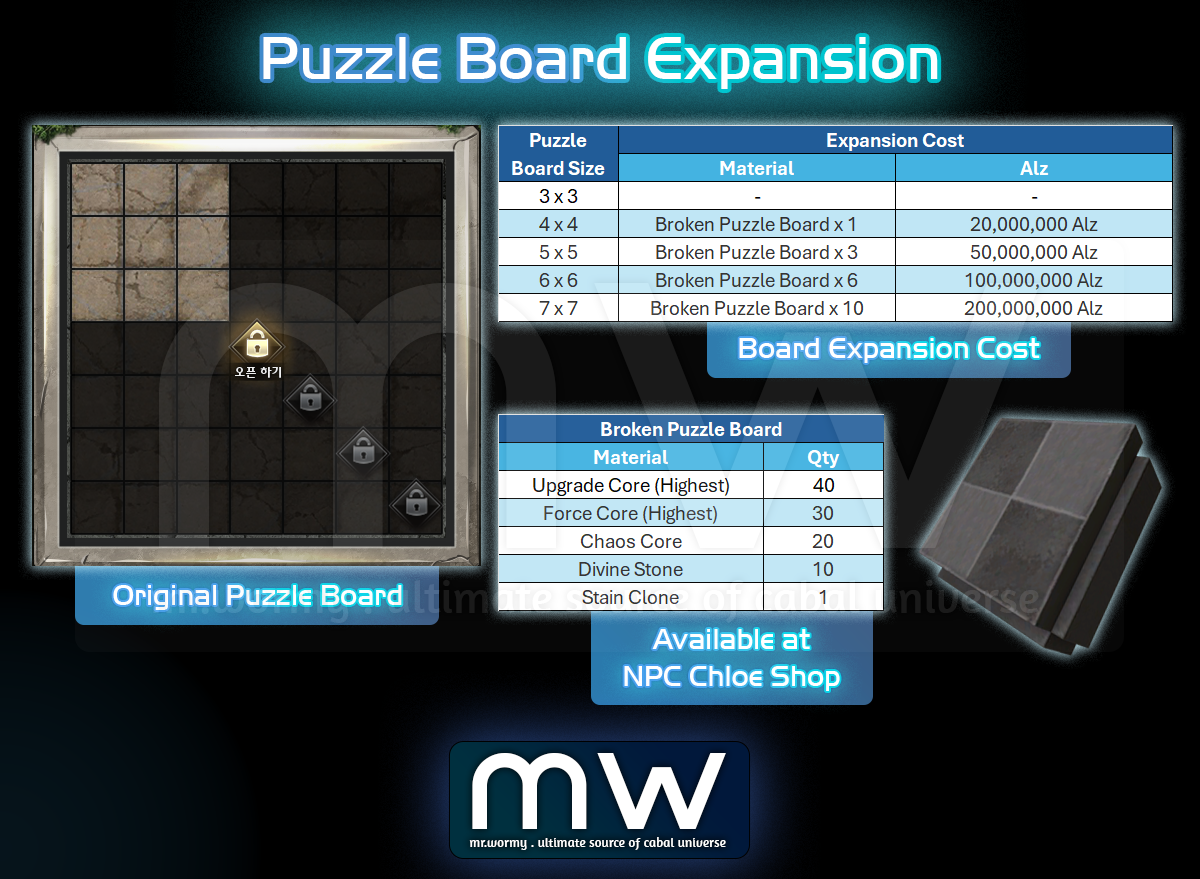
- By default, a Puzzle Board with size of 3×3 will be given.
- Board can be expanded up to size of 7×7, using “Broken Puzzle Board” and Alz.
- “Broken Puzzle Board” is available to purchase at NPC Chloe in Port Lux.
3. Puzzle Cube
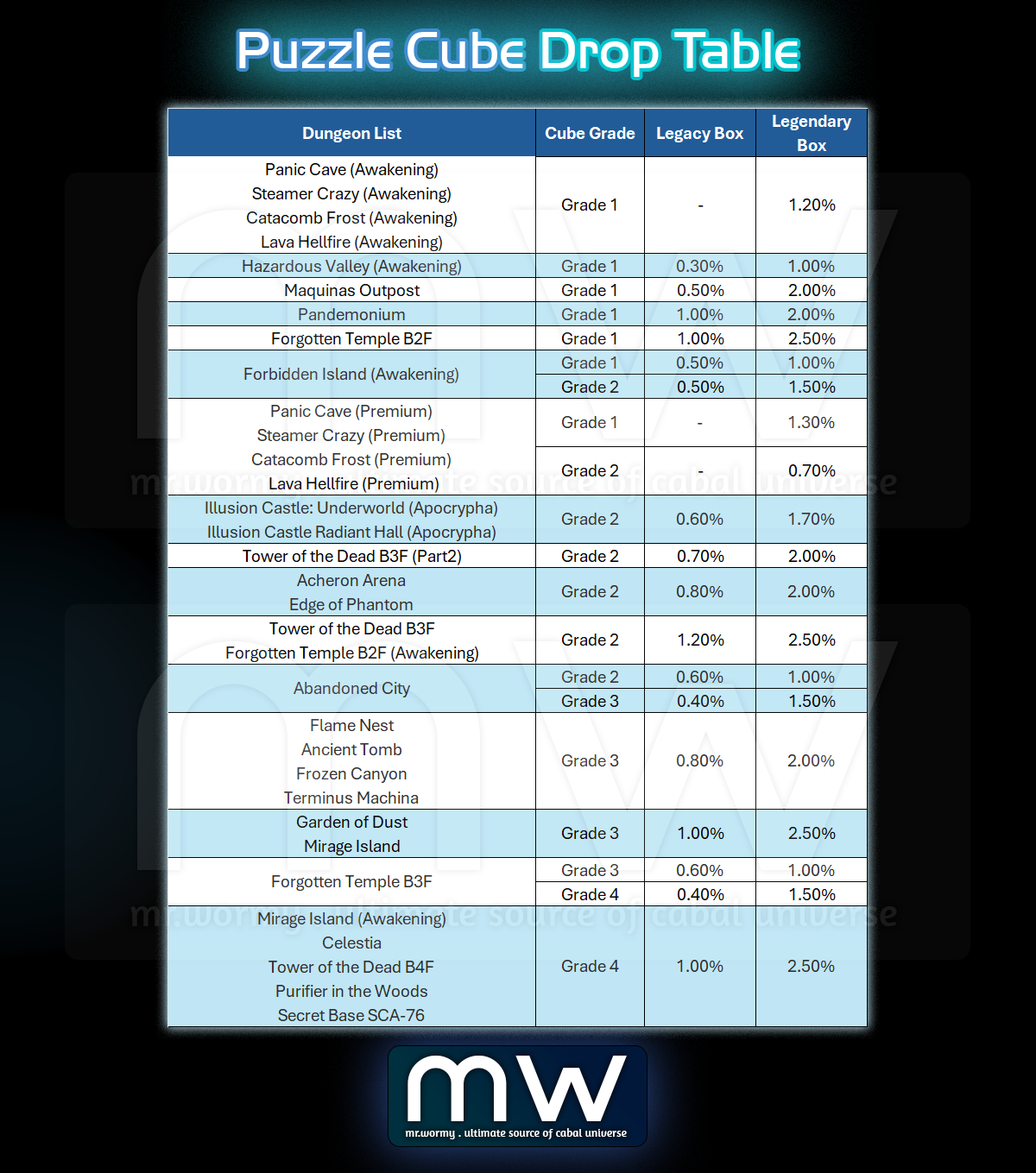
- Puzzle Cube Grade 1 – 4:
- Puzzle Cube can be obtained from Legacy Box and Legendary Boxes in Dungeons.
- Drop Table of Puzzle Cubes can be found below.
- Puzzle Cube Grade 5: Can be obtained from Season Mission.
- Puzzle Cube Grade 6 & 7: Can be obtained in the future patch.
Puzzle Cube Drop Table
4. Puzzle Pieces
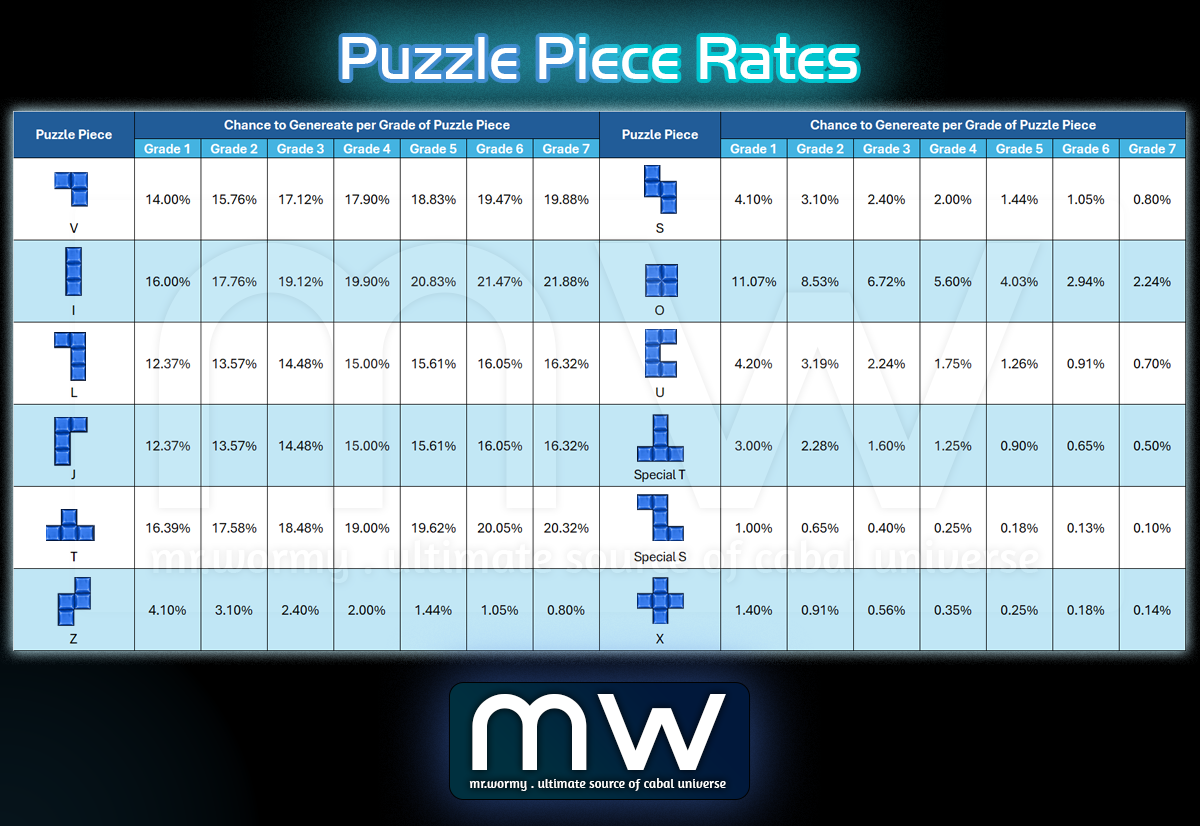
- Puzzle Pieces can be obtained randomly from Puzzle Cube.
- List of possessed Puzzle Pieces can be found in “Monolith Enigma” UI.
- There are total 12 different shapes and 7 grades, same shape could even have different stats.
- Puzzle Piece Grade 6 – 7 can be obtained from Puzzle Piece Combination.
Obtain Rate of Puzzle Piece from Puzzle Cube
- Drag-and-drop the Puzzle Piece into an empty area in the Puzzle Board to obtain Puzzle Piece stats.
- Different stats are available for each Puzzle Piece at certain chance.
Stats and Chance per Puzzle Piece

5. Puzzle Combination
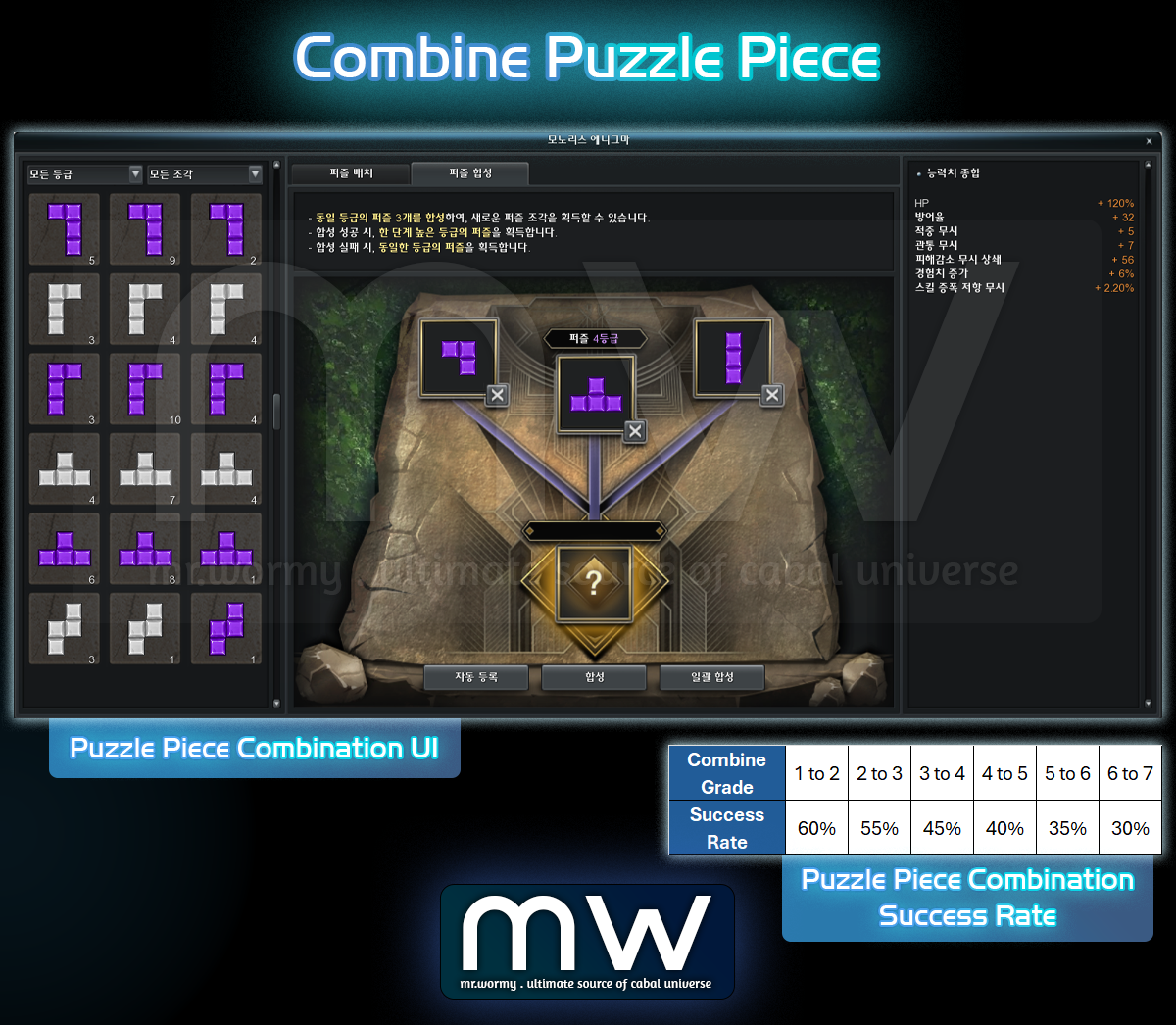
- Player can combine Puzzle Pieces of the same grade for a chance to get higher grade.
- By combining 3 Puzzle Pieces of the same grade, a new Puzzle Piece will be generated:
- On “SUCCESS”, a random Puzzle Piece of one-grade higher than material pieces will be generated.
- On “FAILURE”, a random Puzzle Piece of the same grade with material pieces will be generated.
6. Others
- Add new Category in Auction House: Random Item > Puzzle Cube.
- Puzzle Cube are not-drop-able once looted.

1. Change that dungeon entries can be stacked.
- Target items:
- Yul’s Exchange Ticket (Dungeon Entry Ticket)
- All Dungeon Entries
- Conversion:
- Old Dungeon Entry Items will be automatically changed to the new stackable items after the update.
2. Mail Box Improvement
- Mail / Cash Inventory / Event Inventory UI relocated:
- Old: Centre-Middle of the screen
- New: Left-Middle of the screen (this will avoid blocking Inventory UI)
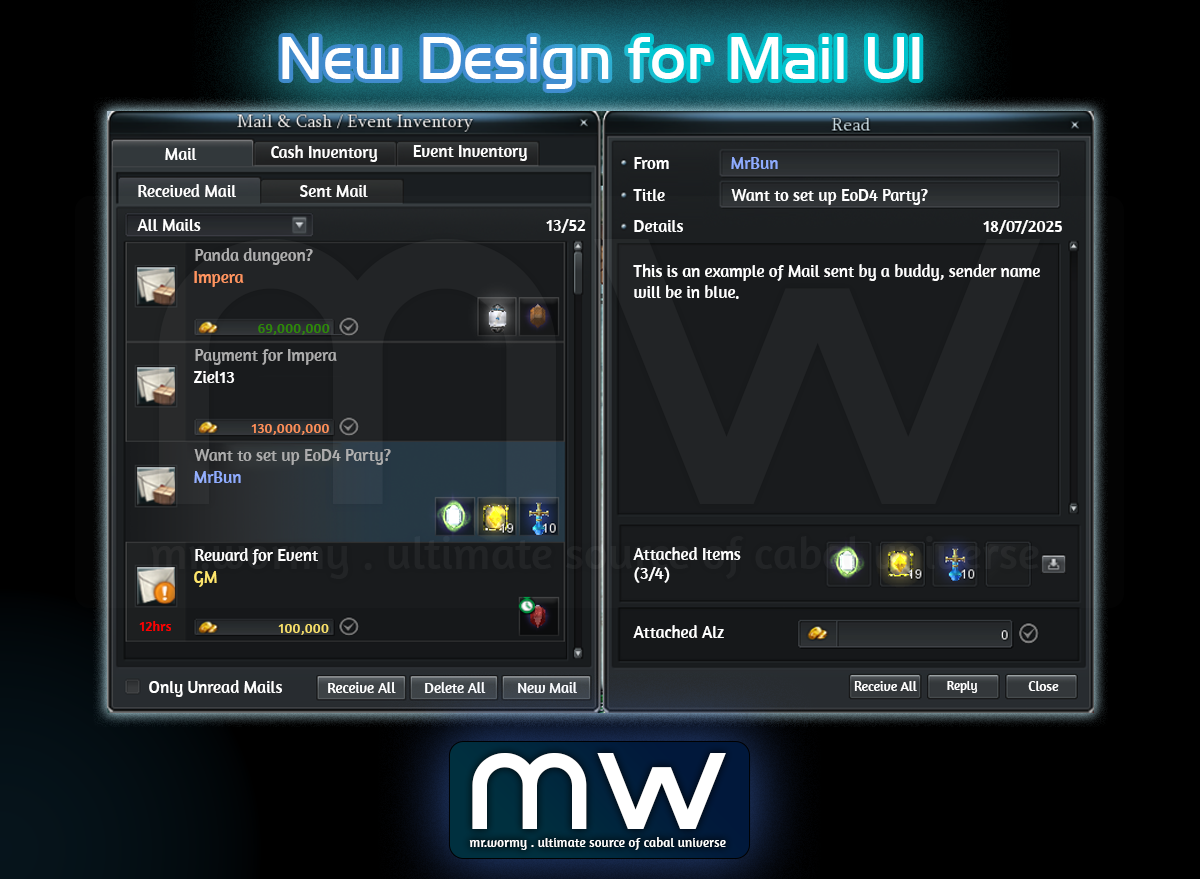
- Change design of Mail UI:
- Change Character Name based on category (Buddy, Guild Member, Buddy & Guild Member, GM…)
- Change that allow quick checking Attached Items & Attached Alz from Mail list.
- Add new “Receive” button showing when mouse is over a mail with attachments, allow receiving Attached Items and Alz instantly.
- Add a button for “Receive All”:
- To receive all Attached Items and Attached Alz from received mails.
- Clicking on “Receive” or “Receive All” buttons will trigger a confirmation box, if the receiving items are with duration, additional information will also be added in the confirmation box.
- Read Mail content:
- Click on the Mail on the left side to see the content on the right side.
- Allow receiving all Attached Items and Attached Alz using “Receive All” button.
- Write New Mail:
- Allow attaching up to 04 items per Mail.
- To attach items, player can drag-and-drop or holding Ctrl to register items for attachment.
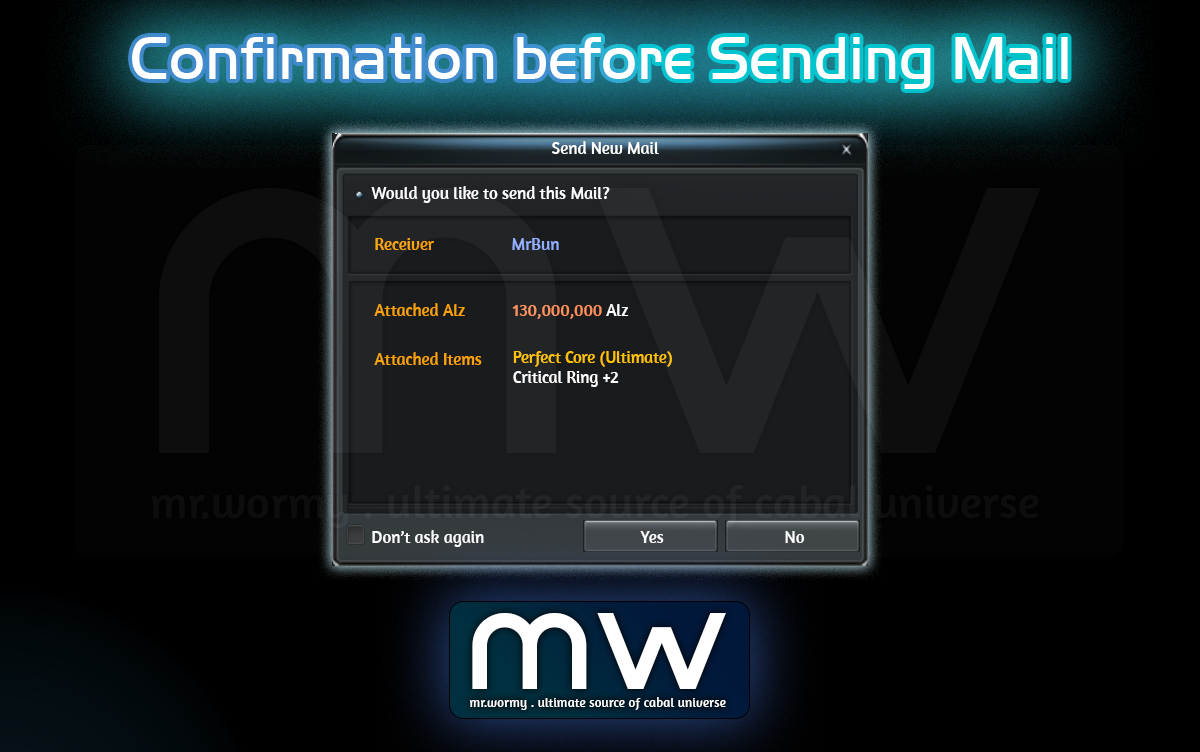
- Confirmation window before sending:
- Showing receiver name in specific colour.
- Showing Attached Alz amount in specific colour based on the amount.
- Showing the Attached Items, if items have specific colour for naming, the corresponding colour will also be shown here.
- Allow attaching up to 04 items per Mail.
3. Fixed the Refresh Rate issue in Full Screen mode.
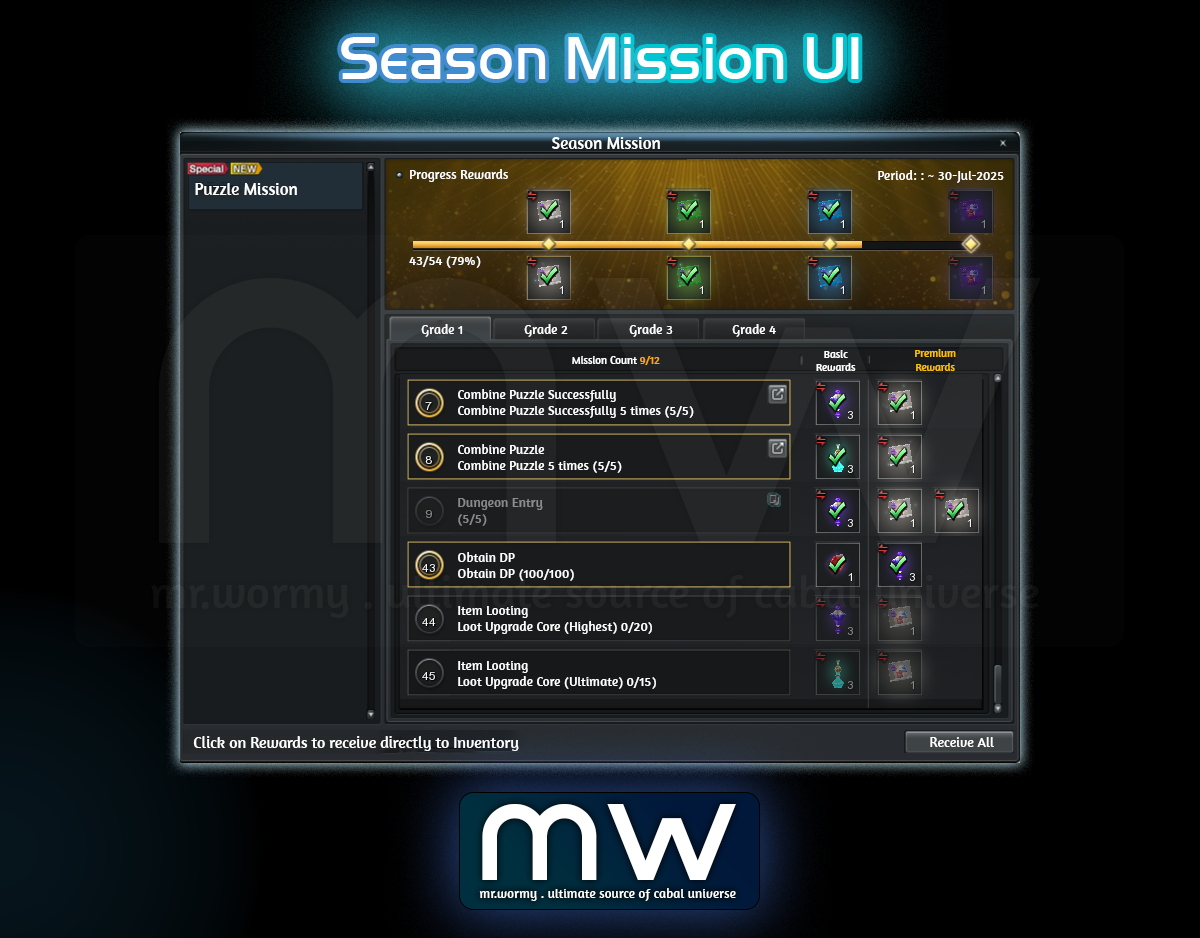
- “Season Mission” is a new account-based system allows players to get rewards by performing tasks within certain period.
- Access:
- Cabal Menu > Quest & Achievements > Season Missions
- Additional access can be located with quick access button under HP bar area.
- Concept:
- Perform the mission (stated on the left)
- On completion of a mission the rewards on the right side will be available to collect.
- Basic Rewards are available for every players.
- Premium Rewards are available for premium access.
- Once the Season Missions ended, all achieved rewards will be available to collect within 01 week.
- At 25% / 50% / 75% / 100%, there will be additional milestone rewards.
- Remarks:
- Season Missions UI cannot be open in Mission War.
- Mission and Rewards in the screenshot (in test server) are only for testing purposes, actual missions and rewards are subjected to change in public server when the update is live.

1. Fixed the bug that caused “Force Wing Auto-Growth” feature could not work properly in Mission War.
2. Improve the visual effect of Force Tower – Attack.
3. Increase stats of objects in Mission War:
- Significantly increase defensive stats of Sage’s Ensigns.
- Significantly increase defensive stats of War Gates.
- Slightly increase defensive stats of Base Gates.

1. By right-click on the Merit Medal Exchange Ticket, character will be teleported to Dispatch Officer of character’s nation.
- Not applicable for character of No Nation.
2. New UI for Merit Medal.
- Access:
- Via menu item in Cabal Menu > Merit Medal
- Quick Access with shortcut: Alt + T
- New integrated UI for Merit Medal that supports
- Evaluation
- Report
- Convert with
- Merit Medal evaluation order
- Merit Medal evaluation cancel order
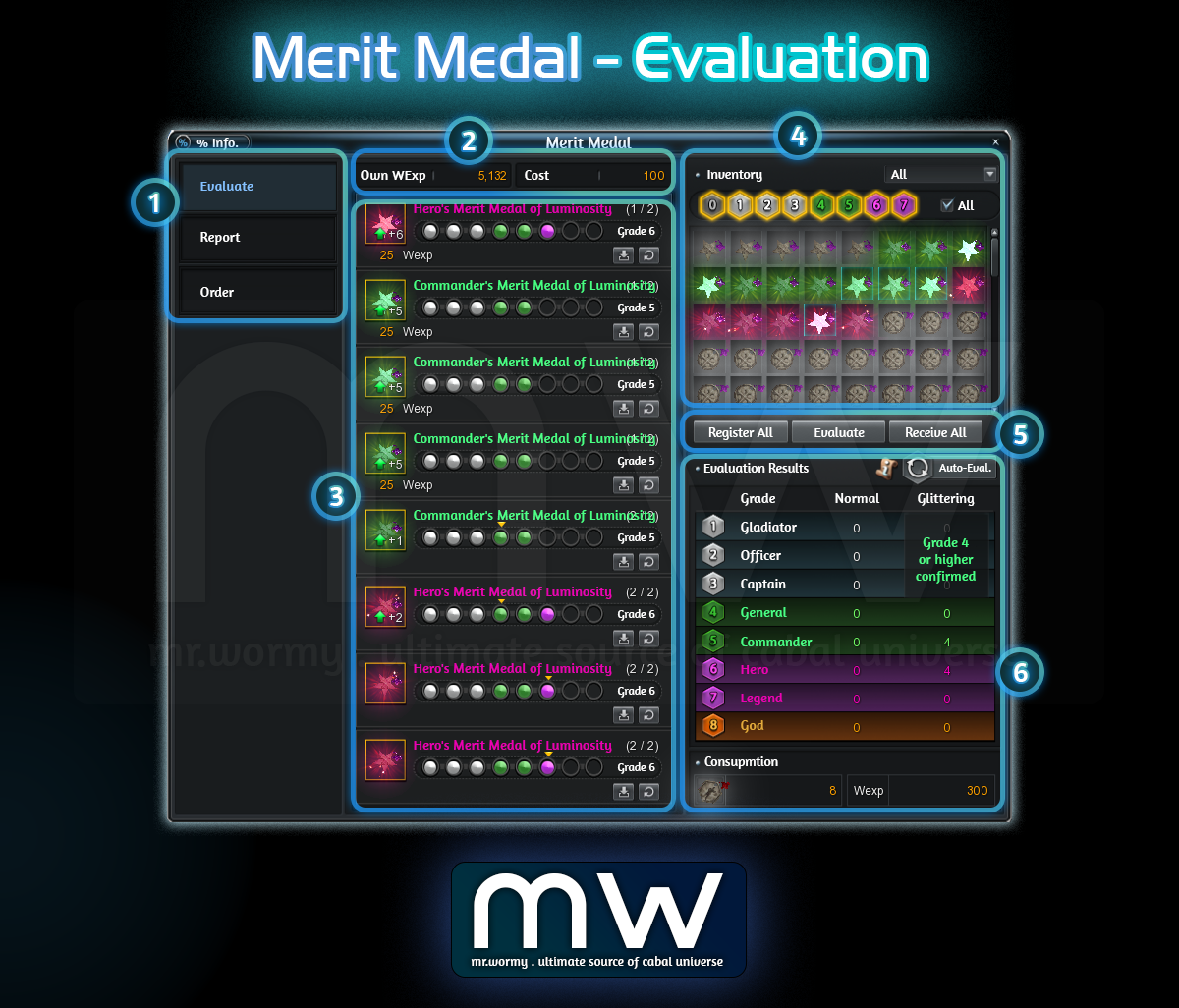
- Evaluation UI:
- [1] Tab Selection, “Evaluate” is selected
- [2] Current amount of WExp and Cost for the Evaluation
- [3] List of registered Merit Medal for Evaluation
- [4] List of available Merit Medal in Inventory, allow filtering
- Able to select from the list or manually selected desired grades
- Cannot select Grade 8 (as it is already MAXed)
- [5] Buttons for Register All / Evaluate / Receive All
- [6] Evaluation Results
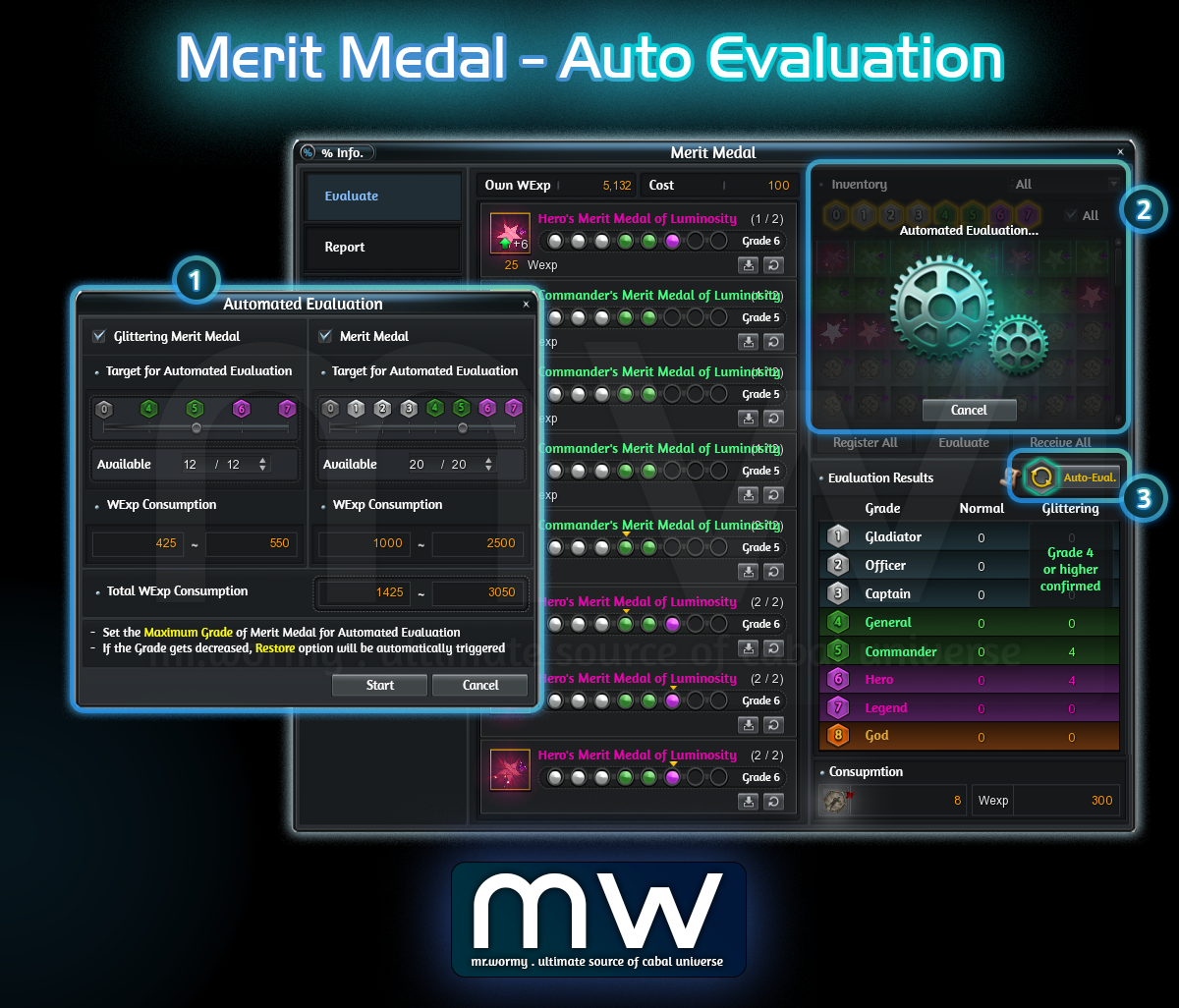
- Automated Evaluation UI:
- [1] Automated Evaluation Option UI is shown of Button [3] is clicked, allow configuration of:
- Max grade of Merit Medal to keep re-evaluating
- Glittering Merit Medal: 0 / 4 / 5 / 6 / 7
- Merit Medal: 0 / 1 / 2 / 3 / 4 / 5 / 6 / 7
- Limit the number of Merit Medal to keep re-evaluating
- Button to [Start] or [Cancel]
- [Start] will start the process, main Evaluation UI will be displayed like in [2] and button will be marked with different color like [3]
- [Cancel] will close the UI
- Max grade of Merit Medal to keep re-evaluating
- [1] Automated Evaluation Option UI is shown of Button [3] is clicked, allow configuration of:
- Automated Evaluation concept:
- Once started, the Evaluation will keep running for all based on selection
- Type of Medal is selected
- Merit Medal and / or Glittering Merit Medal
- The medal still have evaluation count
- If the evaluation count is not available, even the Grade is lower than selected Grade, that medal will still be excluded
- The medal is with Grade lower or equals to the selected Grade
- Medal with higher grade than selected grade will be excluded
- Character still has enough WExp to perform the Evaluation
- Type of Medal is selected
- Cannot switch to other tab Report / Order while under the Automated Evaluation
- Once started, the Evaluation will keep running for all based on selection
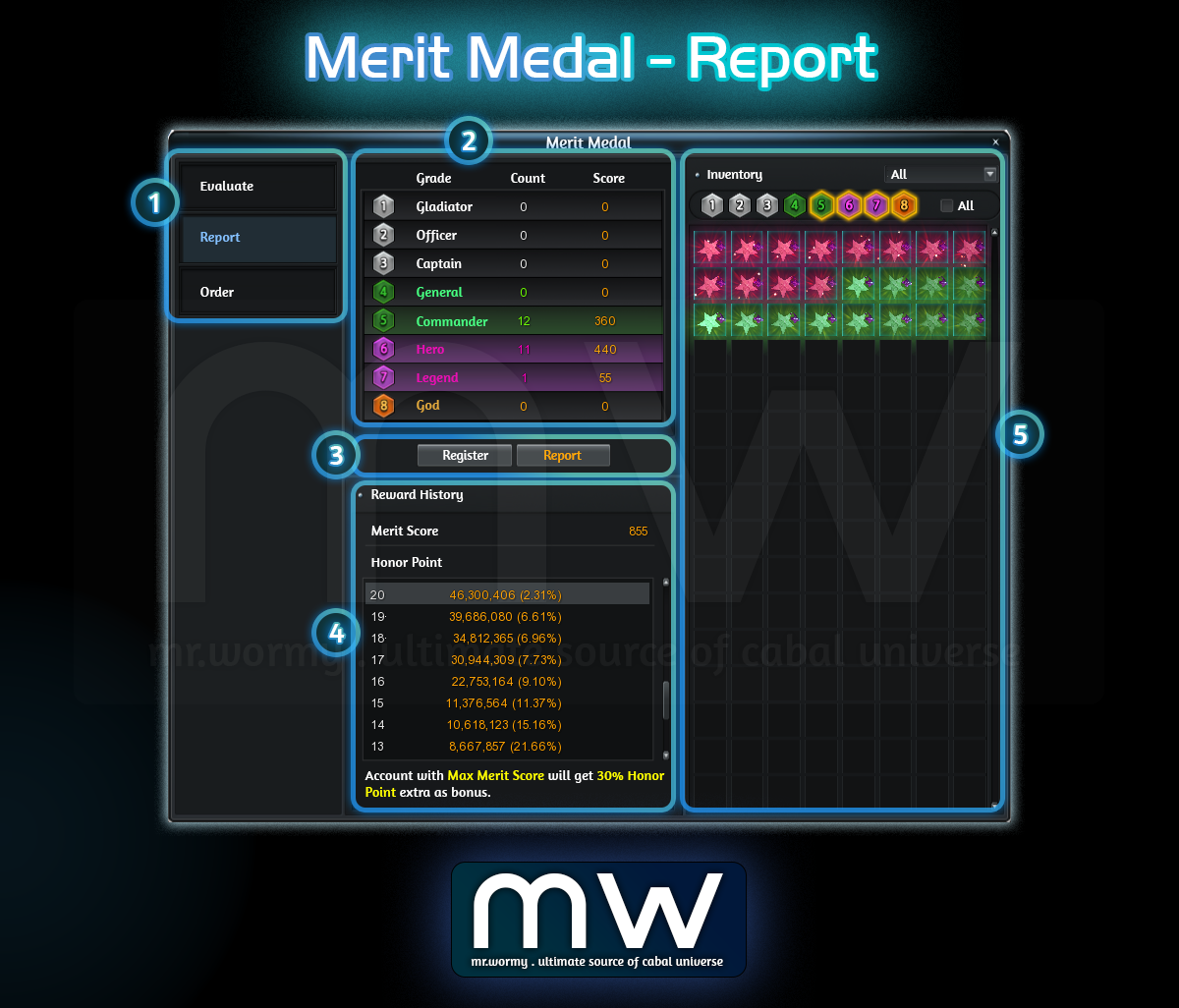
- Report UI:
- [1] Tab Selection, “Report” is selected
- [2] List of available Merit Medals ready to get reported
- Breakdown by Grade, with Count and Score
- [3] Button to Register and Report
- [4] History of Rewards from Report
- [5] List of Merit Medals which can be reported in Inventory
- Register in Batch up to 640 Merit Medals at once.
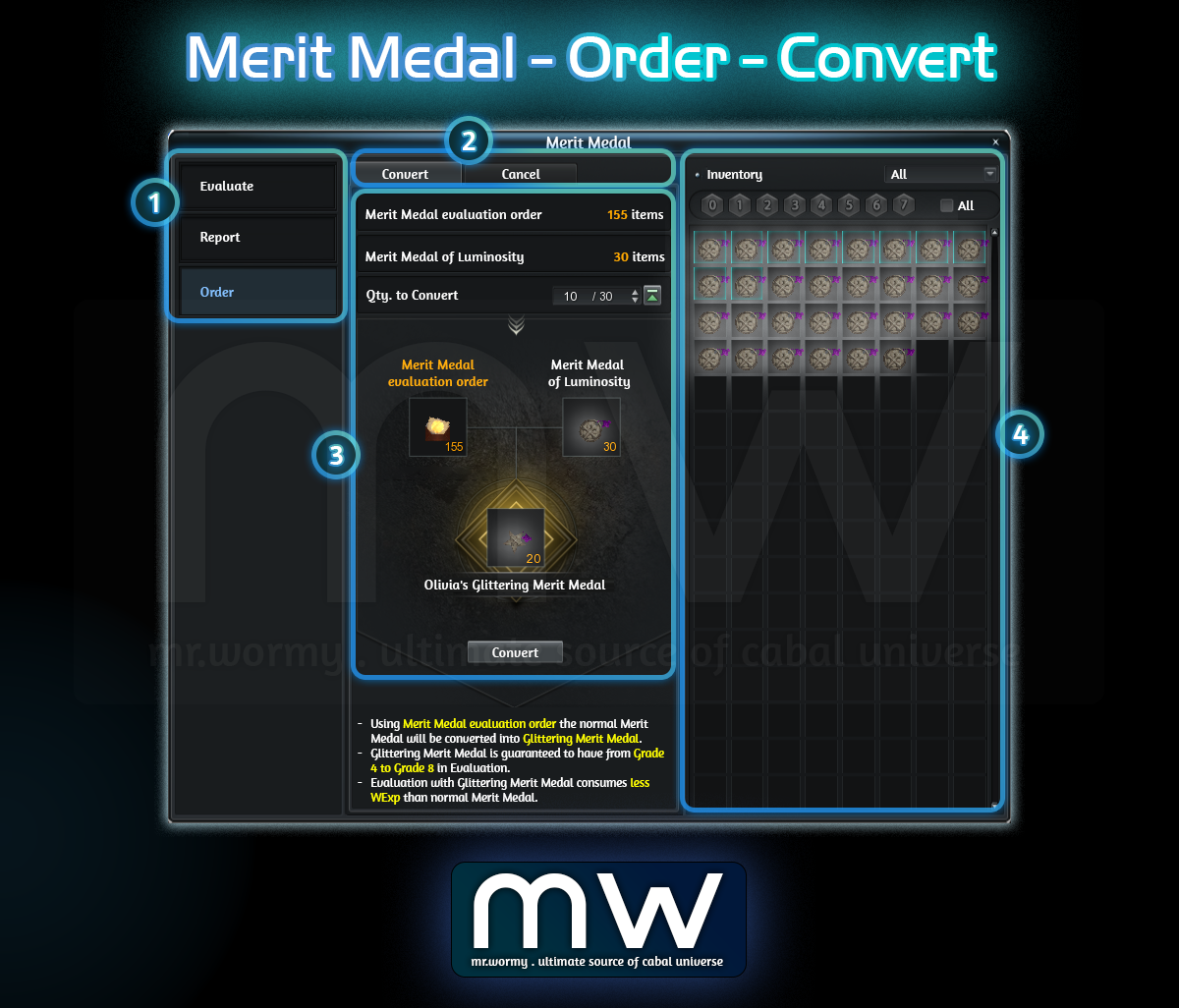
- Order > Use of “Merit Medal evaluation order”
- [1] Tab Selection, “Order” is selected
- [2] Able to switch between batch use of:
- Convert: For using “Merit Medal evaluation order”
- Cancel: For using “Merit Medal evaluation cancel order”
- [3] Listing all of
- Available amount of “Merit Medal evaluation order”
- Available amount of normal Merit Medal, depends on Nation:
- Capella: Merit Medal of Luminosity
- Procyon: Merit Medal of Storm
- [4] Preview of Result & “Convert” button to perform
- [5] Available Merit Medal that can be converted are showing in the right side
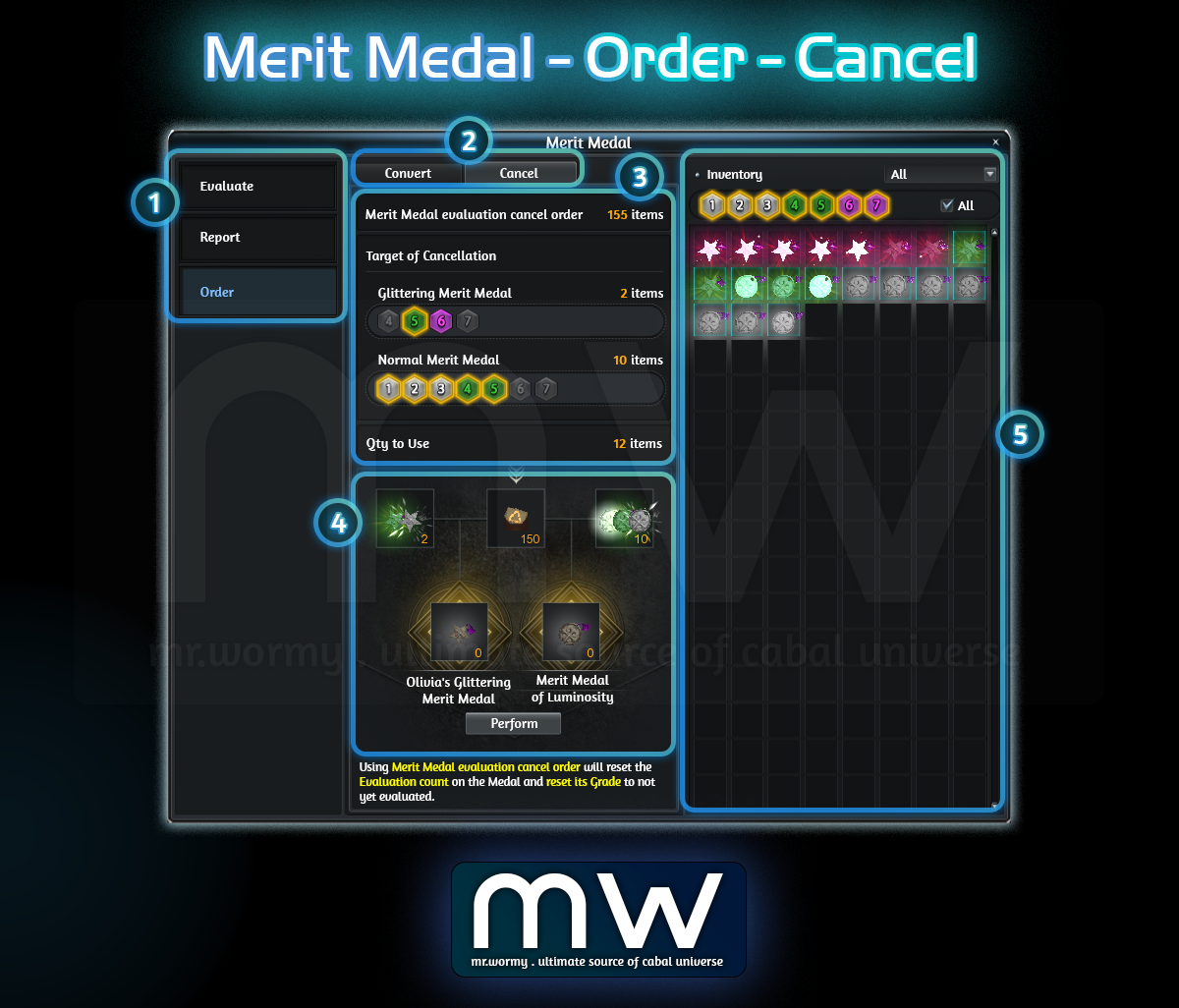
- Order > Use of “Merit Medal evaluation order”
- [1] Tab Selection, “Order” is selected
- [2] Able to switch between batch use of:
- Convert: For using “Merit Medal evaluation order”
- Cancel: For using “Merit Medal evaluation cancel order”
- [3] Listing all of
- Available amount of “Merit Medal evaluation cancel order”
- Available amount of Glittering Merit Medal and Normal Merit Medal, depends on Nation, allow selecting the target of Grade for cancellation
- [4] Preview of Result & “Perform” button to perform
- [5] Available Merit Medal that can be cancelled are showing in the right side
Changes & Additions [20-Aug-2025]
- Add new item in Cabal Menu for “Merit Medal”
- Target:
- Only character with Nation can use
- Character without Nation will see menu item grayed and cannot be used
- Click on the menu item will show the Merit Medal UI
- Target:
- Add new shortcut for Merit Medal UI: Alt + T, able to change in Option UI
- Evaluation:
- After switching the tab, the Evaluation history will be reset to avoid confusion
- Automated Evaluation:
- If there is no medal for evaluation, the “Start” button will be disabled
- If character is standing in combat zones then Automated Evaluation is disabled
- If the character is dead or any reason, or moving from Lobby to Battlefield (in Mission War), the Automated Evaluation will be stopped
- Once Automated Evaluation is activated, only “Cancel” button will be available for using, other buttons will be disabled.
- Order:
- Fixed the bug that caused the Evaluation / Report were unusable when the Merit Medal UI was triggered by using Order items (Merit Medal evaluation order and Merit Medal evaluation cancel order)
- When character has Merit Medal at Grade 0 (not-yet Evaluated), the “Grade 1” will be automatically selected.
- Change that the Qty text is with focus when moving into the Order tab, so that player can input the desired number of items to convert.
- Others:
- Add comma for splitting thousands amount in WExp
- Add visual effect for “Report” and “Order”
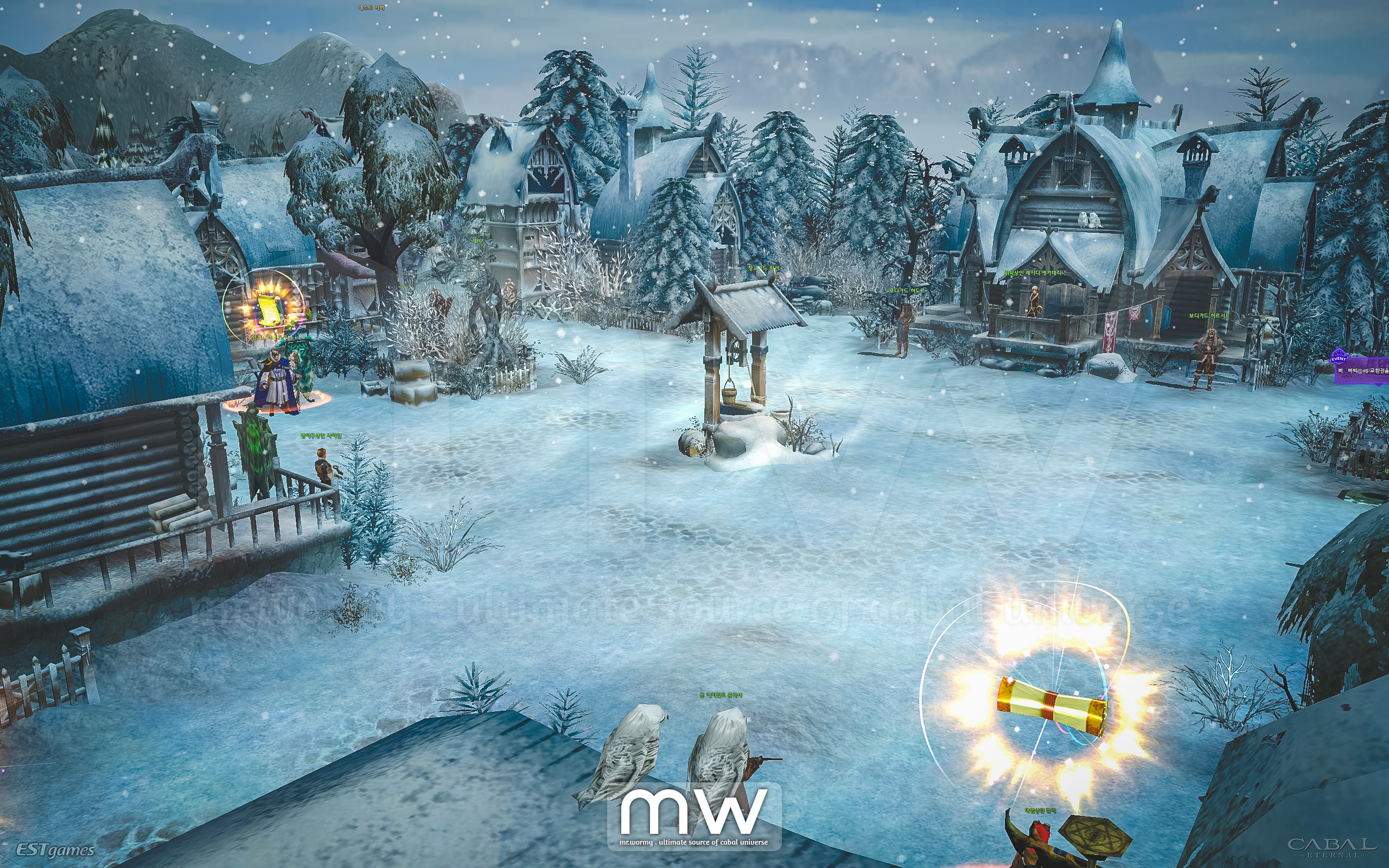
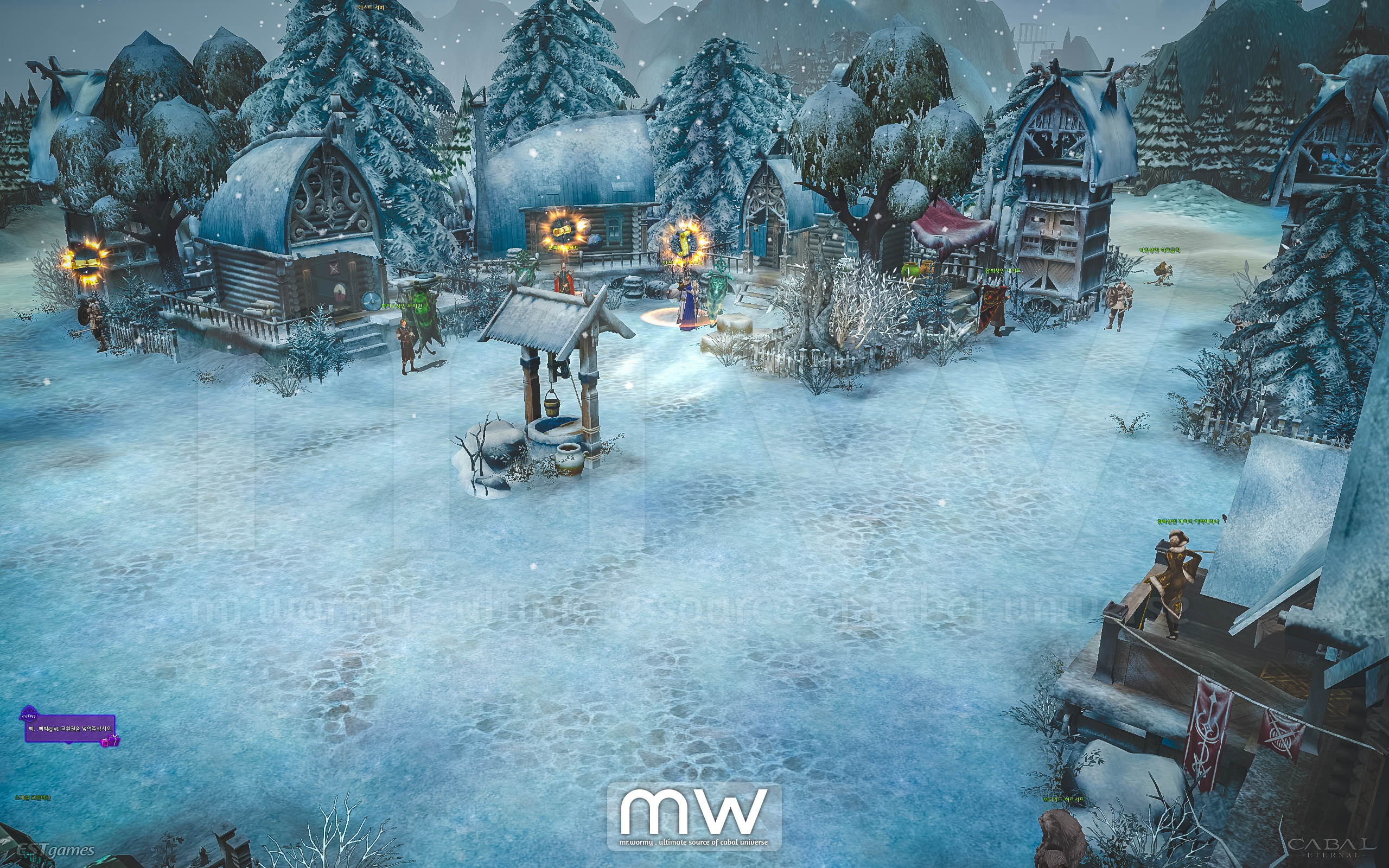
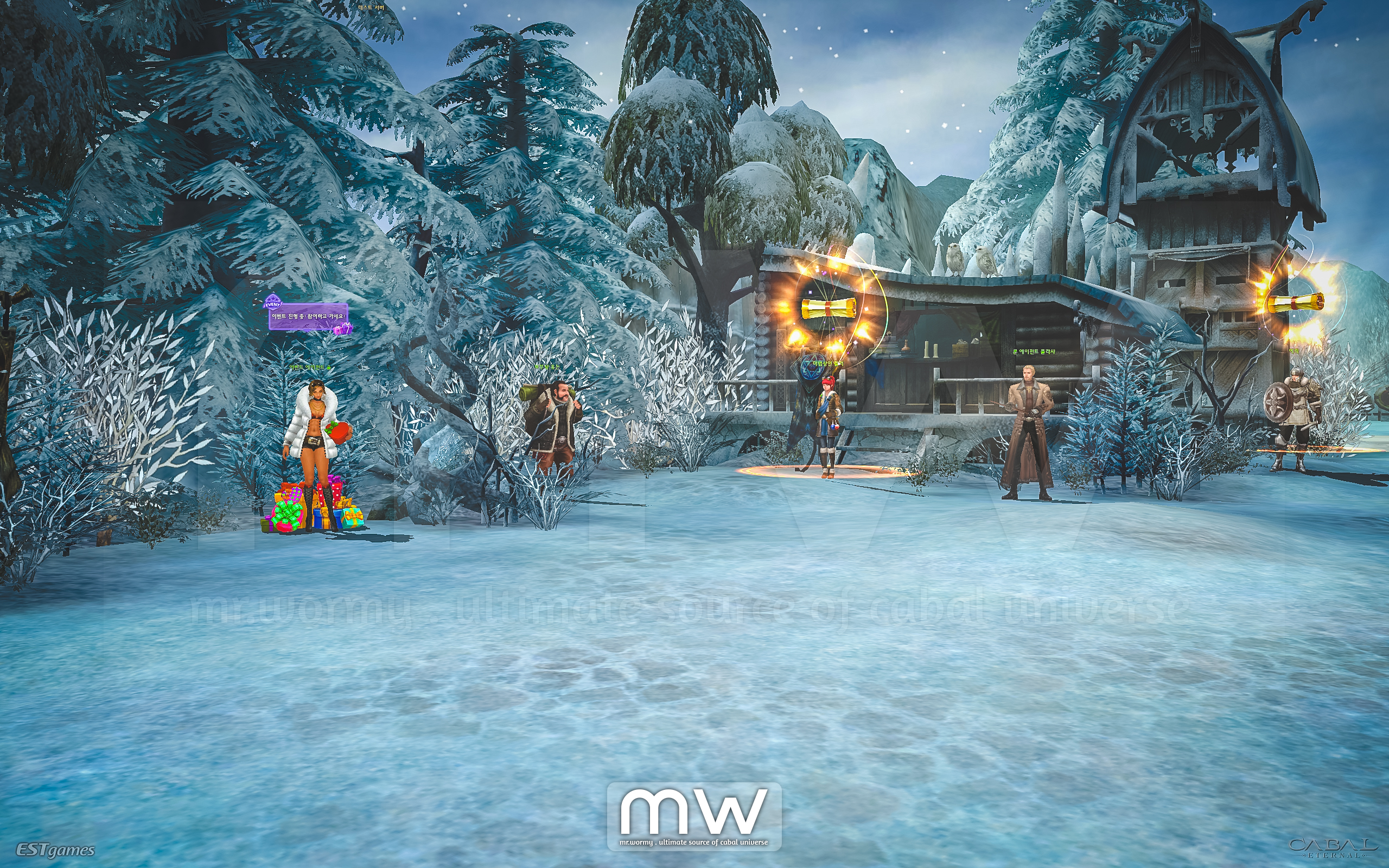
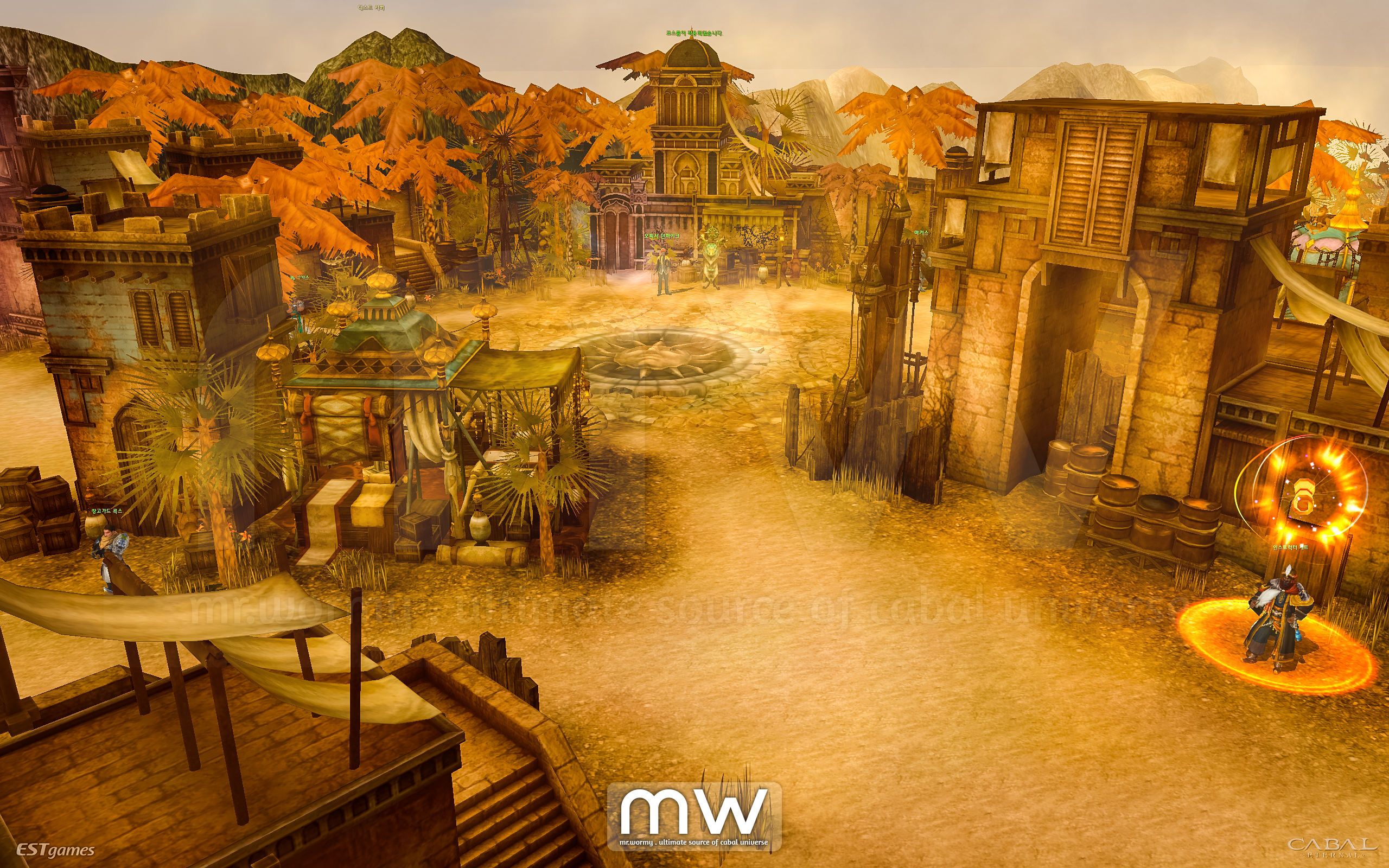
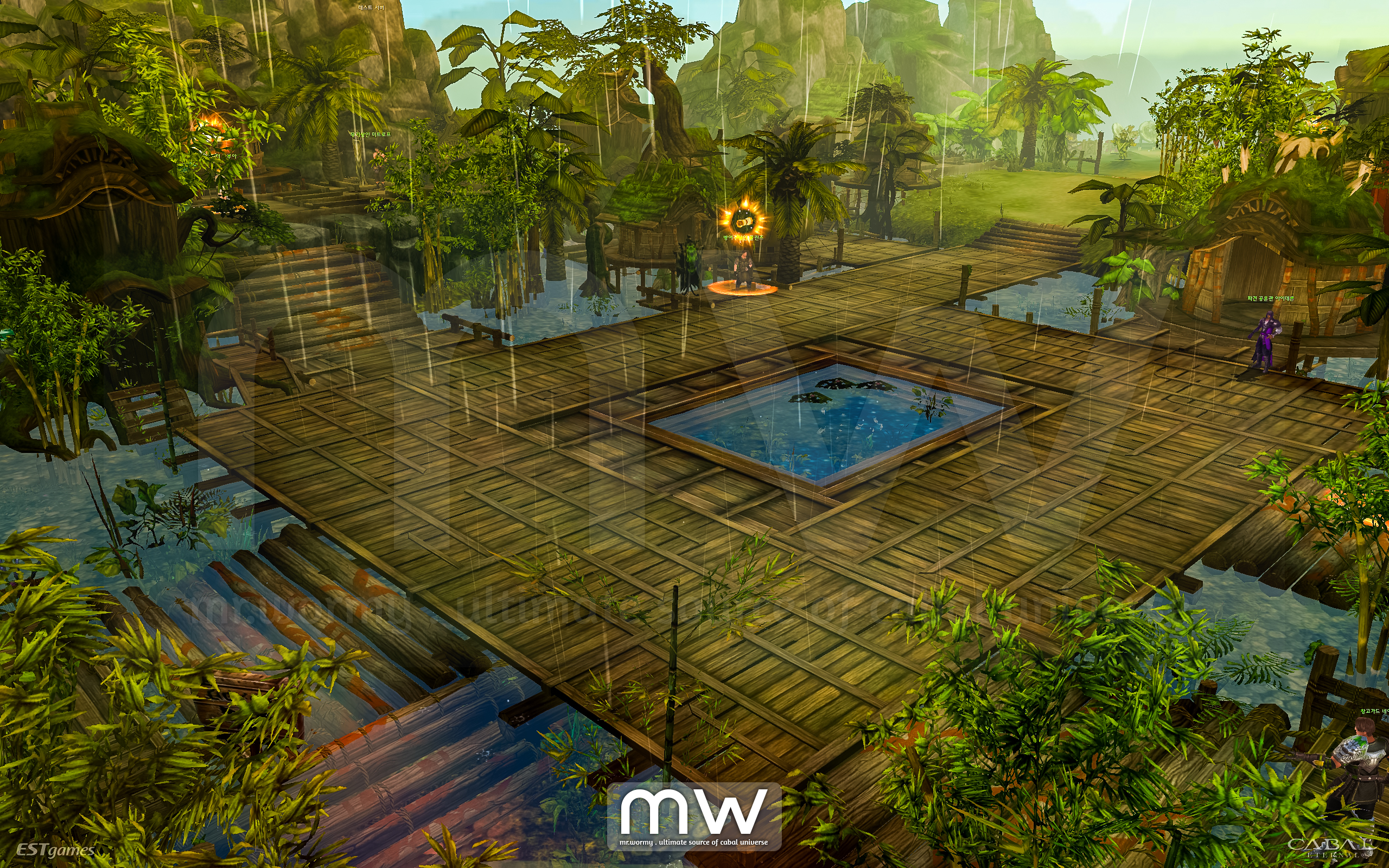
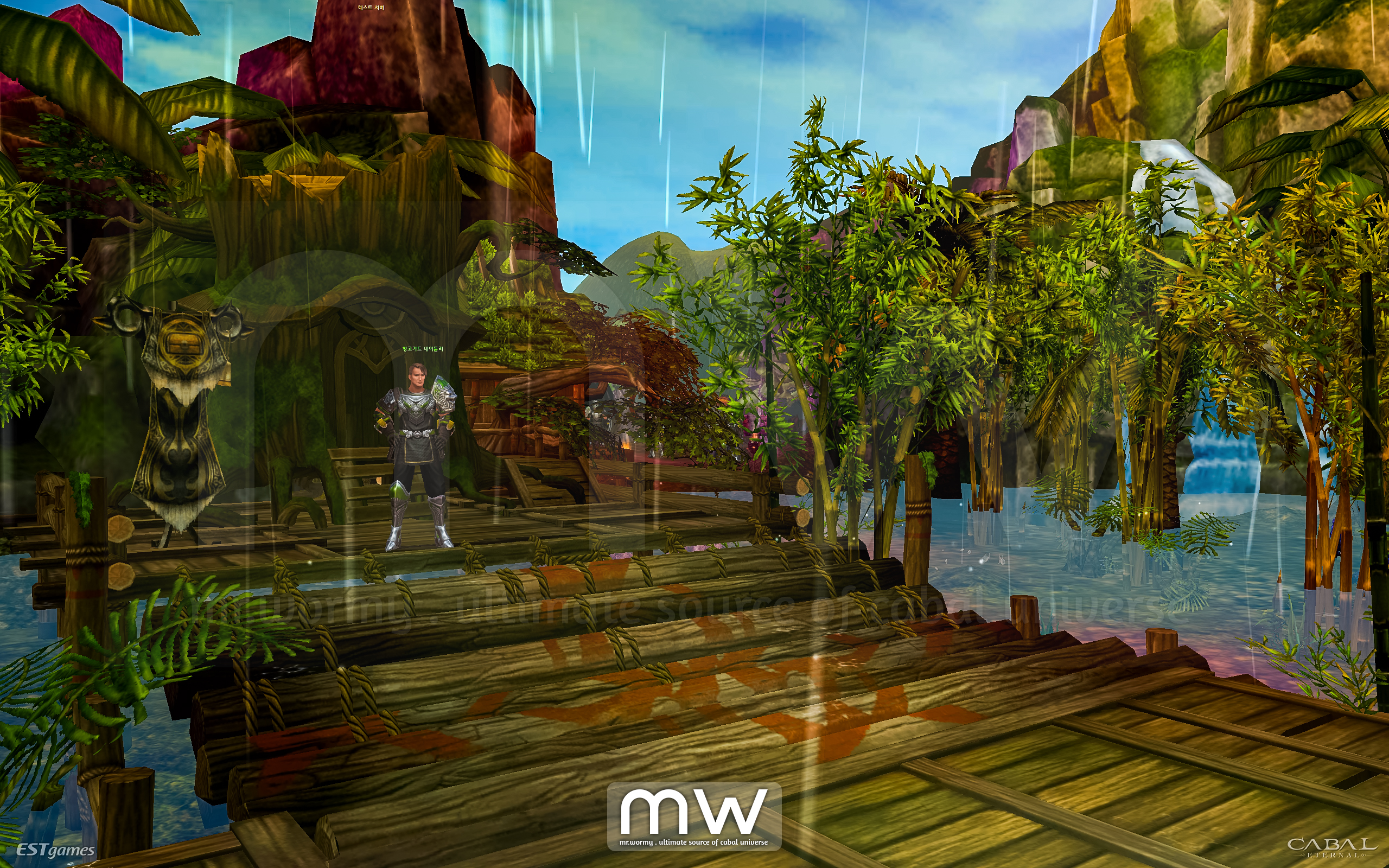
1. Change the design of starting maps
- Bloody Ice
- Desert Scream
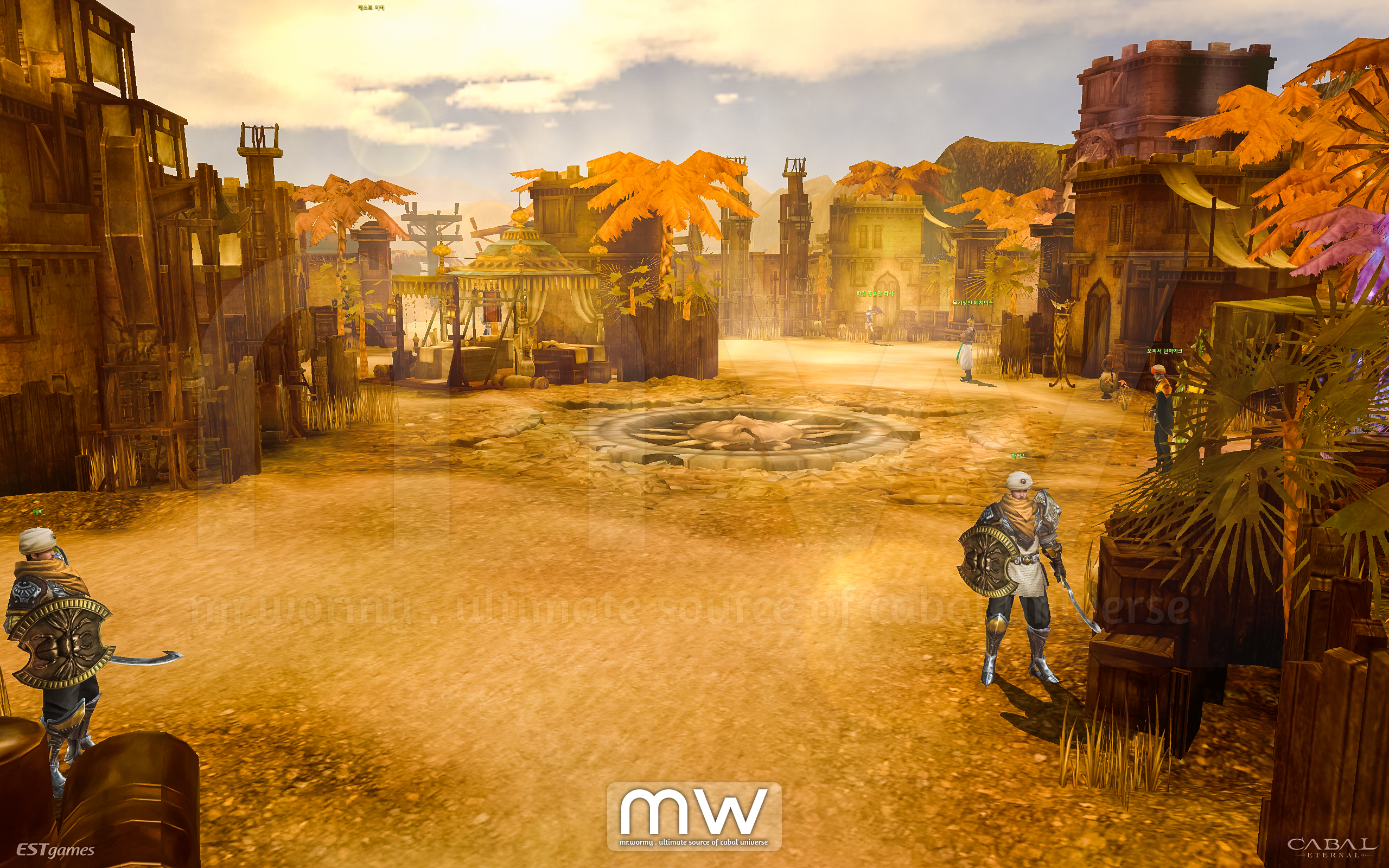
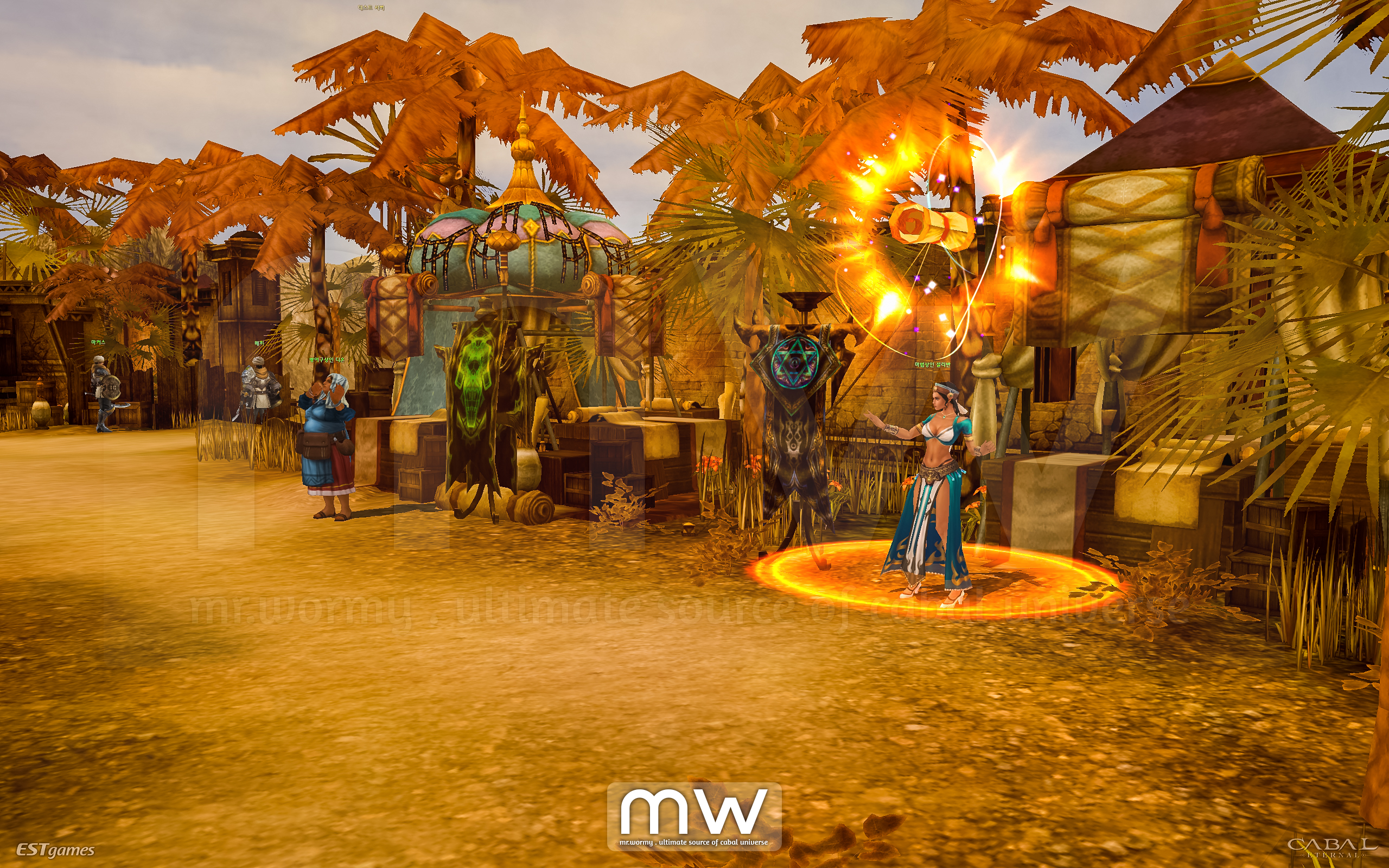
- Green Despair
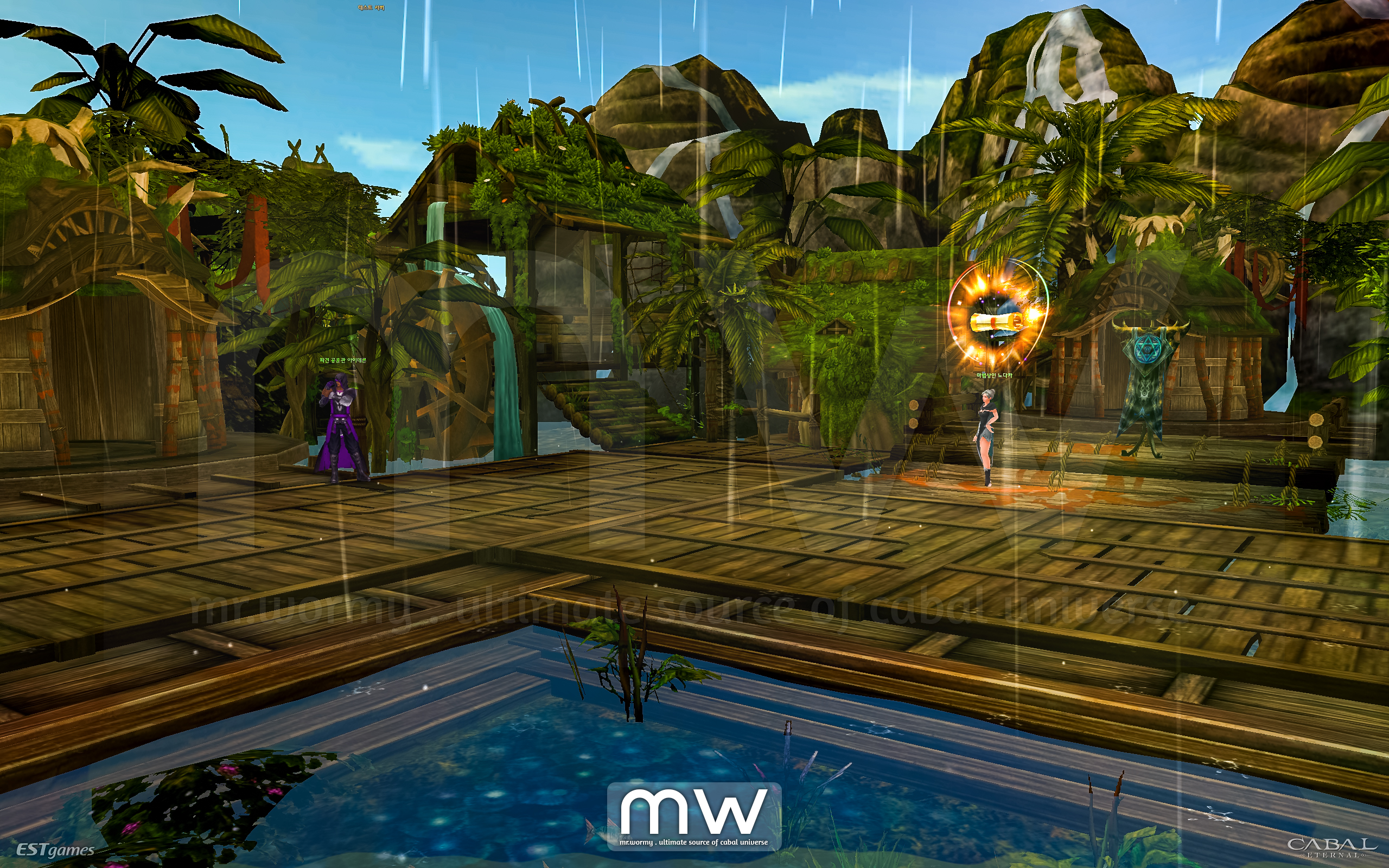
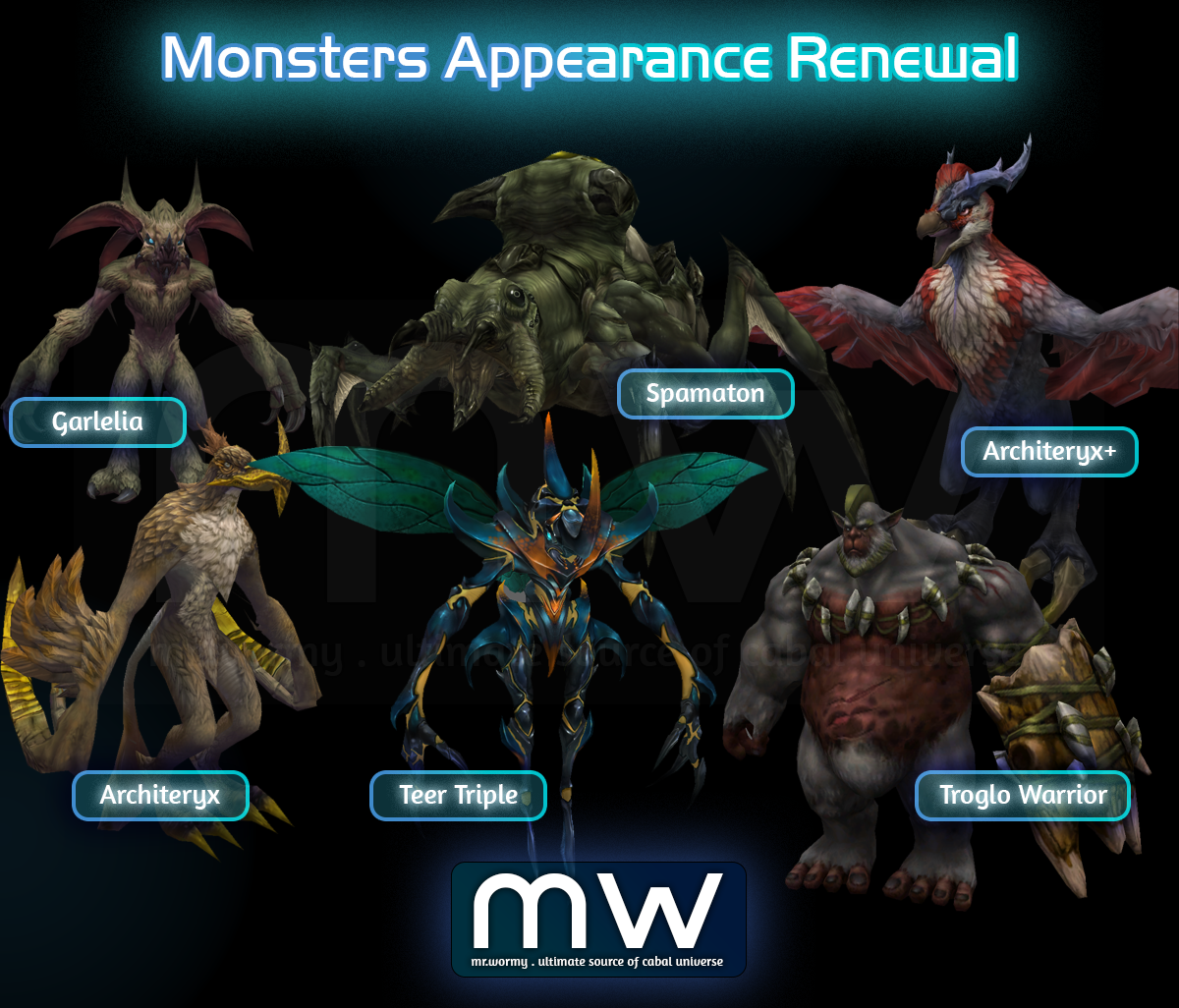
2. Change monsters appearance of starting maps (refer to attached clip above)
- Target: Bloody Ice / Desert Scream / Green Despair
- Monster in Quest Dungeons which shared the old appearance will also be changed
3. Change NPC appearance
- Map NPCs (refer to attached clip above):
- Target:
- Bloody Ice / Desert Scream / Green Despair
- Port Lux / Fort Ruina
- Exception:
- Bloody Ice: Guard Ancient Ghost, Coupon Machine, Guild Dungeon NPC, Event Agent Yul
- Green Despair / Desert Scream: Dispatch Officer
- Port Lux: Chloe
- Target:
- NPC in Scenario Quests (Lv. 1-100)
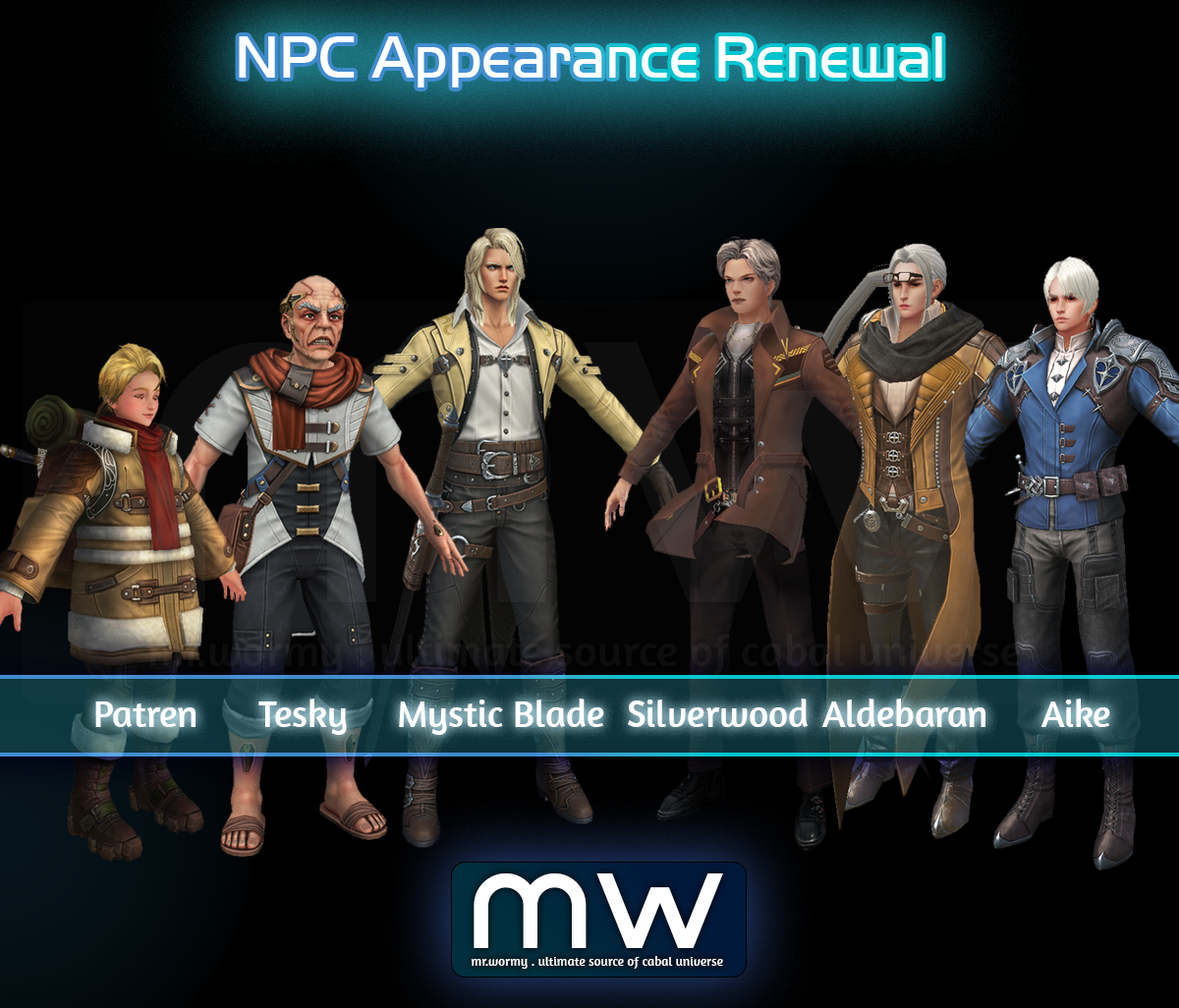
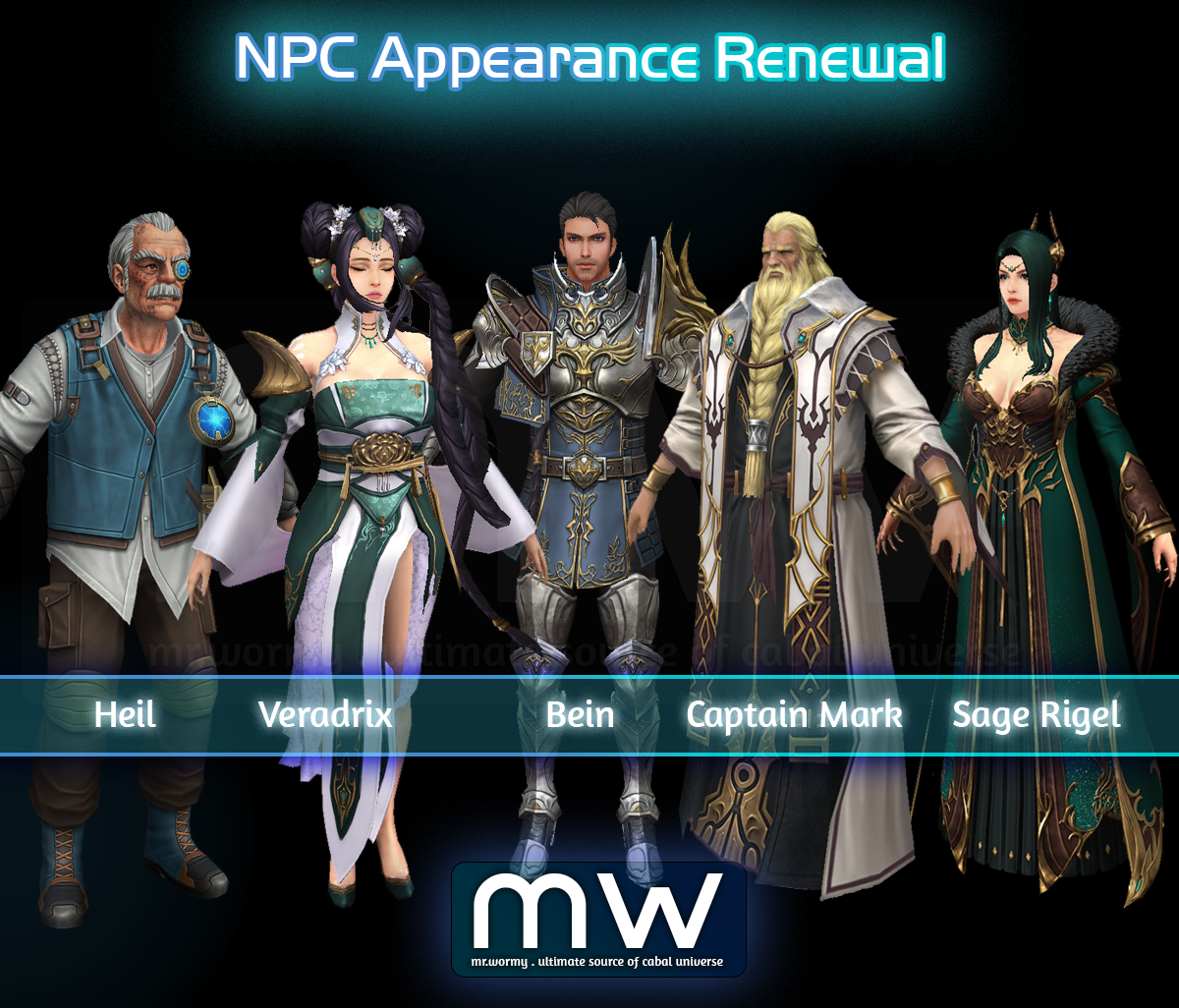
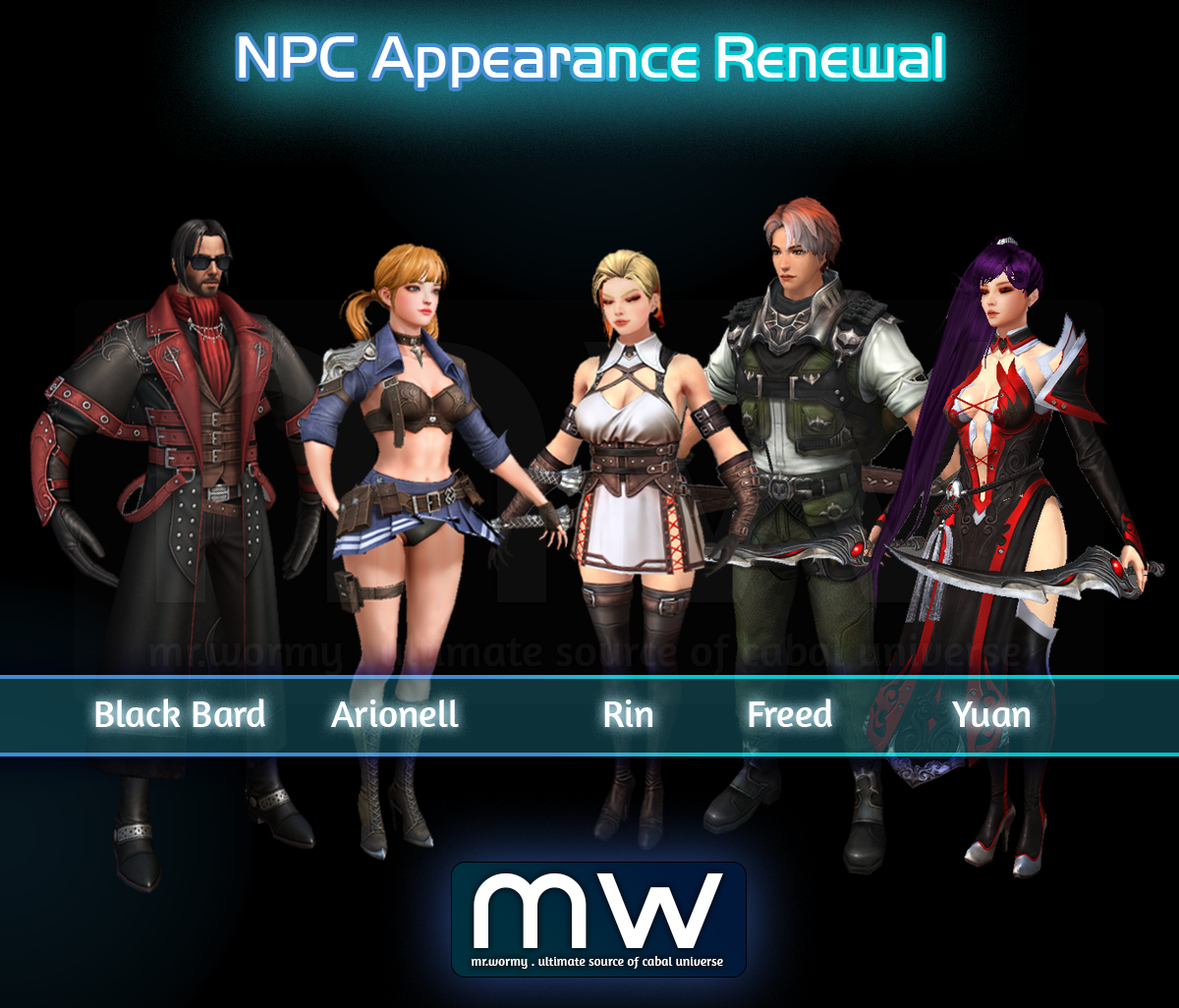
- Mercenary with NPC appearance in Scenario Quests (Lv. 1-100)
- Target: Black Bard | Arionell | Rin | Freed | Yuan
- Exclusion: Skalid, Elena, Aizhan, Leedy
Changes & Additions on 03-Sep-2025
1. Change some models of monsters in Starter Villages.
- Fixed the bug that monsters’ name and health bars were displayed abnormally in certain situations.
- Change “Garlelia” model in Desert Scream.
- Change colors of some monsters:
- Desert Scream:
- Teer Triple
- Architeryx
- Architeryx+
- Green Despair:
- Spamaton
- Troglo Warrior
- Desert Scream:
Changes & Additions on 10-Sep-2025
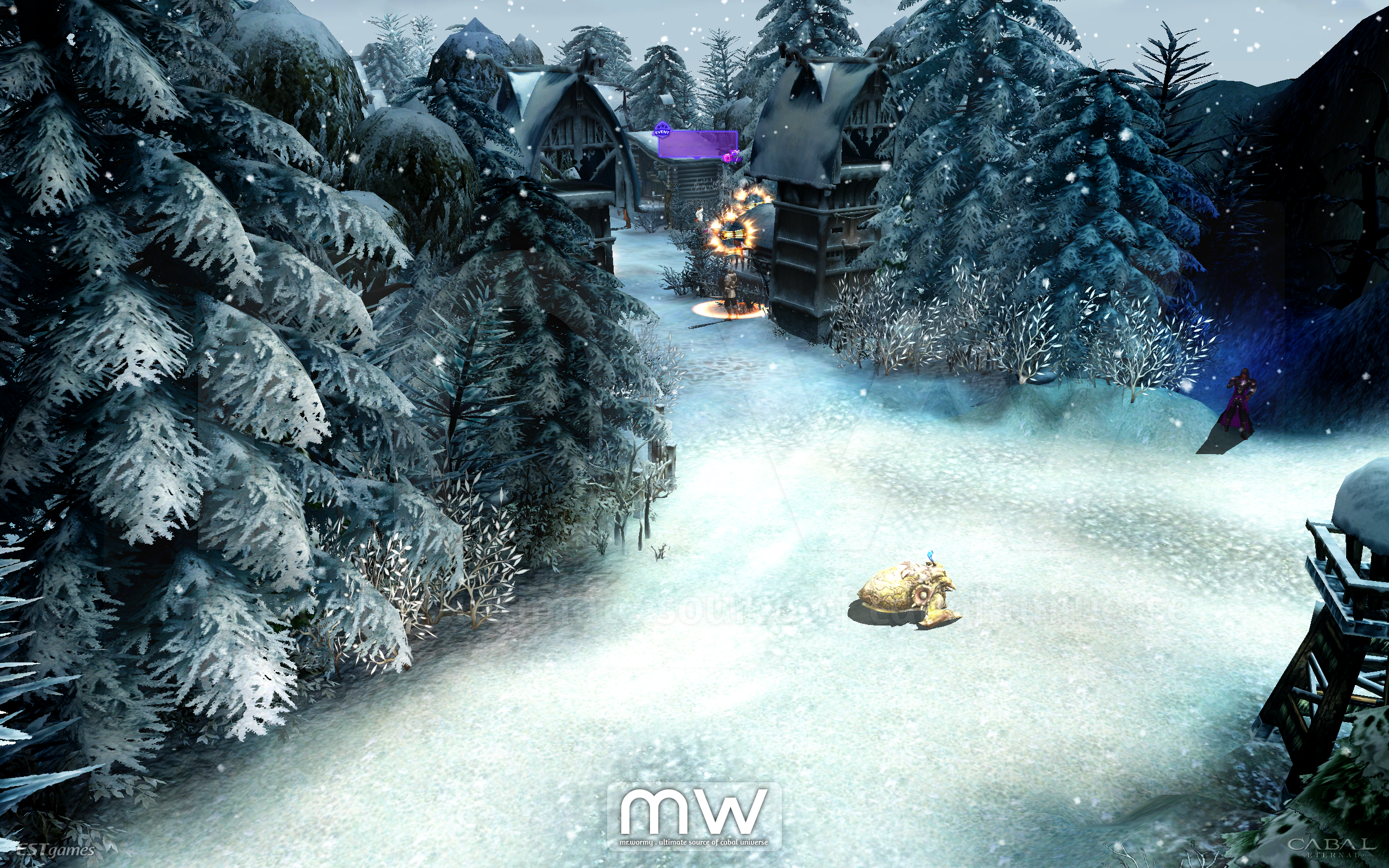
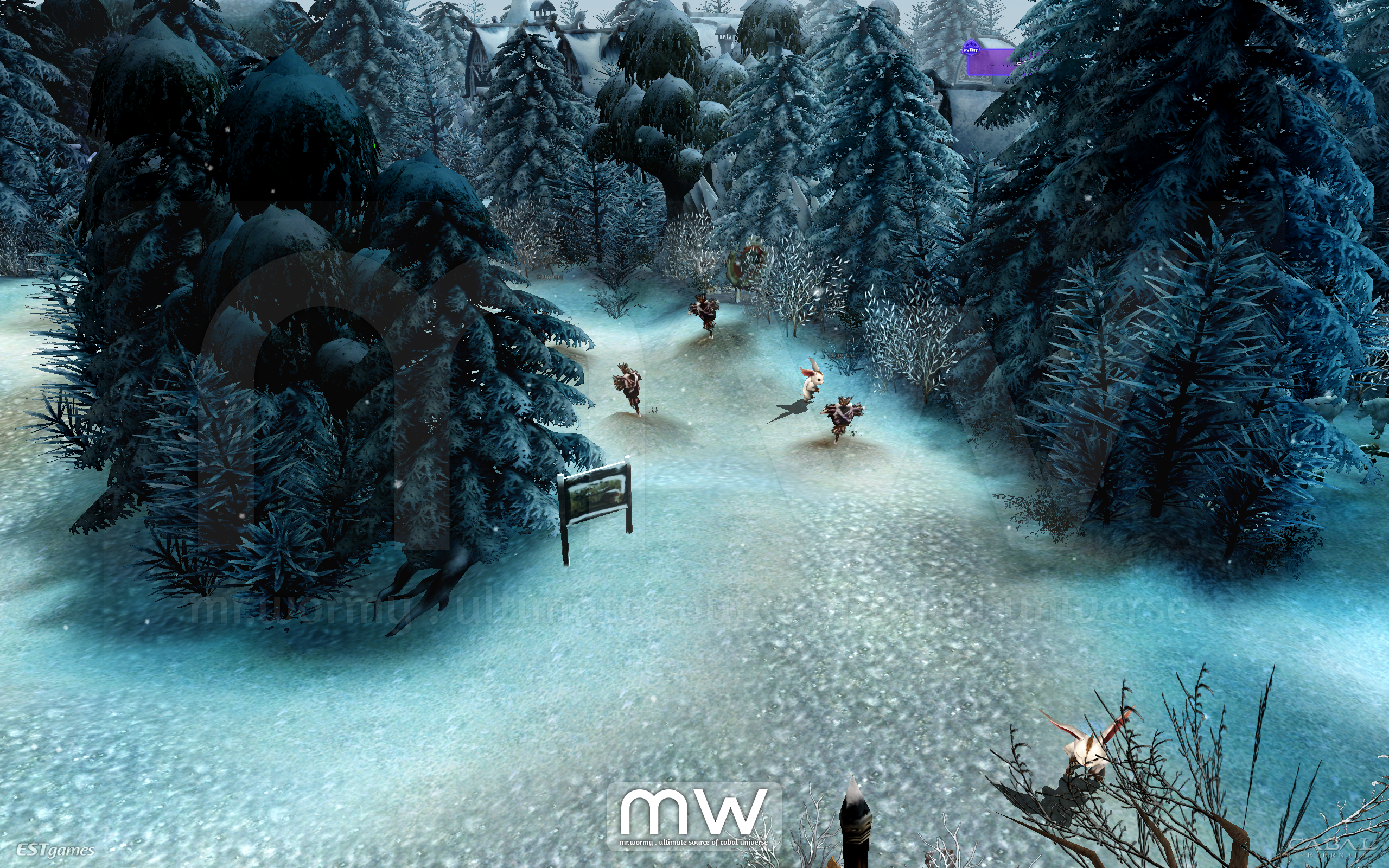
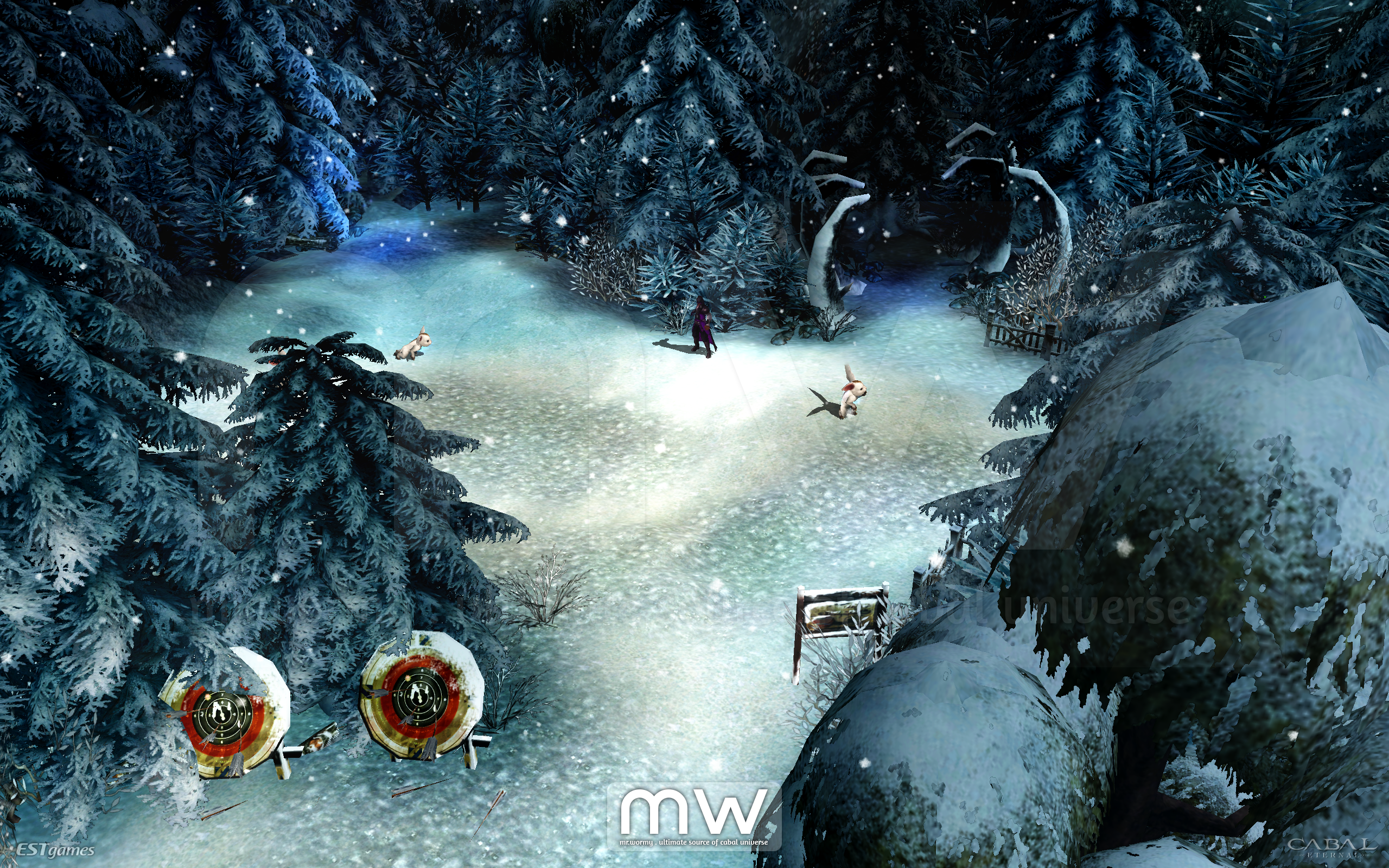
1. Map & Monster Renewal
- Fixed the bug that caused the attack visual effect of “Poki Triple” in Green Despair was abnormally rendered.
- Extend the new design of trees to outside of the safe zone of Bloody Ice.
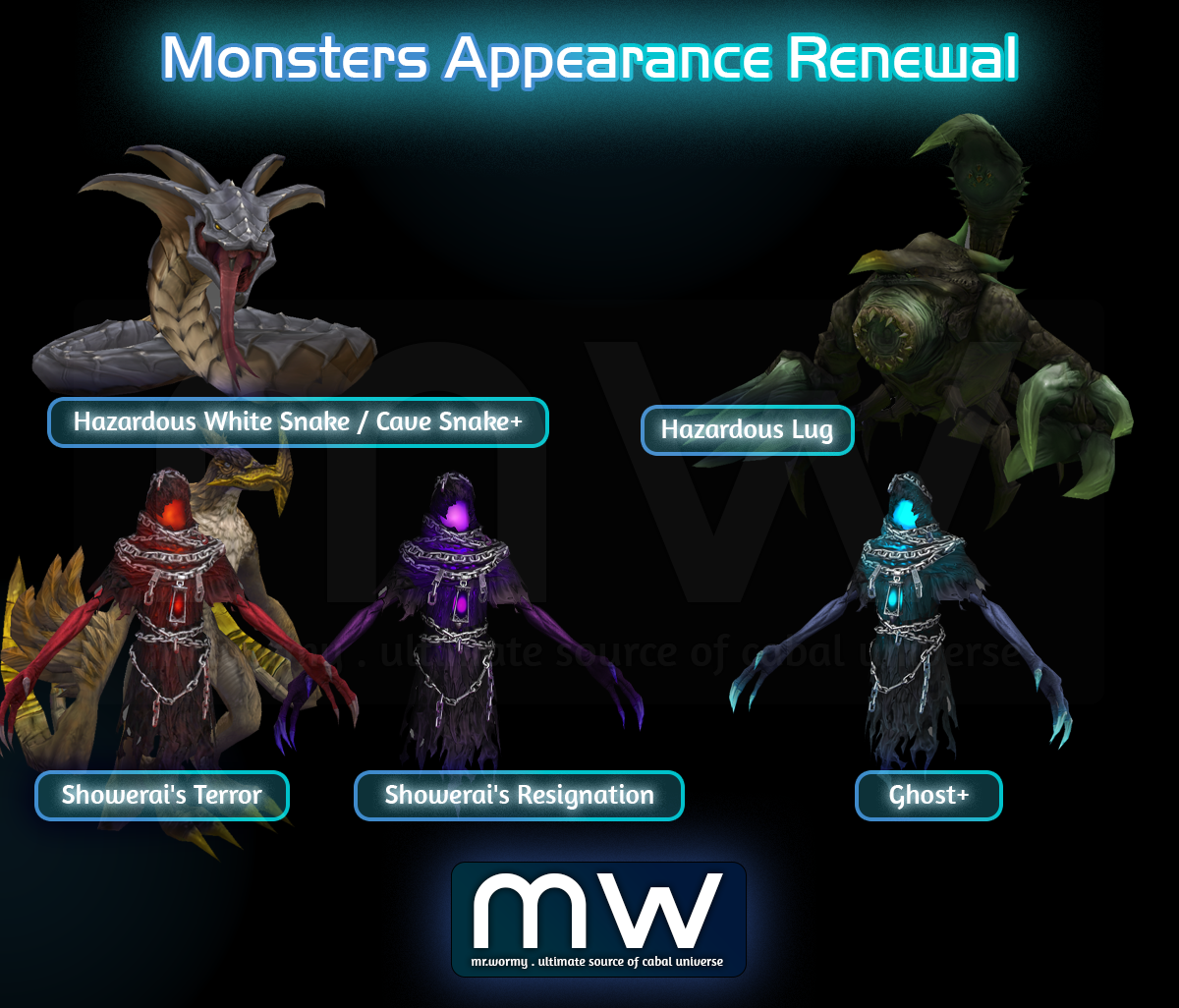
- Change of models for some monsters in dungeons
- Hazardous Valley > Hazardous White Snake
- Hazardous Valley > Hazardous Lug
- Panic Cave > Cave Snake+
- Bloody Ice > Ghost+
- Panic Cave (Awakening) > Showerai’s Resignation
- Panic Cave (Awakening) > Showerai’s Terror
- Hazardous Valley (Awakening) > Hazardous Lug
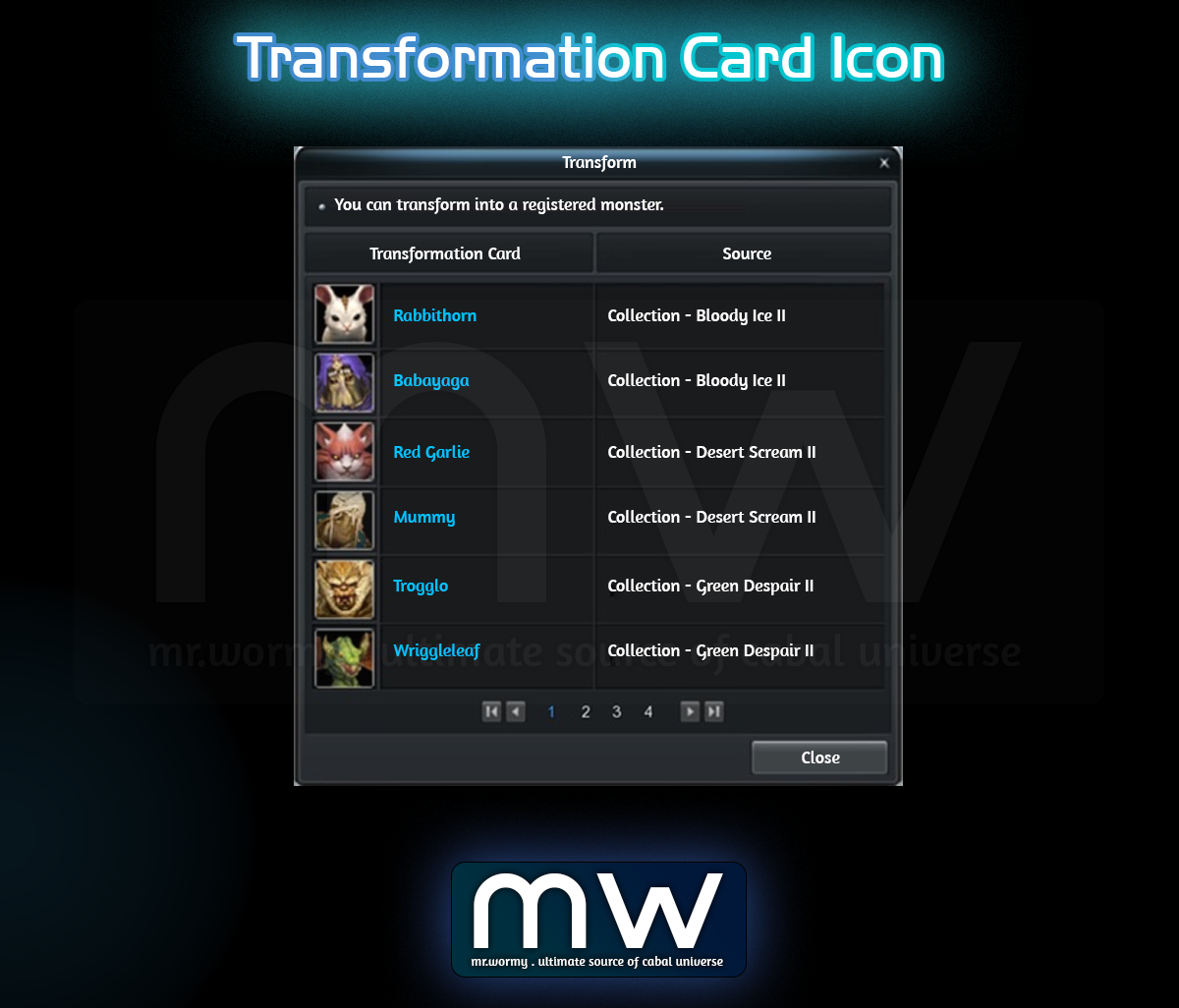
- Change the “Transformation Card” icon to match the new monsters’ design

Additions on 06-Aug-2025
1. Added Accessories to Legendary Cubes
- Ring of Fighter +9
- Forgotten Temple B2F (Awakening)
- Tower of the Dead B3F (Part 2)
- Illusion Castle: Underworld (Apocrypha)
- Illusion Castle: Radiant Hall (Apocrypha)
- Amulet of Resist +5
- Garden of Dust
- Mirage Island
Additions on 13-Aug-2025
1. Pet Exploration:
- Increase the maximum level of Research Lab, add some new researches.
- Improve Helping Hand Buff
- Add 01 additional Automatic Buff Potion Slot
- Add support for “Fried Egg with Ketchup”
- Add some items in Pet Exploration Exchange Shop
2. Add a button “Return”, this button will be displayed when character is in Mission War Lobby:
- Click on the button to go back to the original channel / map
- For example, before Mission War, character was in Green Despair, Channel 2, by clicking on the “Return” and confirm, character will be moved back to Green Despair, Channel 2.
- If there was no previous channel / map, the Server Selection UI will be shown
3. Add the expected amount of HP / MP healed into item tooltip and quick slot tooltip, target items:
- HP Potion
- MP Potion
- Vital Gear (HP)

N/A

Fixes on 31-Jul-2025
1. Fixed the bug that caused certain items could not be used to register in Heil’s Research Support.
2. Fixed the bug that in Event Pass, the tasks with the count of “Using Yul’s Exchange Ticket (Dungeon Entry Ticket)” was not reflected the actual consumption.
3. Fixed the bug that caused “Yul’s Exchange Ticket (Dungeon Entry Ticket)” from Mandarat’s Legacy cannot be used at NPC Yul Shop.
4. Fixed the bug that daily quest of “Tower of the Dead B3F” was not appear at NPCs.
5. Fixed the bug that caused client disconnection when using the “Announcement” tab in “Mail Box”.
6. Fixed the bug that caused screen frozen temporarily when purchasing or storing items.
7. Fixed the bug that caused client crash in certain situations.
Fixes on 01-Aug-2025
1. Fixed the bug that caused server disconnection / crash in certain situations.
2. Fixed the bug that caused client crash when using the Collection Chest in certain situations.
3. Changed the font color of Mission Count in Season Mission to orange so it’s easier for reading.
Fixes on 06-Aug-2025
1. Fixed the bug that caused client to crash.
2. Fixed the bug related to “Yul’s Exchange Ticket (Dungeon Entry Ticket)”
- Fixed the bug that “Yul’s Exchange Ticket (Dungeon Entry Ticket)” from “Yul’s Exchange Ticket (Dungeon Entry Ticket) Box” was generated abnormally.
- Fixed the bug that in Event Pass, the tasks with the count of “Using Yul’s Exchange Ticket (Dungeon Entry Ticket)” was not reflected the actual consumption.
3. Fixed the bug that caused Attack Range of some monsters in Mandarat’s Legacy were not showing as expected.
4. Fixes & Changes for Mail Box:
- Fixed the bug that caused compensation mails were not automatically deleted after receiving the rewards from mail.
- Changes feature of “View only unread mails”
- Old: When the checkbox is checked, only “Read” mails were hiddne
- New: When the checkbox is checked, the only “Read” mails that also have no further attachment to receive will be hidden.
- Change the display for showing if Items / Alz were received
Fixes on 13-Aug-2025
1. Fixed the bug that caused client crash when character tried to change nation using Black Transmuter.
2. Fixed the bug that caused armor Grade 1-4 were not displayed in Extraction Mode in certain situations.
3. Fixed the bug that caused mails from GM was not deleted after receiving the attached items.
Fixes on 14-Aug-2025
1. Fixed the bug that caused character could not be moved when using “Elixir of Gold Insignia” from Coupon Machine in Bloody Ice.
Fixes on 20-Aug-2025
1. Fixed bugs related to Helping Hand Pet Buff:
- Fixed bug that “Automatic Potion Use – Slot 3” was not displayed in [Next Level] section of “Helping Hand Pet Buff” skill level 5.
- Fixed bug that “Automatic Potion Use – Slot 3” was not displayed in tooltip of “Helping Hand Pet Buff” skill level 6.
2. Fixed bug that caused amount of AP obtained was abnormally applied when using EXP / AXP Blessing Beads.
3. Fixed the bug that caused the Pet Exploration and Season Mission UI could be opened at the same ti
Fixes on 27-Aug-2025
1. Fixed the bug that caused Dash / Fade skill can be used while using Bike Riding Skill and Social Skills at the same time
2. Fixed the bug that caused character appeared abnormally in dungeon Garden of Dust.
3. Fixed the bug related to Merit Medal
- Bug that calculated the expected amount of WExp abnormally:
- Old: Even Merit Medal which cannot be evaluated will also contribute into the calculation
- New: Only Merit Medal which can be evaluated will be contributed into the calculation
- Bug that caused the sound effect and visual effect in Merit Medal UI were applied abnormally.
- Add the animation for the Gear while the Automated Evaluation is on-going.
- Add the sound effect for evaluation, report and use Merit Medal
4. Fixed the skin tone issue of Female character models (both Head and Cloth costumes)
Fixes on 03-Sep-2025
1. Fixes related to Quests
- Fixed the bug that caused abnormal system message was displayed when talking NPC for quests of Altar system.
- Fixed the bug that caused the portal to enter quest Mansion in Port Lux was displayed abnormally for certain situations.
2. Fixed the bug that quick slots and items were disabled when Mail Box UI is showing on the screen.
3. Fixed the bug that sounds were playing abnormally when pet is looting items.
4. Fixed the bug that damage was applied abnormally when attacking the Lower Sanctuary in Ingens Proelium in certain situations.
Fixes on 10-Sep-2025
1. Fixed the bug that caused Time Reducer in inventory cannot be used with right-click in certain situations.
2. Fixed the bug that caused some items in Preset Zone were removed when character is moving to PvP Battle Arena.
3. Fixed the bug that caused collections for Newbie Support do not give stats immediately in certain situations.
4. Fixed the bug that caused “Combine” button in Monolith Enigma could not be clicked in certain situations.
Discover more from Mr. Wormy
Subscribe to get the latest posts sent to your email.
 Mr. Wormy
One comment