

 Posted by
1. Integrate the Item Upgrade UI
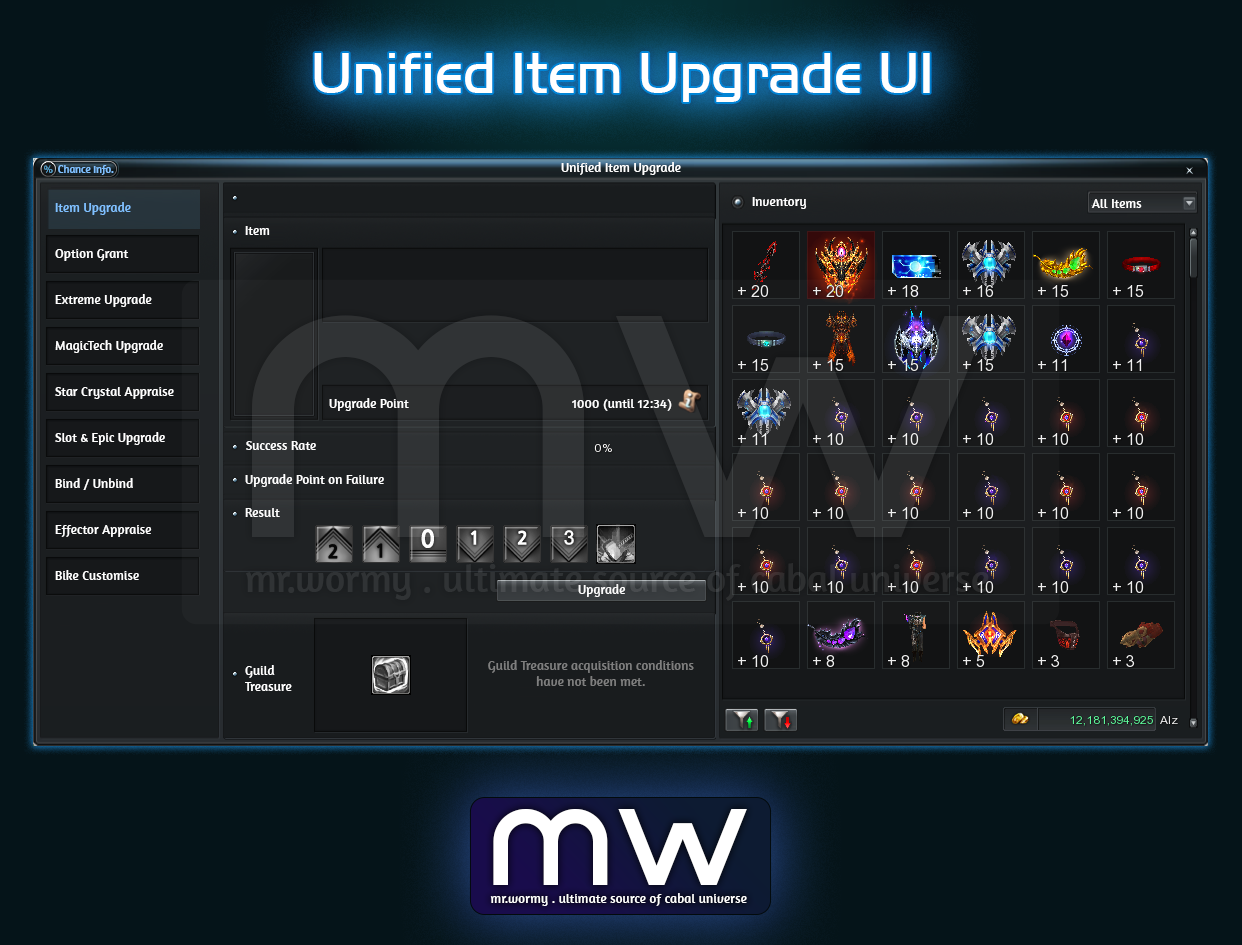
- Integrate all Item Upgrade UIs into the Unified Item Upgrade UI.
- Access:
- Cabal Menu > Item > Item Upgrade
- Upgrade Icon from Inventory
- Change the button name from “Item Upgrade” to “Unified Item Upgrade”.
- Use Core / Repair Kit from Inventory
- Access the “Item Upgrade” menu from NPC function of Core Alchemist in towns.
- When player selects a specific tab of Upgrade type, the related items / core items of that upgrade type will be automatically filtered.
- Some items will be able to use directly from the new Unified Item Upgrade UI like: Divine Converter, Chaos Converter, Epic Converter, Mirror of Observation…
2. Adding Slot for Astral Bike.
- Slot #1 and #2 can be acquired by using Bike Slot Converter.
- Cannot use the Slot Extender in case Bike has less than 2 slots.
- Slot #3 can be acquired by using Slot Extender according to Bike grade.
1. Mercenary UI is redesigned
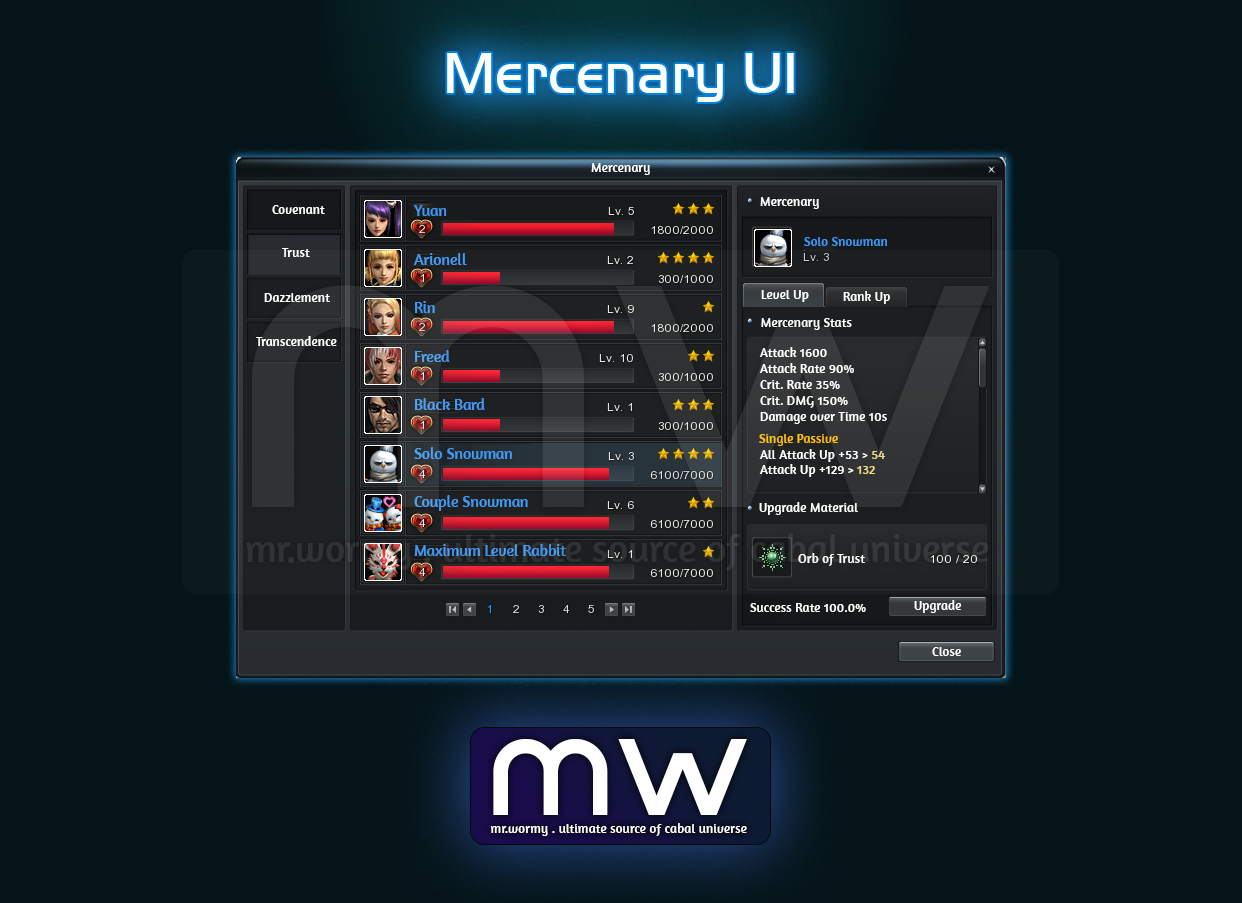
- Change the existing categorisation of Mercenary from horizontal tabs to vertical tabs.
- Available actions based on the Mercenary type:
- Transcendence: Level Up, Rank Up, Produce
- Covenant / Trust / Dazzlement: Level Up, Rank Up
- Remove the Manage button, add Upgrade button
- Add Release button for turning a Transcendence Mercenary into card in the inventory
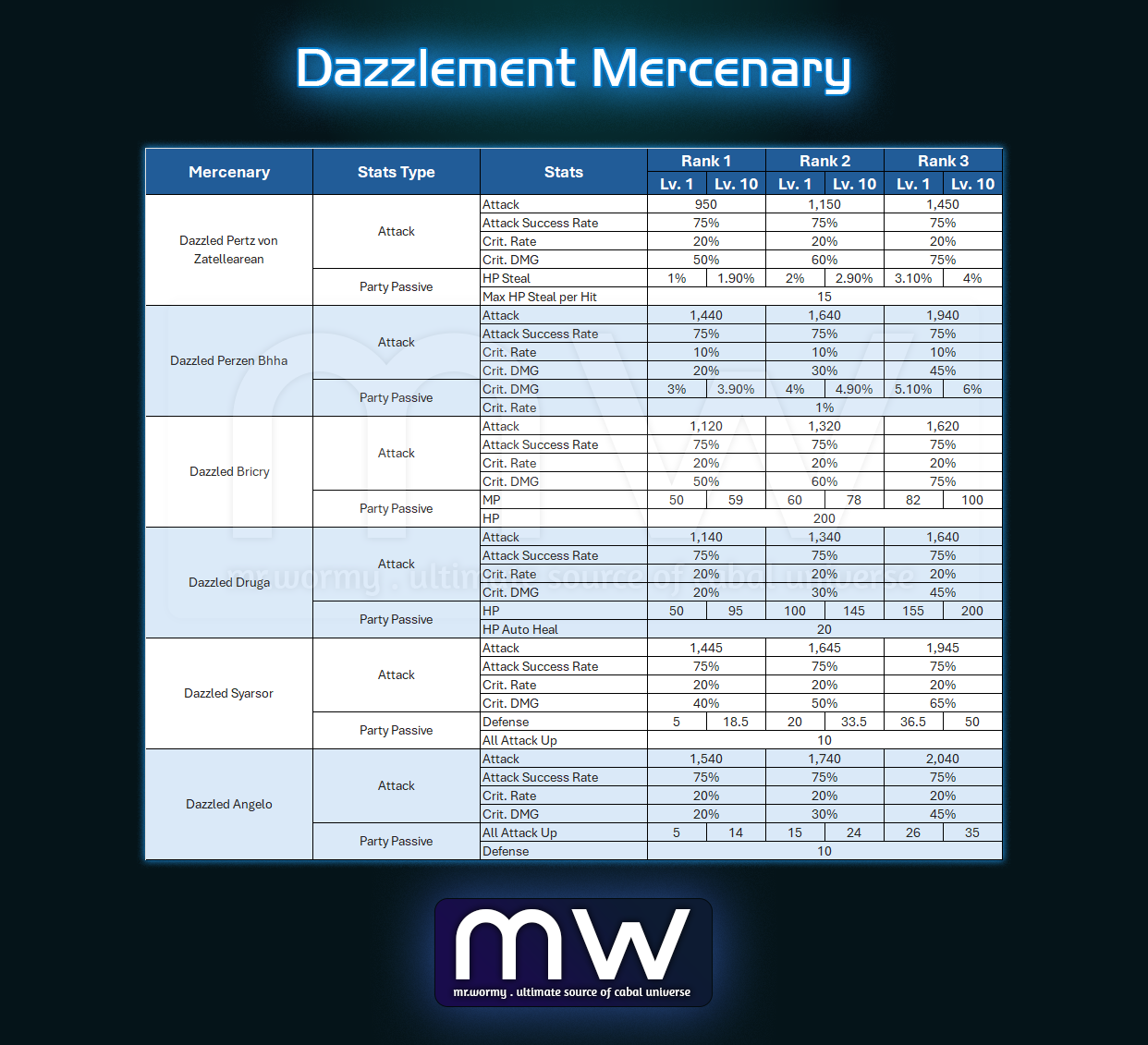
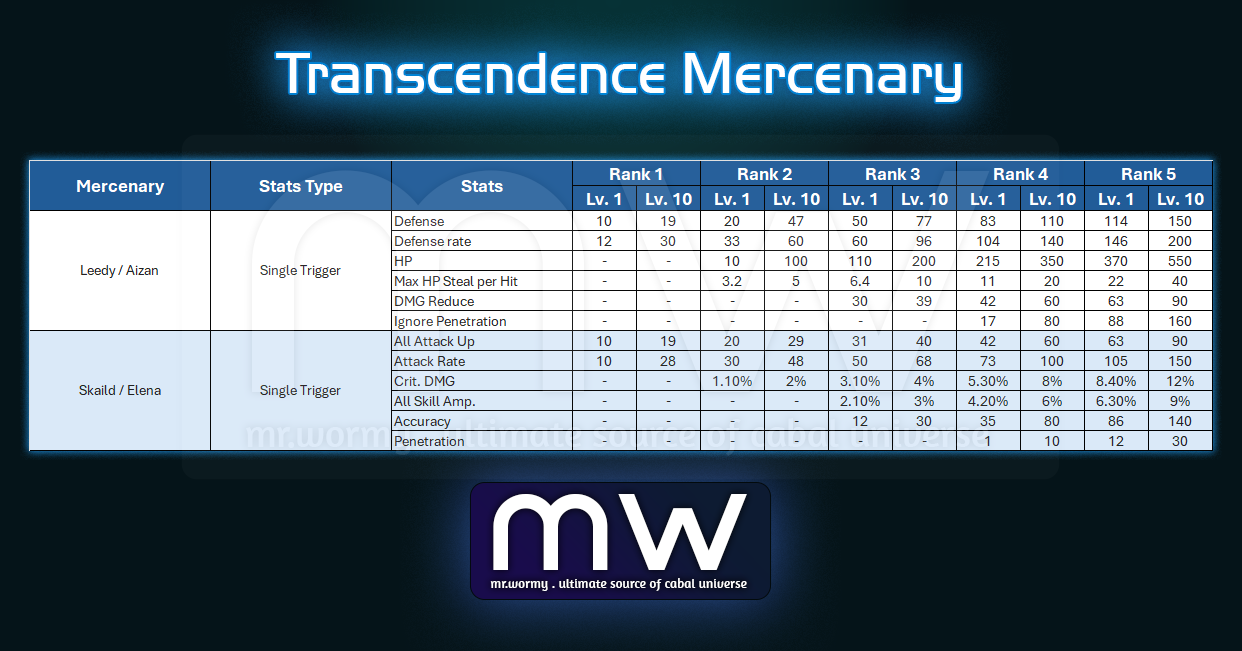
2. Added the Level Up and Rank Up for some Mercenaries:
- Level Up:
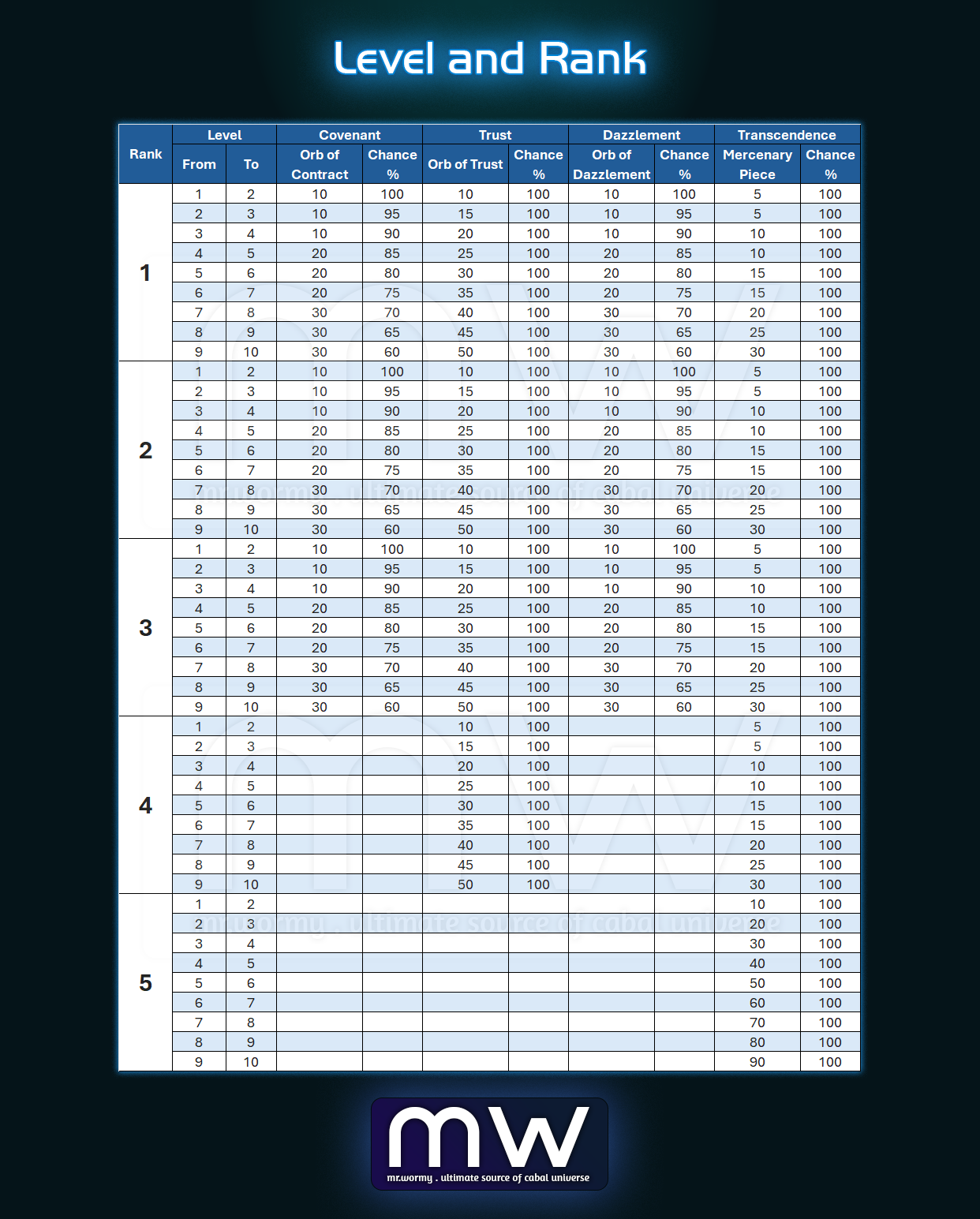
- All Mercenaries can be Leveled up to Level 10
- If the Leveling up is:
- Successful, the Level increased by 1 and the stats of Mercenary increase.
- Failed, nothing is changed.
- Level Up Cost & Chance
- Rank Up:
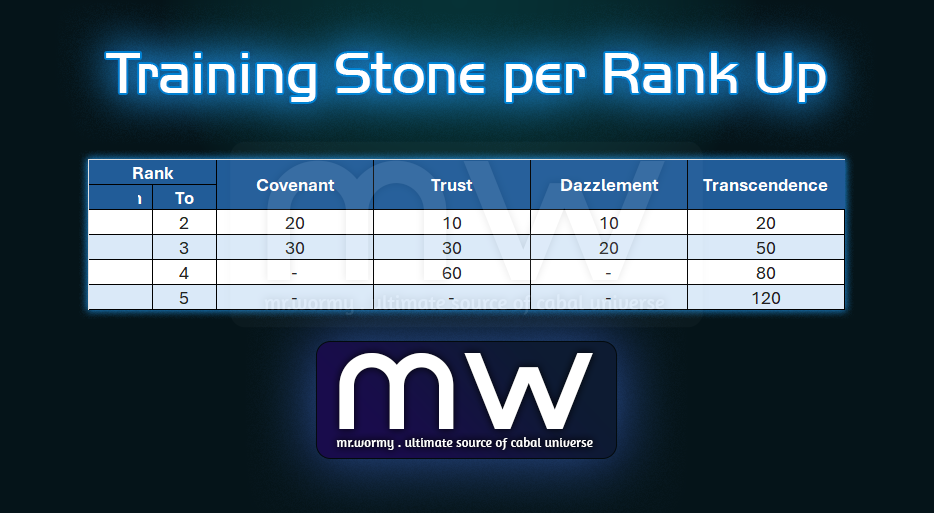
- When a Mercenary reached level 10, it can be ranked up to next Rank with 100% success rate.
- Maximum Rank is different depends on Mercenary Type:
- Covenant/ Dazzlement: Maximum Rank 3
- Trust: Maximum Rank 4
- Transcendence: Maximum Rank 5
- Rank Up Cost (Training Stone):
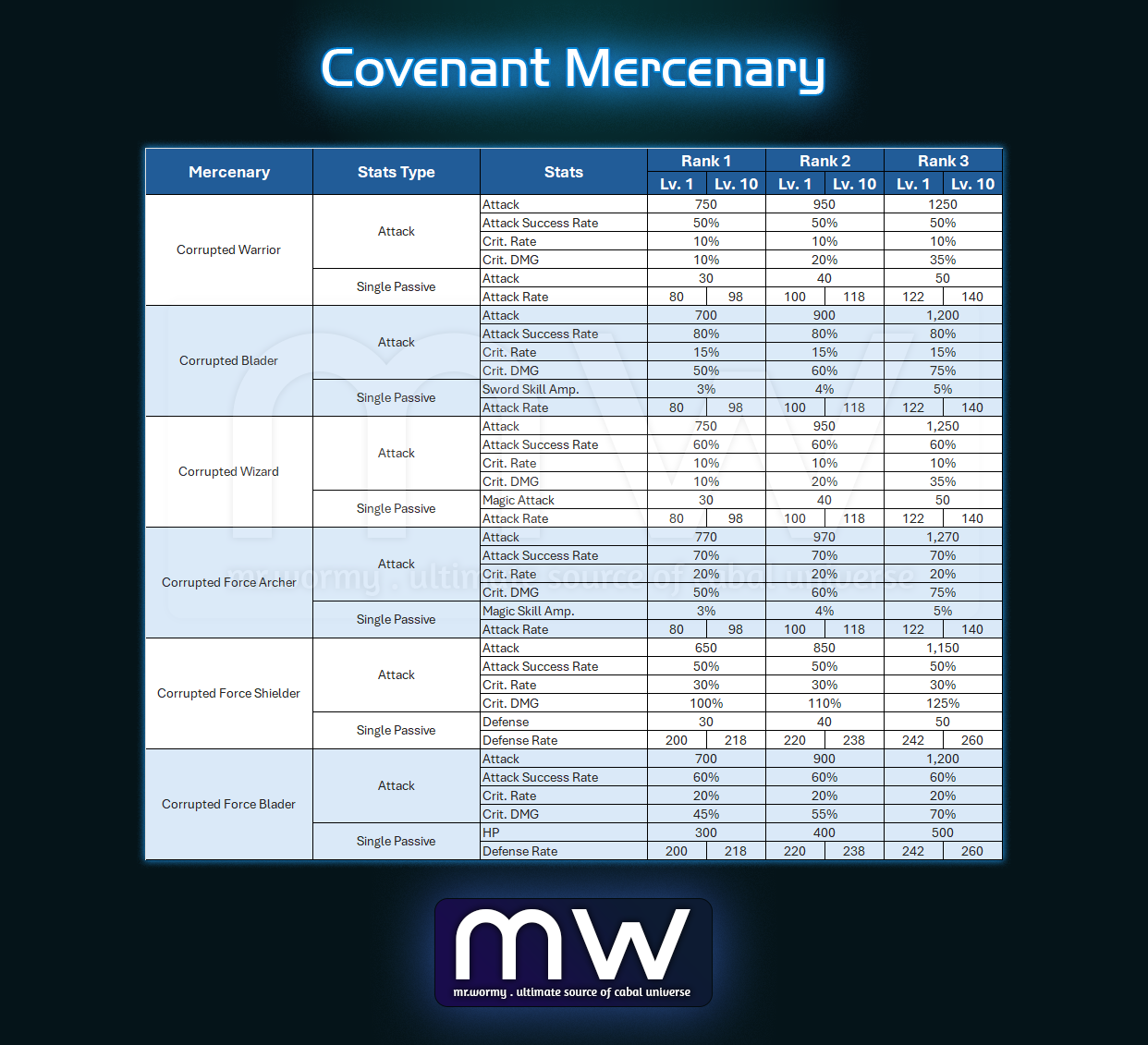
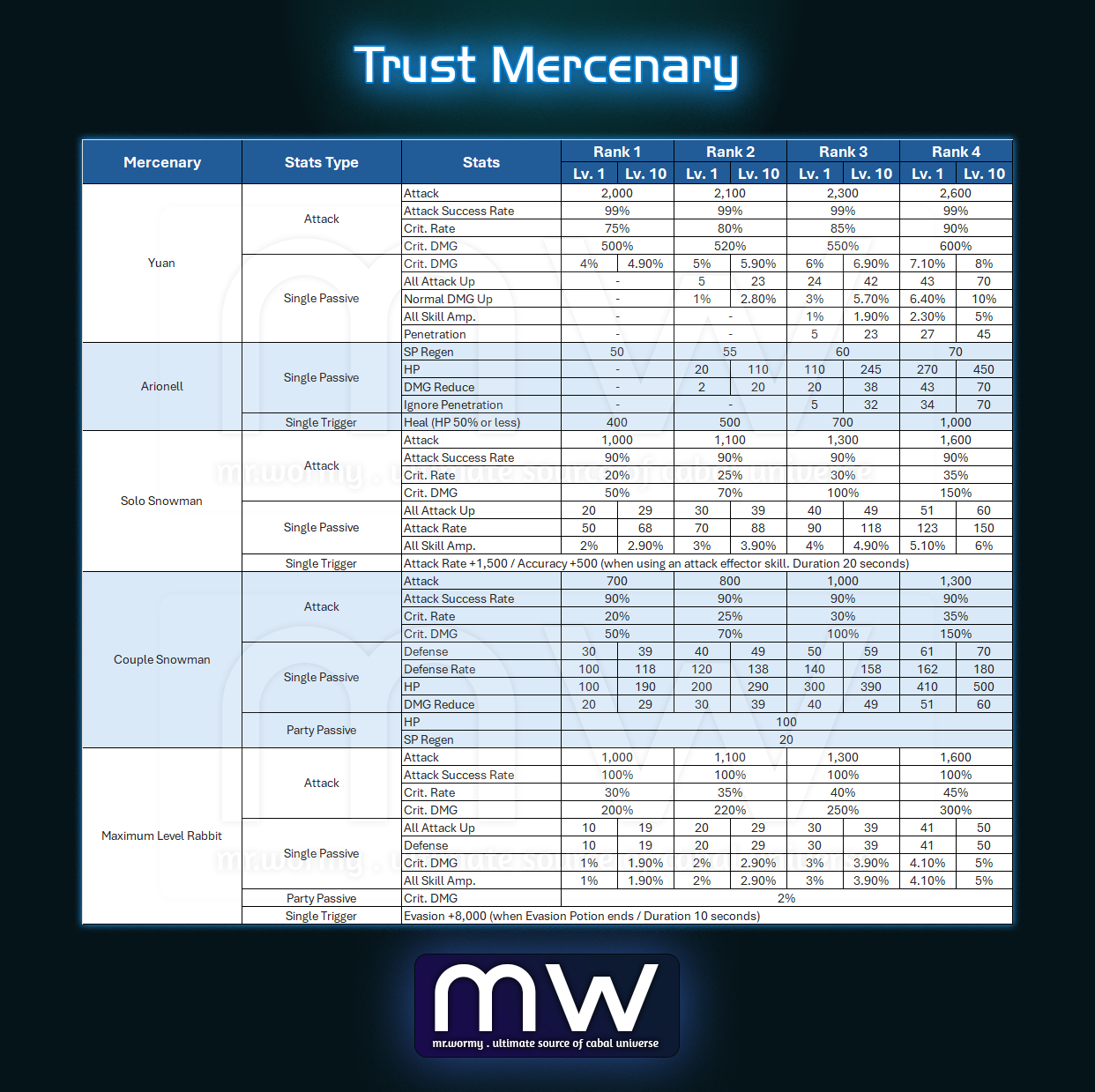
- Mercenary Stats:
3. Add Bonding effect
- By summoning Mercenary, 01 Bonding Point will be obtained for every 1 minute
- Any second fraction will be discarded, e.g. a Mercenary is summoned for:
- 52 seconds => 0 point
- 162 seconds => 2 minutes 42 seconds => 2 points
- 72 seconds => 1 minute 12 seconds => 1 point
- Any second fraction will be discarded, e.g. a Mercenary is summoned for:
- The Bonding Point will be increased when the mercenary is released:
- Character is dead
- Summon time is expired
- Mercenary is released manually
- Bonding Point is shared based on the Mercenary category, all Mercenaries in the same category share the Bonding Point.
- Levels of Bonding:
- Lv. 1: 500 pts
- Lv. 2: 1,000 pts
- Lv. 3: 2,000 pts
- Lv. 4: 4,000 pts
- Lv. 5: 7,000 pts
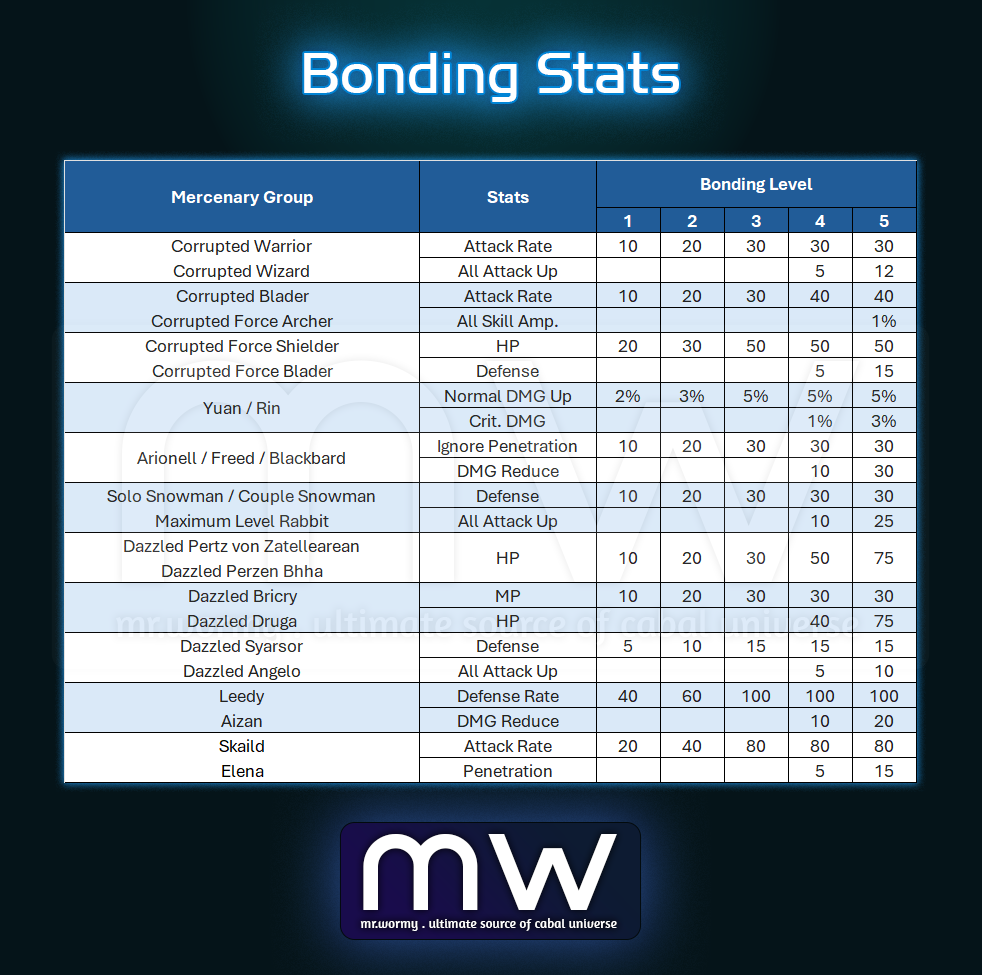
- Mercenary gains additional stats based on the Bonding Level:
- These stats are character-based
- These stats are applied for character even when Mercenaries are not summoned
- Bonding Stats:
4. Change the appearance and icon of some Trust Mercenaries:
- Event Yuan
- Event Arionell
- Event Rin
- Event Freed
- Event Blackbard

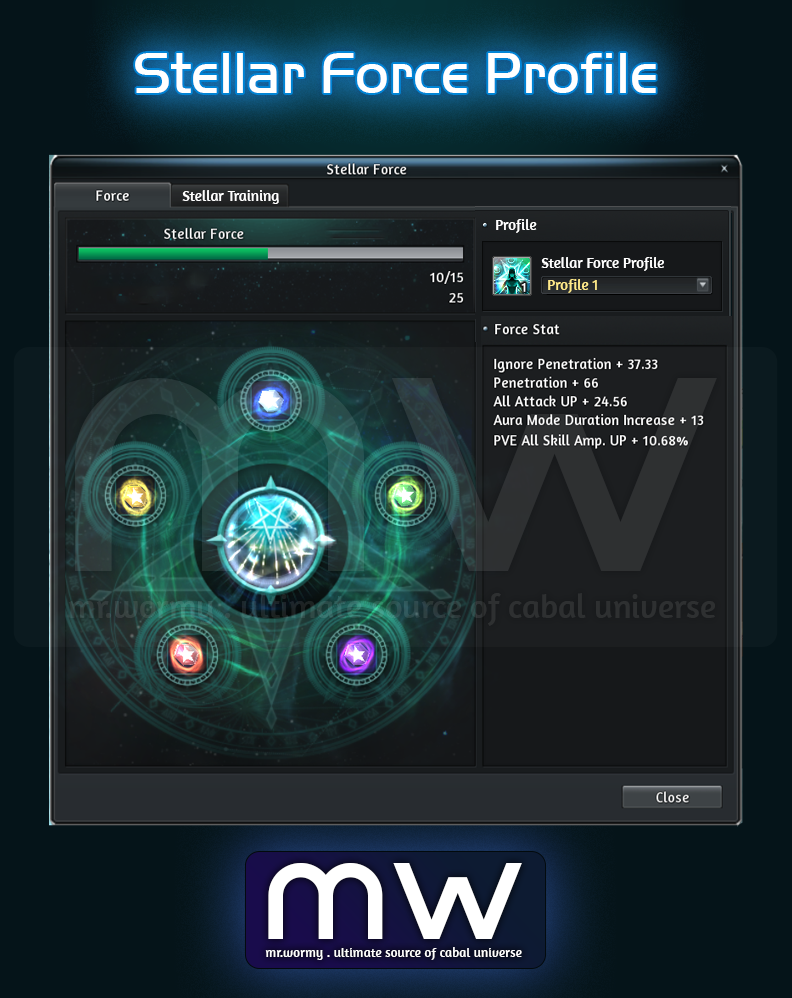
1. Added a feature to setup multiple Star Crystal setup based on Profiles in Stellar Force UI
- Add profiles:
- Existing Star Crystal setup will be assigned in Profile #1
- 2 new profiles are available
- If changing Star Crystal leads to decrease level of Stellar Force:
- The slots with higher Stellar Force level will be marked as disabled and stats will not be applied
- Stats of the disabled slot will be marked in red
- Add the Stellar Force profile into Combined Profile system
2. When entering the Star Fall tab in the Stellar Force UI, the slot with an attribute assigned is automatically selected.
Discover more from Mr. Wormy
Subscribe to get the latest posts sent to your email.
 Mr. Wormy